Stickr plugin for Firefox Mozilla got a screen grabber!
 We are back to you with great news. Much time has passed since the publication of the last post about the development of the Stickr project on Habré and we responsibly declare that all this time we didn’t sit still, but continued to improve our service :)
We want to please fans of the browser Firefox Mozilla - a new version of the plugin has been released
for Firefox you can download it here .
* download Stickr for Google Chrome
After installation, the plug-in icon is added to the lower right corner of the browser. The plugin has a counter that automatically counts stickers on each page.
The appearance of the plug-in is slightly different from the plug-in for Chrome * - the plug-in is closed by clicking the X button:

')
Using the plugin, you can create a new sticker, as well as show / hide all the stickers on the page. The parameters for displaying stickers on pages are set in Settings:

All the basic functions of creating and editing a sticker are preserved:
- font size
- background color
- sticker location
- its size, etc.
Now not only Chrome users can make screenshots on pages :)
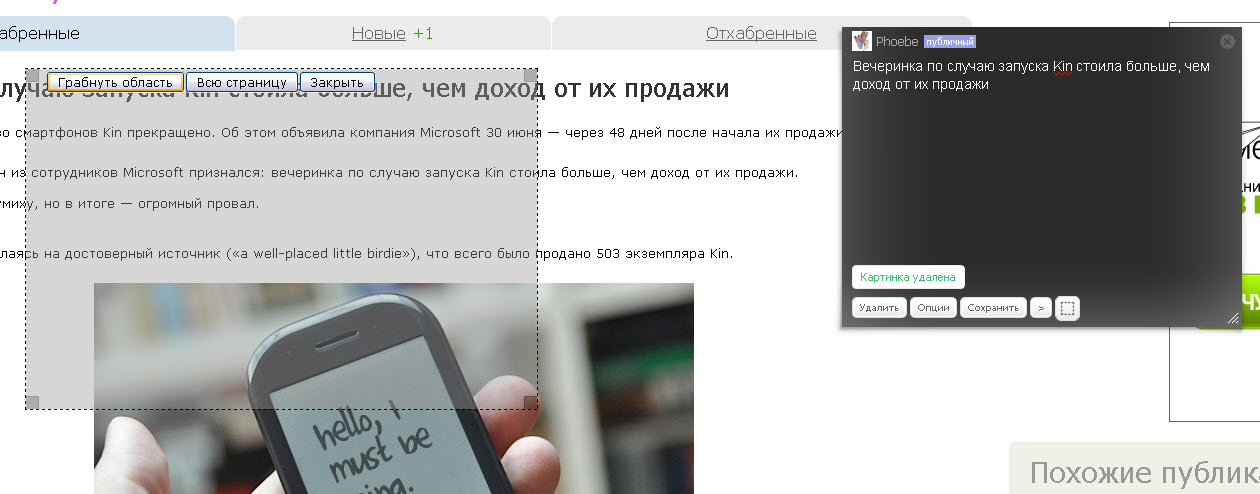
It is possible to rob as a separate fragment on the page, and the entire page.
Stickers with screenshots can be added to any group (by the way, groups have also been updated). You do not need to save anything on your computer, just take a screenshot on any page and send the link to your friend.
And the plugin is very convenient to use for testing websites. All you need is to make a screenshot of the problem and add a sticker with the description to a private group .
What we have added:
- Integration with LJ
- Integration with Evernote
- Custom design settings have changed
- Added new types of groups - personal and private
What we plan:
- Adding tools to the screen grabber (brushes, arrows, adding text to the screen, etc.)
- Webmaster Widget with API
- Animation of stickers on pages
and now we have a new twitter - join us!
Source: https://habr.com/ru/post/99806/
All Articles