Visual Studio 2010 Productivity Power Tools
Productivity Power Tools is a set of extensions for Visual Studio Professional (and above) that improve developer productivity. In the new version of the extension were added such things:
- Extension settings
- Solution Navigator
- Quick access
- Update and fix errors "Searchable Add Reference", "Document Tab Well" and other extensions.
Many pictures
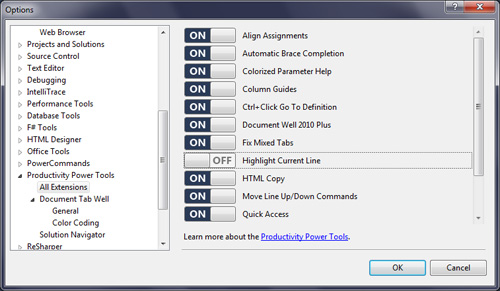
Extension settings
By popular demand, an extension was created that allows you to enable / disable and configure individual components of Productivity Power Tools.
Solution Navigator
This is a new tool that merges with the functionality of Solution Explorer, Class View, Object Browser, Call Hierarchy, Navigate To, and Find Symbol References . The latest version is included in the Productivity Power Tools .
')
Solution Navigator allows you to:
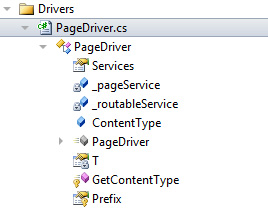
Expand the code file to navigate between classes and class members.
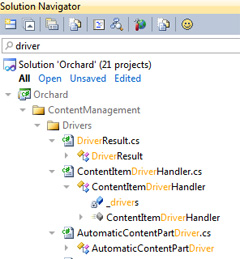
Search all over the solution, down to the members of the classes.
Search results are presented in the form of a filter in the Solution Navigator tree, relevant visible items are selected (for example, the folder containing the search results in gray) and the search phrase in files and classes.
Filter files and projects in the solution to see only open files or unsaved, etc.
Quickly view images by hovering over them. Or view additional information (documentation) by hovering over it.
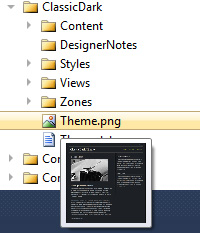
Narrow the viewing area to a project or to a folder or file. Create multiple solution viewing options that you can always go back to. Button " New Window " creates a new window with Solution Navigator.
Interactive tips
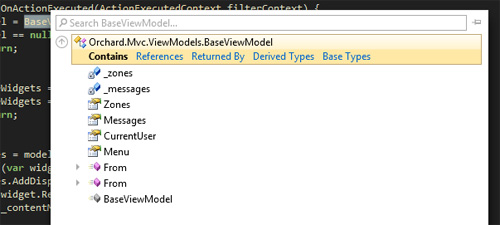
Hovering the mouse over the BaseViewModel will be such a hint

And by clicking the mouse you can see the advanced hint from Solution Navigator. An additional hint includes searching, analyzing the relationship between classes and members, and you can also look at the structure of the class.
Well UI Tabs
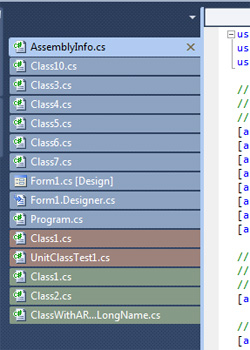
In this extension, the file tabs are colored by design, i.e. each project files have their own color. Tabs are sorted by project.

You can turn on the tab display vertically. This list is similar to the previous one, but the tabs are displayed vertically. This allows you to show more tabs than is usually possible when they are horizontal.
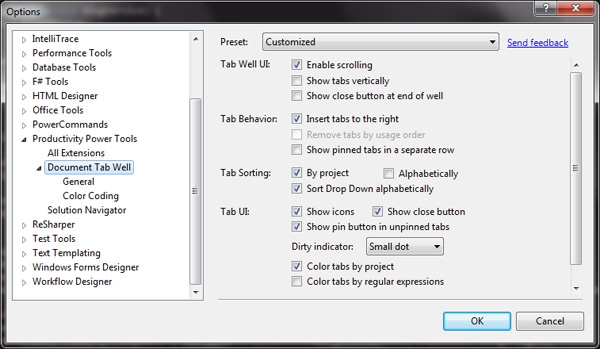
The full extension is called Document Well 2010 and has a separate tab with settings.
Search in the add links window
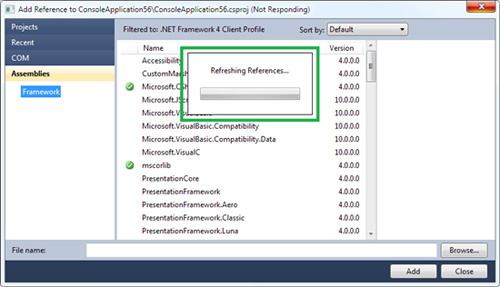
When you first open the " Add Reference Dialog ", you will notice a small process hint in a pop-up window. A cache of current links is created. This may happen a little slowly, but as soon as all information is cached, the window will open instantly. Links are updated only when necessary: when first used, after installing a new SDK, after updating Productivity Power Tools.
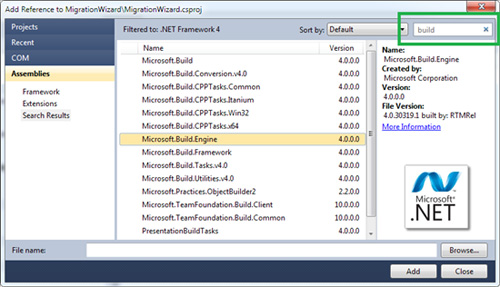
In the upper right corner there is a salvation from the tedious search on a huge list of installed dll. This is a search !
Other joys
Highlight the current line
As the monitor resolution increases all the time, it becomes harder to find a small carriage in the code editor. Selecting the current line allows you to instantly find it.
Triple click
It's simple! A triple click of the mouse selects the entire line.
Ctrl + Click Go To Definition
This module adds a web browser element to the editor by adding interactive links to the code. Holding the Ctrl + Click key will get to the definition of a class or a variable declaration.
Code Allocation (Align Assignments)
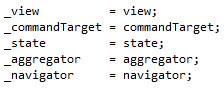
This extension is useful for organizing code in a more readable form, using Ctrl + Alt +] . Turns code from this:
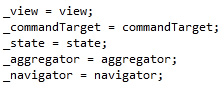
In this:
This extension may conflict with the standard code formatting, when the studio itself formats and removes extra spaces. You need to disable Tools-> Options-> Text Editor-> C # -> Formatting-> Spacing-> "Ignore spaces in declaration statements"
My opinion
After a day of using this extension, it is difficult to judge all the innovations. But, I definitely like the new Solution Navigator with its filters and search. The colored tabs help to quickly understand which file to switch to, but I still do not use all the features (or I don’t know). Search in adding links eliminated the insane scrolling in hundreds of links. Not yet used the new Quick Access and HTML Copy feature.
How did it affect performance? Maybe a little, but here I need to disable unnecessary extensions and close unnecessary windows. So the extension has the full right to be present in the box with the tools of each developer, especially since it is free .
Literature
- Official page with the Productivity Power Tools extension
- Detailed instructions on Solution Navigator in the VS blog
- Document Well 2010 Plus in the VS blog
- Add Reference Dialog
- VS 2010 Productivity Power Tools Update on the ScottGu blog
Source: https://habr.com/ru/post/99670/
All Articles