Overview of the Chinese UMPC Gome FlyTouch
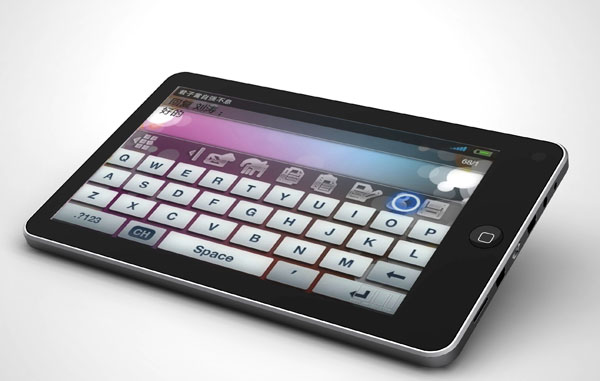
With the advent of the Google Android OS, the market for Chinese tablet PCs began to grow rapidly and at the moment is a huge collection of a wide variety of devices that are attractive for their low cost and quite good (at least declared) technical characteristics.
One of such devices in the price category “under $ 200” is the UMPC “FlyTouch” from the company Gome.
I will conduct a review of this miracle of the Chinese industry under the cut (be careful, traffic! ).
To begin with, the Chinese market is very specific in terms of naming devices and their external differences.
Simply put - 90% of “ultra mobile PCs” look about the same and most often get the name by randomly mixing words from the set aPad, ePad, ePed, iRobot, Touch Android Camera Tablet PC and so on.
')
Therefore, it is worth paying attention not to the name of the device and not to the design of its case, but to the characteristics declared with respect to its hardware.
My sample Gome FlyTouch has the following characteristics:
OS: Google Android 1.6
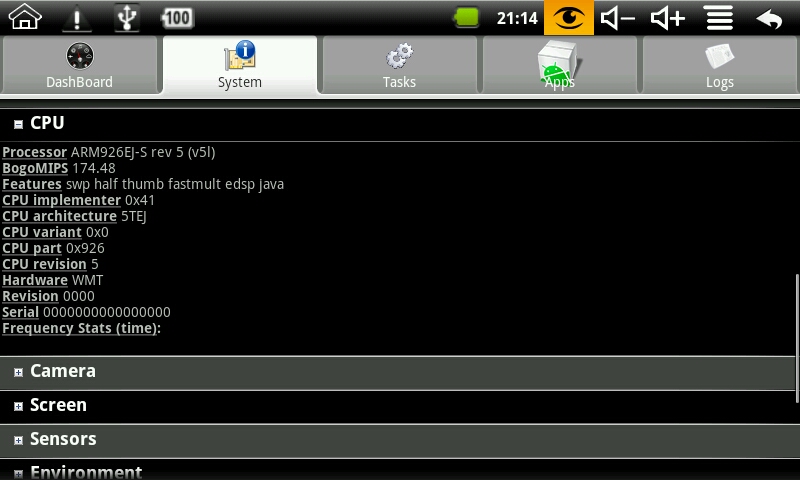
CPU: VIA WM8505, ARM9 platform
Memory: 256 Mb DDR-2
Storage: 1Gb internal memory + microSD expansion slot with support for cards up to 32Gb
Networks: 10/100 Mb Fast Ethernet (via adapter) + Wi-Fi 802.11 b / g WLan (built-in)
Camera: 0.3 Mp, 640x480, built-in
Audio: built-in microphone, built-in stereo speakers, headphone output
Display: 7 "LCD, 800x480, resistive (touchscreen, but no multitouch) viewing angles of about 45-50 degrees.
Also, the device has a built-in microSD / TF card reader, 2 USB 2.0 OTG ports (via an adapter), and a lithium-polymer 2400 mAh battery.
The device came to me in a parcel, generously wrapped in packaging polyethylene.
We release the parcel from the packaging material and find the “branded” box:
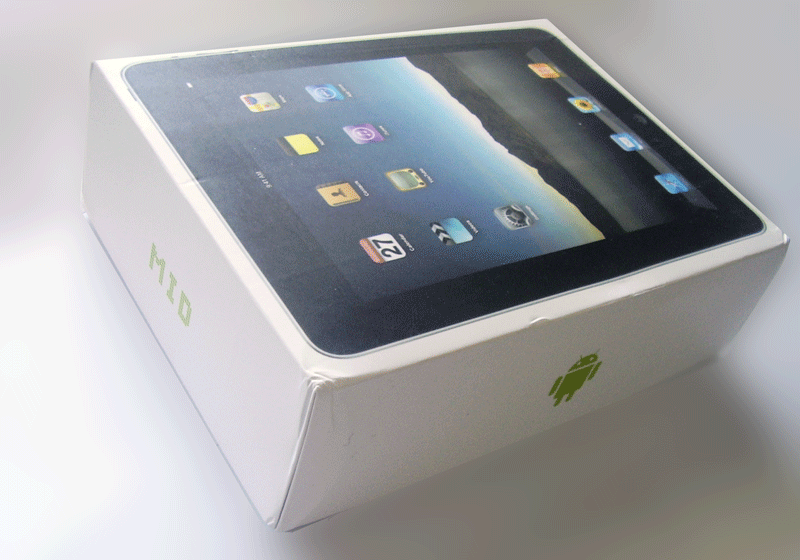
Dense white cardboard, inkjet printing, nothing special. We open, we assort.

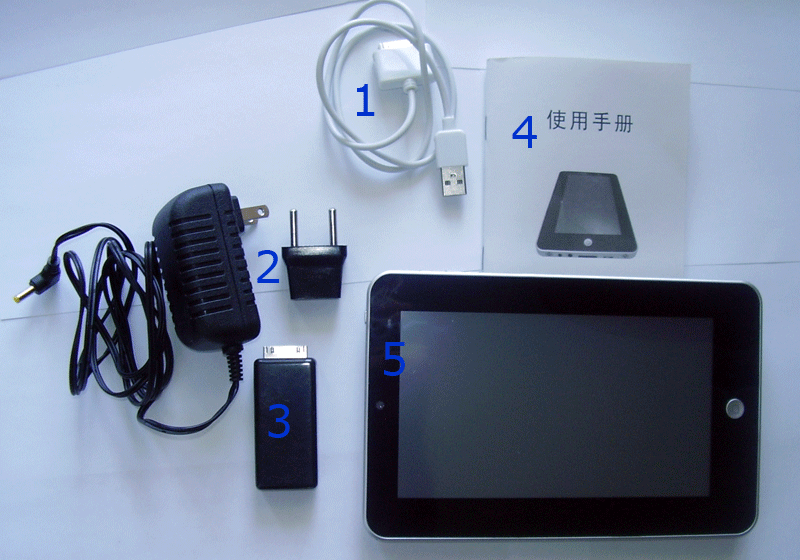
Inside the box is waiting for us:
1) Cord for connecting to a PC disguised as a Mac;
2) Charger with adapter for European sockets;
3) A special adapter that allows you to connect 2 USB devices and an RJ45 connector;
4) Instruction in native (but not for me) Chinese;
5) Actually, FlyTouch itself;
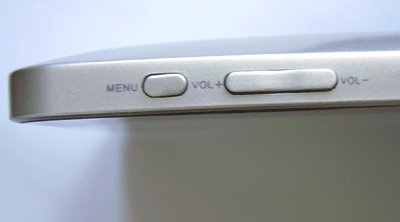
If you rotate the device in your hands, except for a large round button on the front side, you will find the power button on the left side, the volume rocker and the menu button on top of the device:
And a series of connectors on the right side:
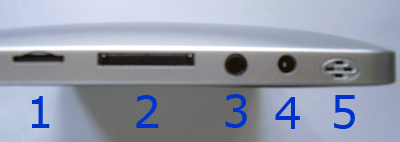
1) Slot for microSD / TF cards;
2) Connector for sync cord or USB-RJ45 adapter;
3) Headphone output;
4) Charger connector;
5) One of the speakers (the second did not get into the frame and is located to the left of the slot for microSD cards);
Behind the device is completely monolithic, gray and dull:
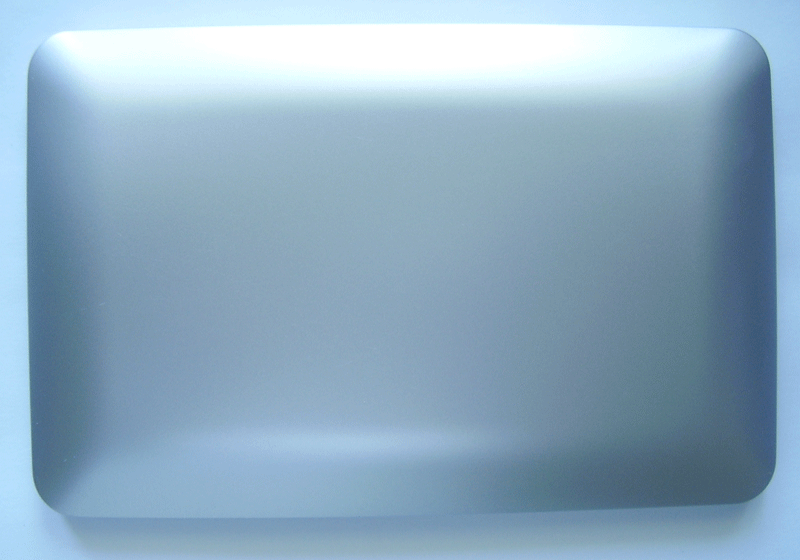
On the weight of our UMPC quite light (370 grams), dimensions: 20 to 13 by 1.2 cm.
The touch is quite nice plastic, slightly rough, the front panel and the screen are glossy.
The device is assembled quite neatly, but not perfectly - when screwing plastic in hands, it creaks slightly, apparently there is a gap between the components of the case.
Turn on the device by pressing the "power" button on the left edge.
The OS loads quickly enough (up to 30 seconds from the moment the button is pressed), but for the sake of fairness, I’ll note that on the very first day I reflashed the device to the “team” firmware from Slatedroid, which I never regretted because it works much faster and more stable native, so all the screenshots and photos are valid for this firmware.

Enabled device. Next - Nokia E51 for visual comparison of dimensions.
The screen has good brightness and contrast.
The desktop widget has three brightness presets (you can add your own), the maximum brightness is enough to work outdoors, the middle one is enough to work comfortably indoors, and the minimum brightness is great for reading in the dark.

The interface is “finger-oriented,” at first it was unusual to “flip through” and “poke” with your fingers instead of the stylus, but I have to admit that it is quite convenient until it comes to typing (there are no advantages over the stylus).
Via USB adapter

You can connect the keyboard and mouse (then a small arrow appears on the screen), after which the device turns into a netbook.
The keyboard works fully, the mouse - the left button symbolizes a click, the right button - calls the application's context menu, scrolls - scrolls the window down or up.
You can plug USB drives into USB ports (I had all the 5 units found in the house from different manufacturers, different capacities and year of release, I note that NTFS android is not supported), the write / read speed is high, like on a regular PC.
Also, all the mice I found, the keyboard, external hard drives (I tried WD, Samsung and Transcend) earned in the USB ports, but I could not get 3G modem to work and the webcam.
As for the built-in camera, it is there, and you shouldn’t talk about it anymore, because the picture quality is terrible, and this camera cannot be used in instant messengers (Skype, QQ, etc.) for video calls, so the use of this camera tends to to zero.
The built-in microphone, on the contrary, has good sensitivity, is “friendly” with Skype, and copes normally with its duties.
Connecting to the network via the RJ45 connector works without complaints, but basically I used Wi-Fi, the quality of which is also not satisfactory.
The built-in browser (Chrome Lite) loads the pages perfectly, no slower than any browser on my PC.
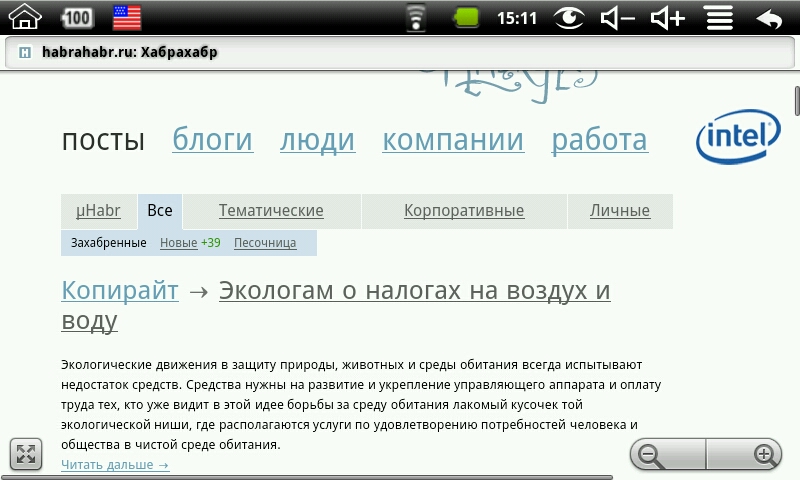
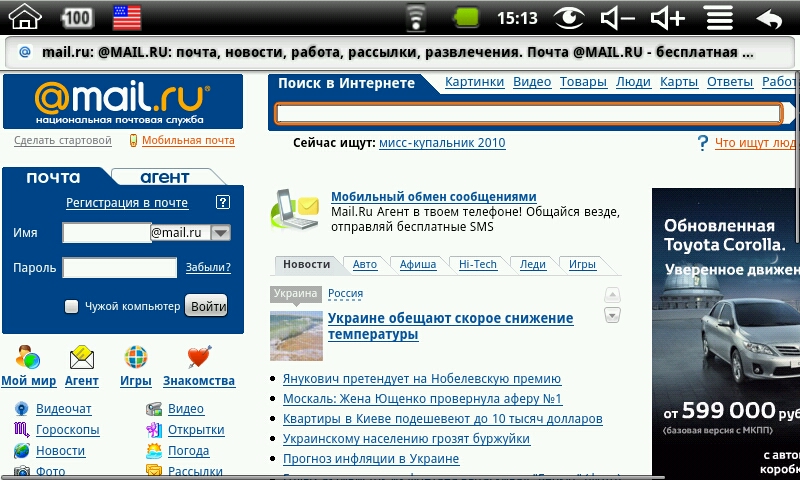
Almost everything works in the browser (Java scripts, Ajax), except for the flash (its operation is not possible in Android OS below 2.0), and SilverLight.
For YouTube there is a separate application, you can watch videos.
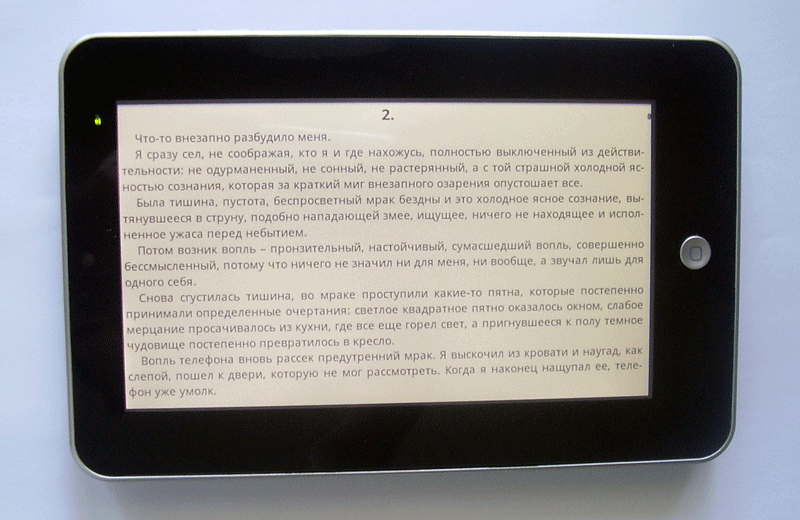
If you limit yourself to typing, reading books (FBReader works simply divinely, after small screens of the phone and PDA read books with a resolution of 800x480 just for fun), mail, chat rooms, office work with documents, pictures, music and the Internet - then the device does everything without brakes and hesitations. Small toys like sudoku or chess also work quite nicely.
But the device is completely unsuitable for watching videos (anyone other than YouTube) and full-screen games. The reason for this is a weak processor without DSP. If you need to watch the video - you should pay attention to devices with a more expensive processor RockChip 2808.
In our device, VIA W8505 is installed, apparently overclocked to 533 megahertz.

The device firmware (both original and from SlateDroid) has a good Russian localization, although not complete. Russian (Ukrainian) layouts are additionally installed by the corresponding program.

The buttons are large, press - convenient. When pressed, it sounds a pleasant "glass" sound :)
Reading books, as already mentioned, is very convenient. The volume rocker in this case works like a page list.
Built-in software - Google Mail, Google Talk - pleasant, convenient, ready to work out of the box.

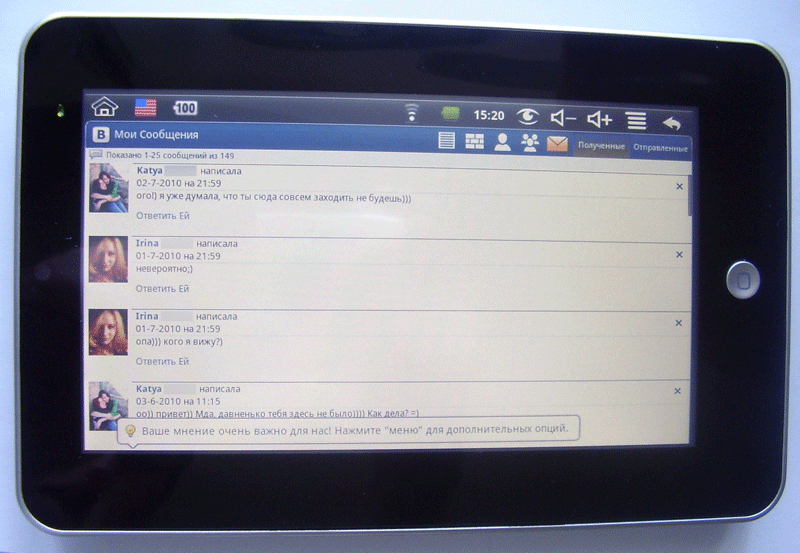
For fans of social networks, there was an application "Vkontakte", which allows you to
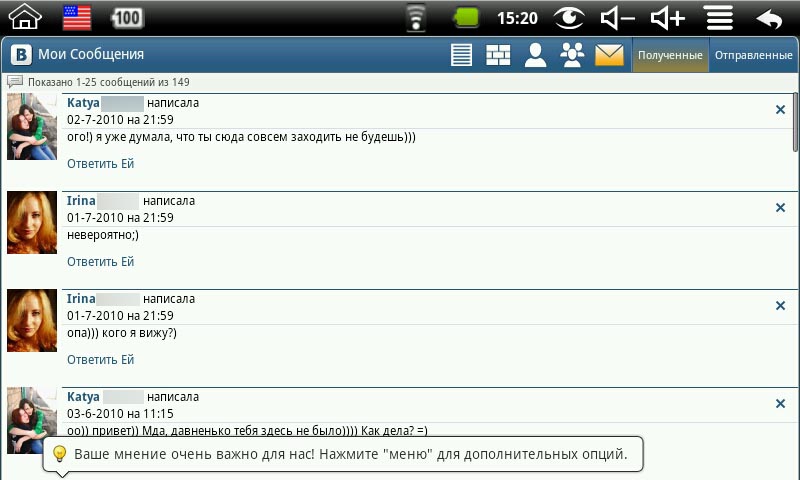
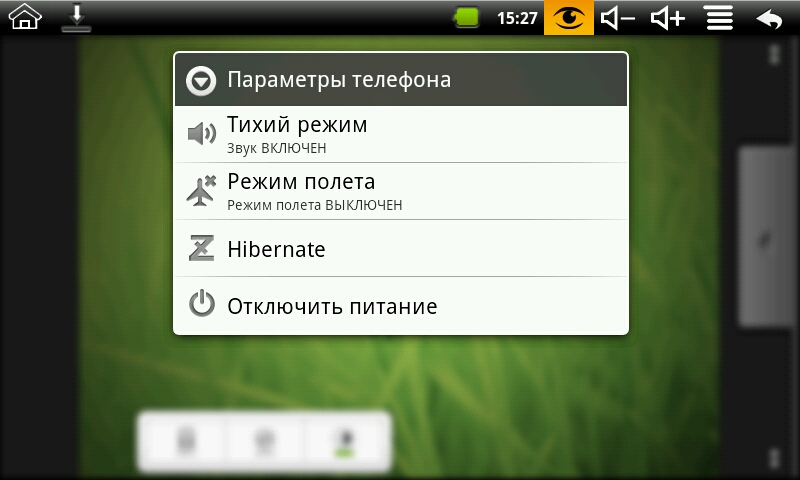
It's funny that with all this the device considers itself a phone :)
Regarding the time of work.
Batteries that thrifty Chinese shove into their devices - a topic for another conversation. It seems that the battery capacity is chosen entirely arbitrarily, since the same devices at a similar price may have completely different “batteries”.
I came across something with a stated 2400 mAh and apparently it is so.
The time of full charge of the device is 3 hours (the LED turns red at this time, and when charging is completed it goes dead), the operating time strongly depends on the display brightness and Wi-Fi state.
I have these figures as follows:
in StandBy mode (display is off, Wi-Fi is disabled, the system works): up to 4 hours.
in StandBy mode (display is off, Wi-Fi is on, the system is working): up to 3 hours.
in the mode of operation (maximum / average brightness, Wi-Fi is disabled): up to 3 hours.
in the mode of operation (maximum / average brightness, Wi-Fi on): up to 2 hours.
in the mode of operation (minimum brightness, Wi-Fi is disabled): more than 3 hours.
In the mode of “reading books” (minimum brightness, Wi-Fi is disabled, only FbReader is running), the device lasted 3 hours and 20 minutes.
In order not to turn on / off the device, in order to save energy, there is a Hibernate mode, which allows you to keep the system in a “ready” state but not waste energy, as in StandBy.
A side effect of using an “overclocked” processor is that the device (especially when Wi-Fi is on) is quite noticeably heated.
The back surface reaches 40 degrees, and locally (apparently above the processor) - all 50.
Probably in wet weather it is rather a plus than a minus, but in the summer it causes some discomfort.
Let's sum up.
Advantages of the device:
[+] Low price
[+] The stated characteristics correspond to real indicators.
[+] Satisfactory build quality
[+] Fast operation of main applications (browser, office software, reader, audio player)
Disadvantages:
[-] Short term work without recharging (on average 2.5 - 3 hours)
[-] Not suitable for watching videos
[-] The device is heated
[-] Unable to update the OS above version 1.6 (not supported by the processor)
In general: a pleasant and interesting toy for both geeks and fans to sit on the Internet wherever it is.
Source: https://habr.com/ru/post/99369/
All Articles