Netbeans plugin for working with git
Many developers love the excellent Netbeans IDE. Everything in it is good, only in the standard package there is no support for at least the beloved and beautiful git 'a.
But the world is not without good people! Thanks to alex.coles and jonas.fonseca , who released the nbgit plugin in Netbeans, git support appears!
Download nbgit-0.4-netbeans-6.9.nbm
')
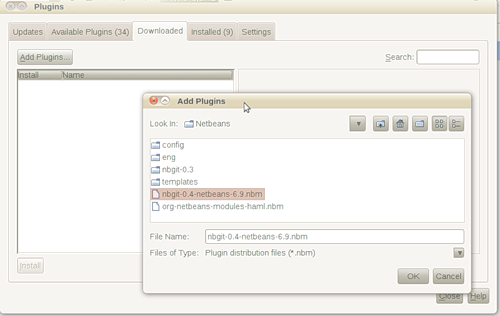
Install Plugin: “Tools” => “Plugins” => “Downloaded” / <Add plugins ...>
After installing the plugin, the git menu appears in the file menu.

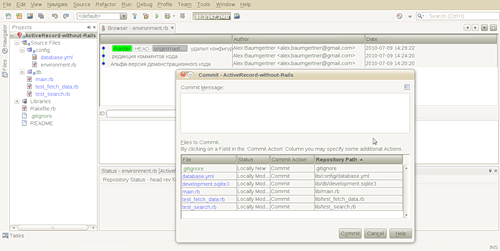
For example, a commit window:
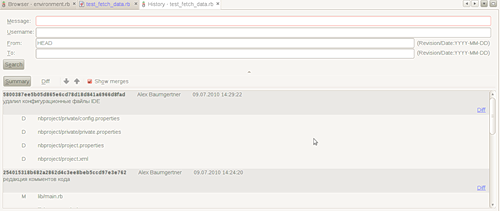
And here - the history of edits:
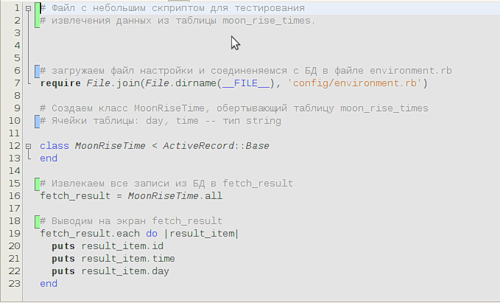
Plus highlighting edits:
More screenshots of nbgit.googlecode.com/svn/images
I love Netbeans!
But the world is not without good people! Thanks to alex.coles and jonas.fonseca , who released the nbgit plugin in Netbeans, git support appears!
Installation
Download nbgit-0.4-netbeans-6.9.nbm
')
Install Plugin: “Tools” => “Plugins” => “Downloaded” / <Add plugins ...>
Job
After installing the plugin, the git menu appears in the file menu.
For example, a commit window:
And here - the history of edits:
Plus highlighting edits:
More screenshots of nbgit.googlecode.com/svn/images
I love Netbeans!
Source: https://habr.com/ru/post/99351/
All Articles