Backup phone book in Nokia S60
A couple of weeks ago, I announced Friday a backup day for myself. I understand perfectly well that system administrators have long ago registered their daily and weekly scripts in crowns and do not think much about emergency situations, because everything is prepared for them. However, I doubt that even system administrators regularly back up all potentially useful information. Today I want to share the creation of a backup address book in mobile phones.
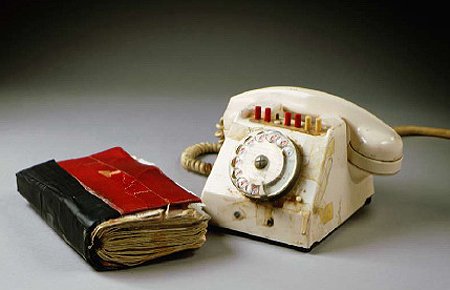
Image: images.ng.ru
As long as I have only “Nokia 6220 Classic” at hand, then I will make this entry using her example. In principle, it is suitable for any relatively new Nokia phones.
')
Many times I heard from people who drowned or lost their cell phones that a new device can be bought, but all those valuable contacts and dear to the heart sms are sorry for them. My friend and I once discussed this topic a long time ago and suggested storing the phone book on the server and the possibility of creating aliases, such as DNS, so that you can call the letter wtsd, which would be converted to +996 700 12 34 56 in case of a change of the operator, it would be enough just to replace the phone number in the DNS), and for calls from abroad it would be possible to dial something like country / operator / alias or wtsd@operator.ru (but then the confusion will be with email).
So, what I am all about. In addition, if you synchronize your phone book with the Ovi server, then with the purchase of a new phone, you can simply synchronize a clean book and be happy. What is very convenient for me personally - you can go through the site to your account and edit the address book, for example. Contacts photos can also be stored there, but I personally do not.
In order to synchronize the contact list in my device, you need to go to Contacts “Contacts”, select Options “Options”, Synchronization “Synchronization”, Settings “Settings” (below the list of my settings) and then immediately Start “Start”. Made the following settings:
Sync profile name: Synchro-server
Server version: 1.2
Server ID: Ovi.com
Data bearer: Internet
Network connection: Default connection
Host address: sync.ovi.com/services/syncml
Port: 443
Username: Ovi}
Password: {password}
Allow sync requests: Ask first
Network user name: None
Network password: {empty}
Synchronization type: Both ways
Contacts sync settings / Contact Database: ./Contact/Unfiled
On my operator, I synchronize the whole book in about twenty seconds, and later only changes are incrementally loaded. Very comfortably!
I hope that this record has brought at least some Benefit to someone.
Image: images.ng.ru
As long as I have only “Nokia 6220 Classic” at hand, then I will make this entry using her example. In principle, it is suitable for any relatively new Nokia phones.
')
Many times I heard from people who drowned or lost their cell phones that a new device can be bought, but all those valuable contacts and dear to the heart sms are sorry for them. My friend and I once discussed this topic a long time ago and suggested storing the phone book on the server and the possibility of creating aliases, such as DNS, so that you can call the letter wtsd, which would be converted to +996 700 12 34 56 in case of a change of the operator, it would be enough just to replace the phone number in the DNS), and for calls from abroad it would be possible to dial something like country / operator / alias or wtsd@operator.ru (but then the confusion will be with email).
So, what I am all about. In addition, if you synchronize your phone book with the Ovi server, then with the purchase of a new phone, you can simply synchronize a clean book and be happy. What is very convenient for me personally - you can go through the site to your account and edit the address book, for example. Contacts photos can also be stored there, but I personally do not.
In order to synchronize the contact list in my device, you need to go to Contacts “Contacts”, select Options “Options”, Synchronization “Synchronization”, Settings “Settings” (below the list of my settings) and then immediately Start “Start”. Made the following settings:
Sync profile name: Synchro-server
Server version: 1.2
Server ID: Ovi.com
Data bearer: Internet
Network connection: Default connection
Host address: sync.ovi.com/services/syncml
Port: 443
Username: Ovi}
Password: {password}
Allow sync requests: Ask first
Network user name: None
Network password: {empty}
Synchronization type: Both ways
Contacts sync settings / Contact Database: ./Contact/Unfiled
On my operator, I synchronize the whole book in about twenty seconds, and later only changes are incrementally loaded. Very comfortably!
I hope that this record has brought at least some Benefit to someone.
Source: https://habr.com/ru/post/99261/
All Articles