Toolduino
Description
Toolduino is a simple tool that makes it easy to interact with the Arduino, to check the created circuits. Toolduino is written in Processing and is available for Windows, Mac OS X and Linux. Toolduino uses the Arduino library for Processing to interact with the board so that you can control the output signals and read the values from the input. The Arduino board must have Firmata firmware, which comes with the Arduino IDE, loaded. Toolduino is not intended for use with your own Arduino sketch - you must load the StandardFirmata sketch onto your Arduino board before using the Toolduino.
IMPORTANT: the Firmata library version distributed with the Arduino 0017 is non-operational and will not work. Make sure you are using Arduino 0018 or higher.
Using
First, you need to load the Firmata firmware into the Arduino. Open the StandardFirmata sketch in the Arduino IDE ( Open File -> Examples -> Firmata -> StandardFirmat ) and load it into the Arduino.
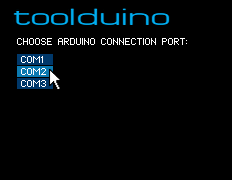
Then run the Toolduino application. When you first start, you will be prompted to select the port to which the Arduino is connected:
Using Toolduino is easy.
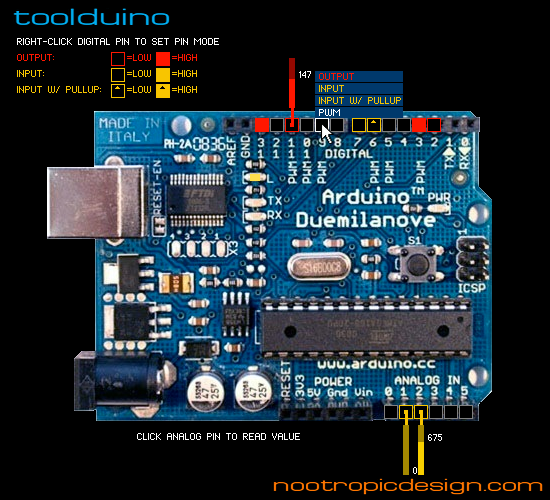
- Right-click on a discrete contact to set its mode: OUTPUT, INPUT, INPUT with a load resistor, or PWM output (available on pins 3, 5, 6, 9, 10, 11).
- Input discrete contacts show HIGH or LOW values.
- Left click of the mouse switches the value on the output discrete contacts.
- Contacts with PWM show a slider with which you can set a value from 0 to 255.
- Left-click on an analog contact to read its value.
')
Download
Version 1.0 is available for the following platforms:
Mac os x
Windows
Linux
Source
Download source
Library dependency:
- Arduino library for Processing
- controlP5
Source: https://habr.com/ru/post/99144/
All Articles