Overview of the school netbook Intel ClassMate PC 4
“ ... So, so, we finish playing - we start a text editor and create a new document. Now there will be a verification work - rewrite the cap from the interactive board. Do not forget to immediately save the document to your study folder ... "
(A fictional story from the future)

')
HabraExclusive review under the cut.
In the spring of this year, Intel launched an interesting project called Intel Edu Galaxy - an online community for teachers, entirely dedicated to education and technology in education. In addition to interesting stories about the possible future of our education, at the event (dedicated to the launch of the community - I already wrote about this) several models of the “ Intel ClassMate PC ” netbook were presented - I did a review of this last year ( 1 + 2 ). Today, the hero of the review was a very fresh, newly-minted ... even more - an unbranded prototype of a school netbook of the last (fourth) generation.
Immediately I warn you not to have excessive snobbery - these devices are not intended to replace the usual notebooks and pens with an ominous qwerty layout - this is just a device to supplement the usual educational process, and not to replace it completely. That is, at the very beginning I, of course, got excited :)
In the design of the device there is almost nothing on the appearance of ordinary netbooks. But much is adopted from the previous model - rubberized body, for example, or color.
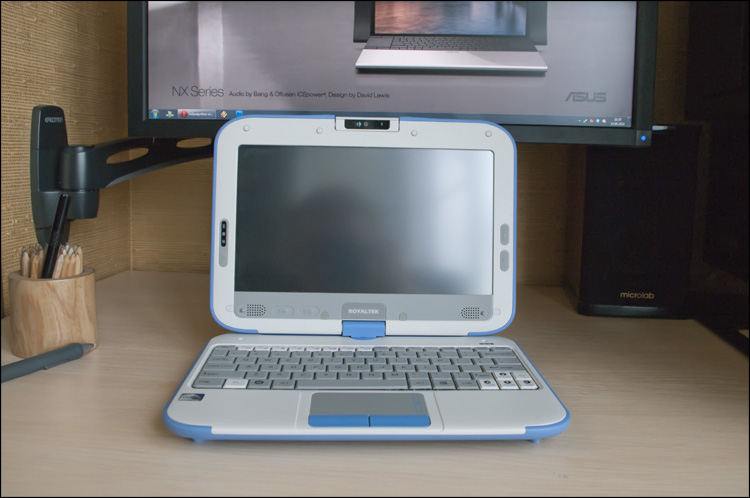
A kind of business card of all CMPC, which is pulled through the entire model line with a thin thread, adding some recognition to the device. Standard netbook sizes, maybe a little bit thicker. Weight is also in the framework of decency - neither girls nor boys will have a hard time.
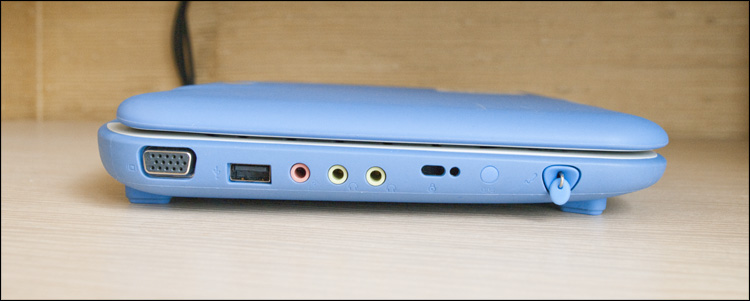
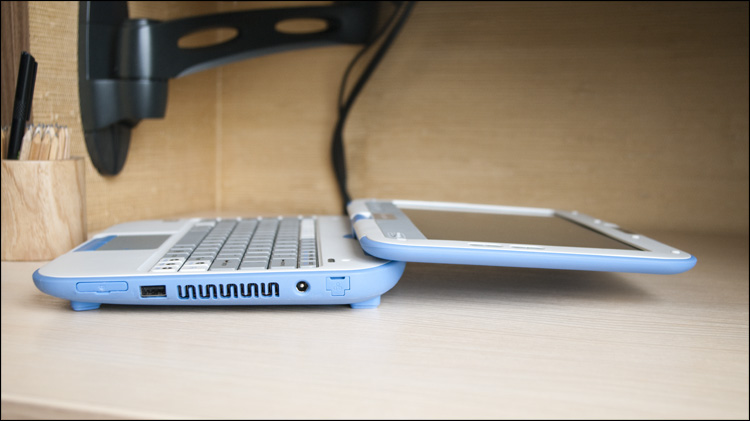
On the left side there are three audio connectors, a VGA port, one USB (2.0) and a hole for the stylus. The latter is very similar to the usual pen and, for the convenience of getting it, a metal ring is inserted at the end.
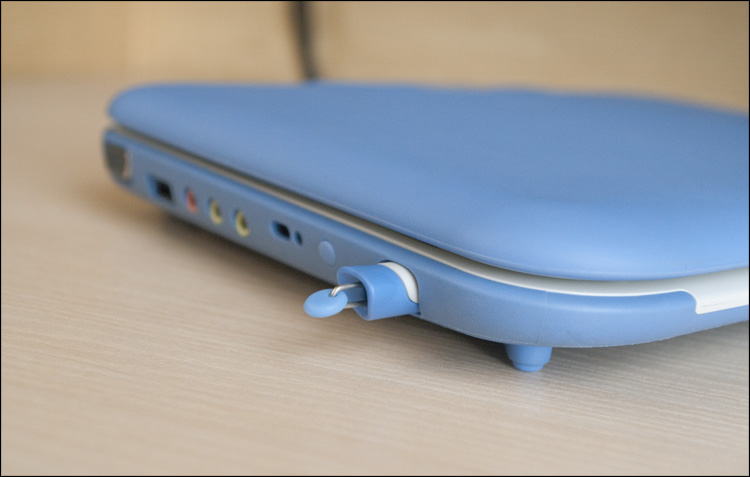

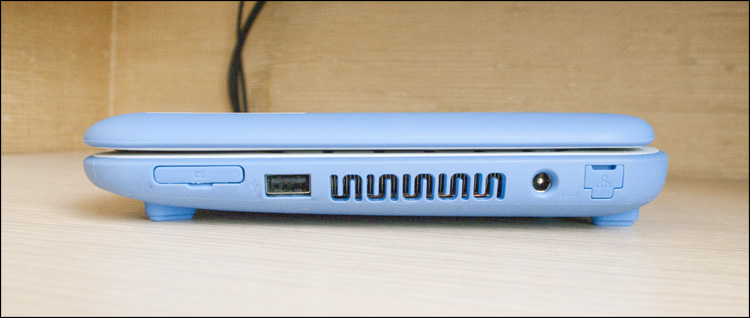
To the right are the vent hole, another USB port, and an SD card slot and an RJ-45 network connector with rubber flaps closed with folding rubber plugs.

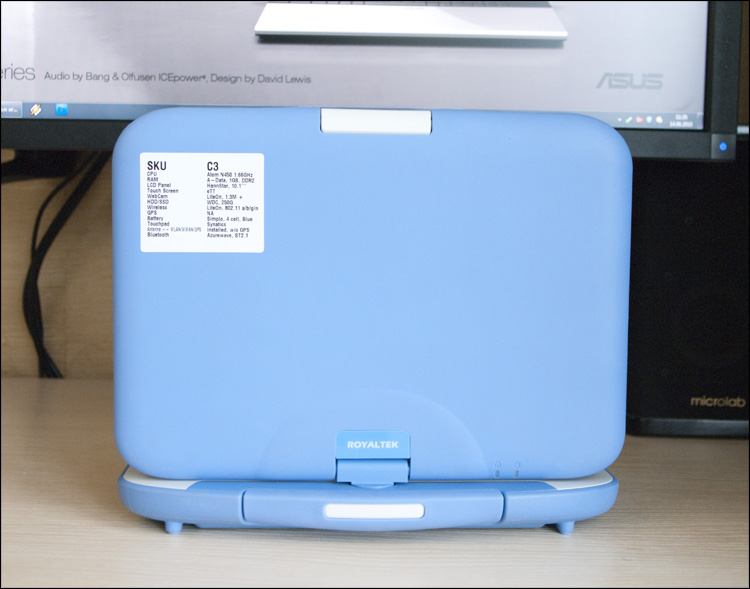
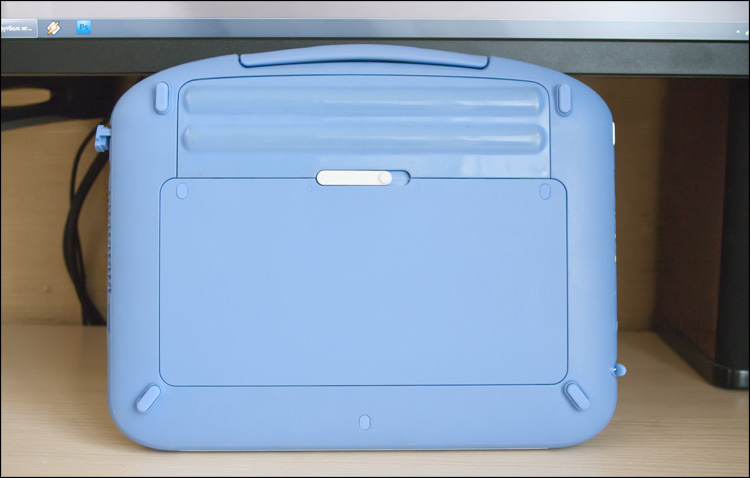
On the back there are 4 rubber legs, a detachable battery (Li-Ion, 4400 mAh, 32 Wh) and one large system compartment cover, the screws of which are closed with plugs.
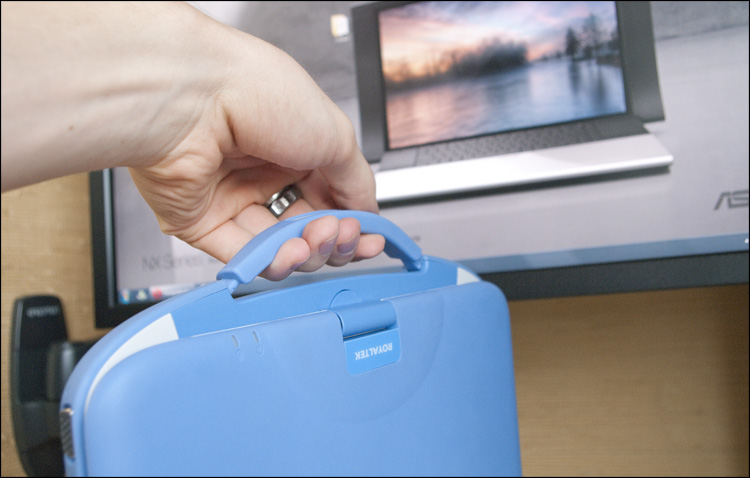
The carrying handle is not so convenient this time - if in the previous model it was large and monolithic, now it is smaller and “cleans up” - in order to take hold of the handle, you need to spend a second or two seconds.
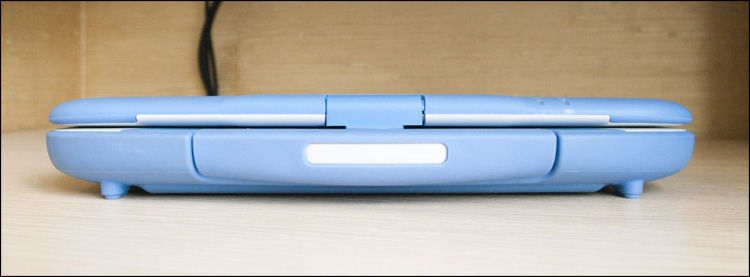
A matte 10-inch screen is great. Moreover, it is touch and swivel! You want - work with a mouse, you want - poke a finger; if you want, turn the screen, make a “tablet”, and draw with a stylus as if nothing had happened.
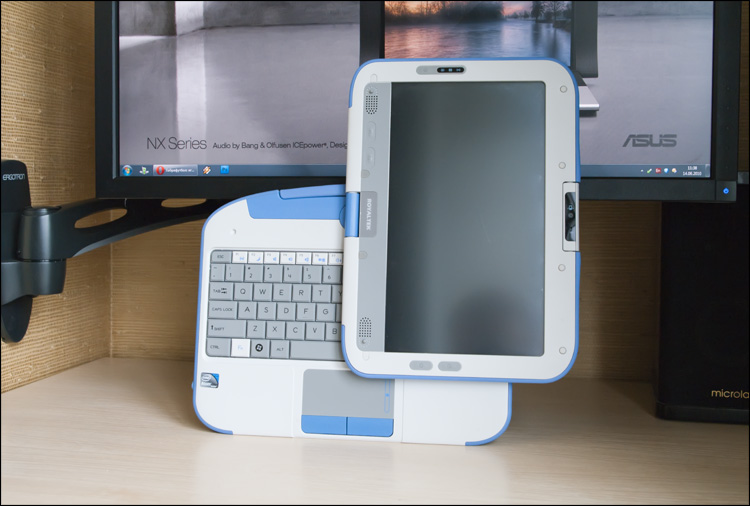
Another big and convenient plus lies in the balanced sensitivity of the screen - it's easy to control the interface with your finger, but if you want to draw, you can safely put your hand right on the screen and it will not appear in the figure at all - there will be no false positives. Once again, I admire.
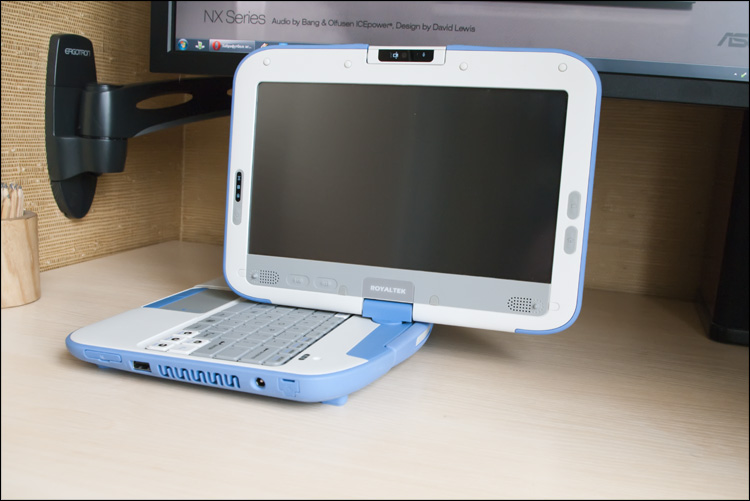
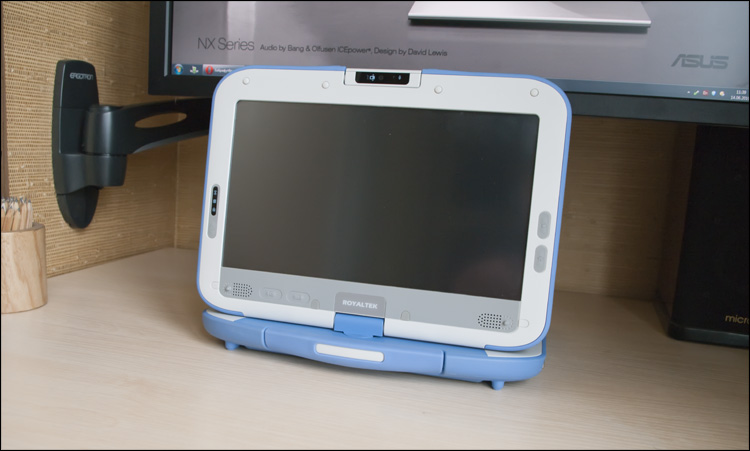
Around the screen (on the matte frame!) There are a lot of functional elements, no less surprising. Above - turning (270 degrees) 2-megapixel webcam.
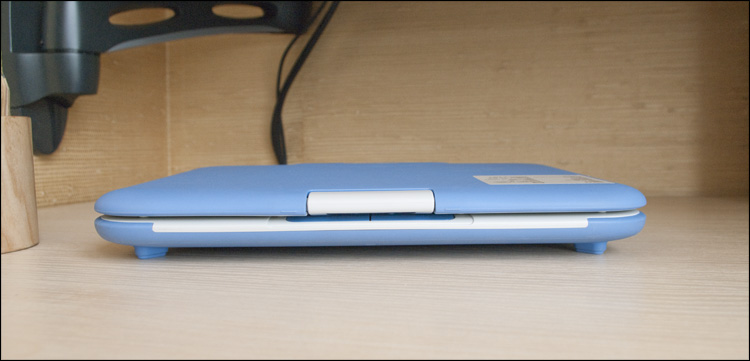
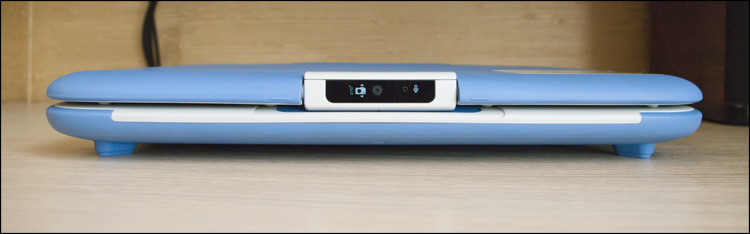
On the left are the status indicators and the power button, and on the right are two rubberized buttons (Home and WebCam). Two more similar buttons (for browsing materials) and 2 speakers are located in the lower part of the display.
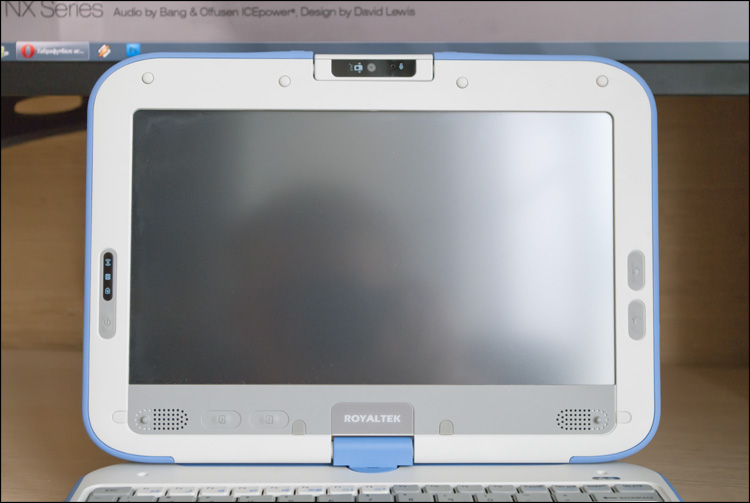
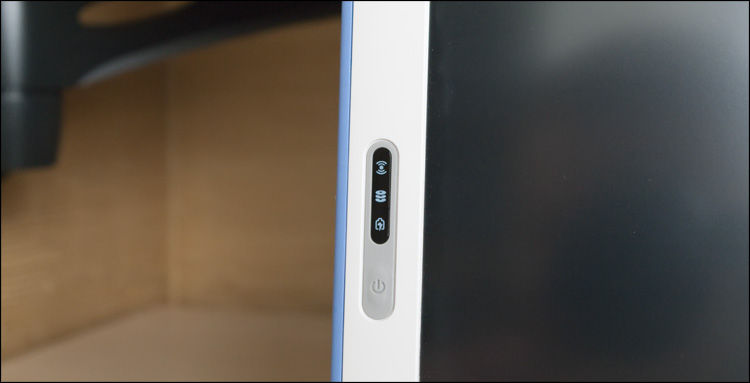
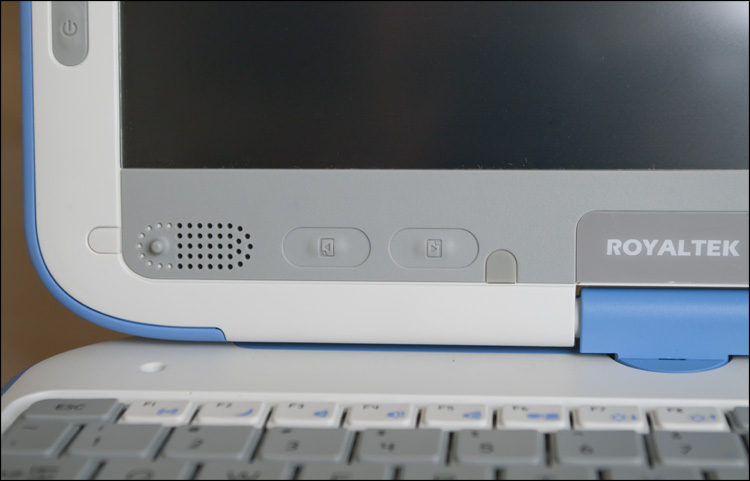
The indicators seemed to me superfluous - they are arranged exactly so as to distract as much as possible during operation (well, at least they were not made in the center of the screen) - I think they could be transferred to the back side of the lid, as was done with two other LEDs.

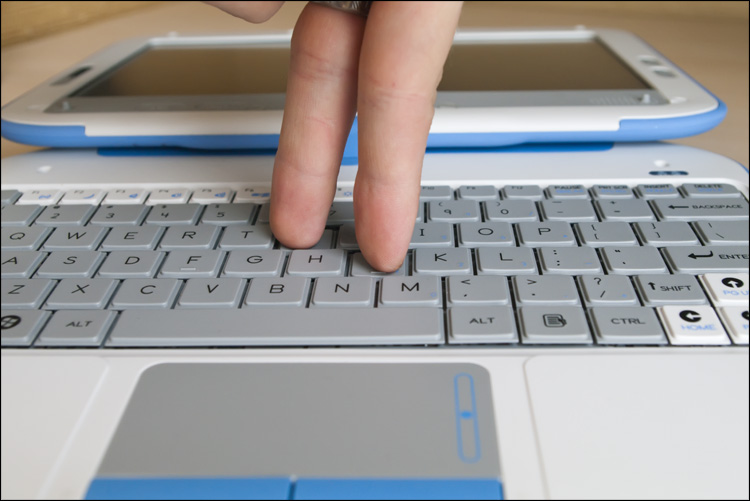
The keyboard is quite good - these are not fashionable split keys “like your own and able”, but no less comfortable (despite the size of the buttons slightly reduced from the standard). Keys are rectangular, gray and white; Two buttons Fn and separate arrows - this is what I approve of.) Another bonus is the moisture-proof properties, which is very prudent, since the netbook is intended for teenagers. So for the input device you can put the top five - printing is also convenient.
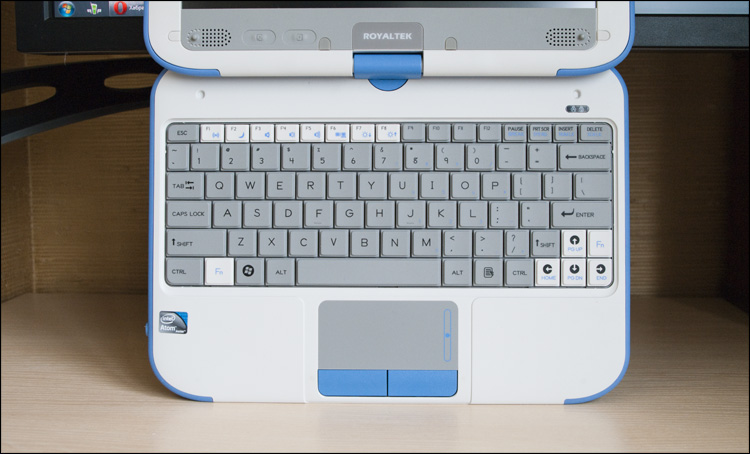
But the touchpad is as simple as possible - it has a pleasantly rough surface with a specially designated area for scrolling and two blue buttons. And that's all.
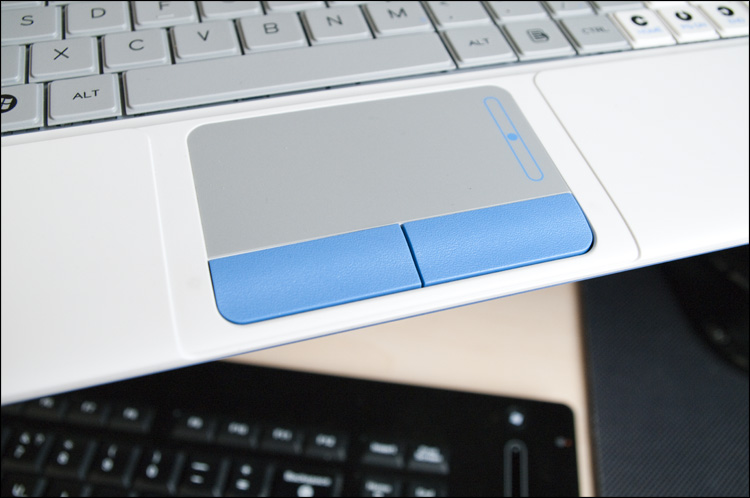
Netbook as a netbook. Something favorably distinguishes it from many competitors, but there are also enough moments to work on yet.

It is clear that this device is not a high-tech alloy of the very latest technologies, so you should not expect anything extraordinary from it. Just like everywhere - the average performance and battery life (about 5 hours). Preinstalled Windows 7 slows down a bit, but this is most likely the problem of an engineering instance - after all, history knows quite a few netbooks on a similar platform, which work perfectly under the control of the G7. Much more interesting is what is pre-installed on the device, in comparison, for example, with what was in the previous model. We'll see?
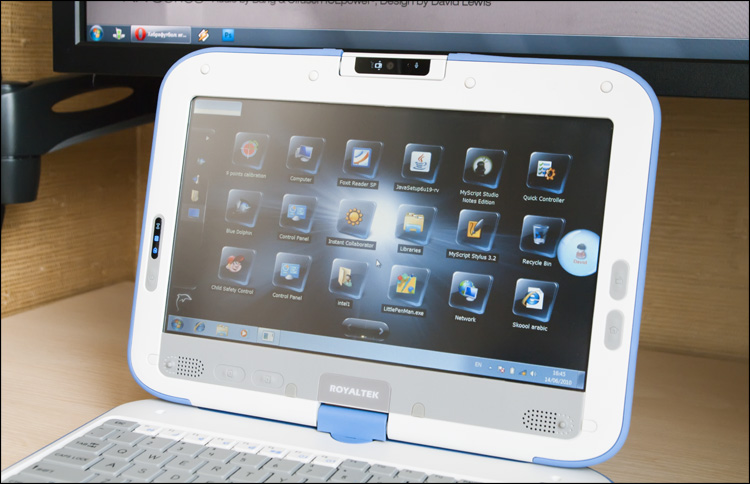
It all starts with the download of a specialized Blue Dolphin graphic shell. By and large, this is just a friendly application launcher, in which there are many interactive trivia that can attract attention.
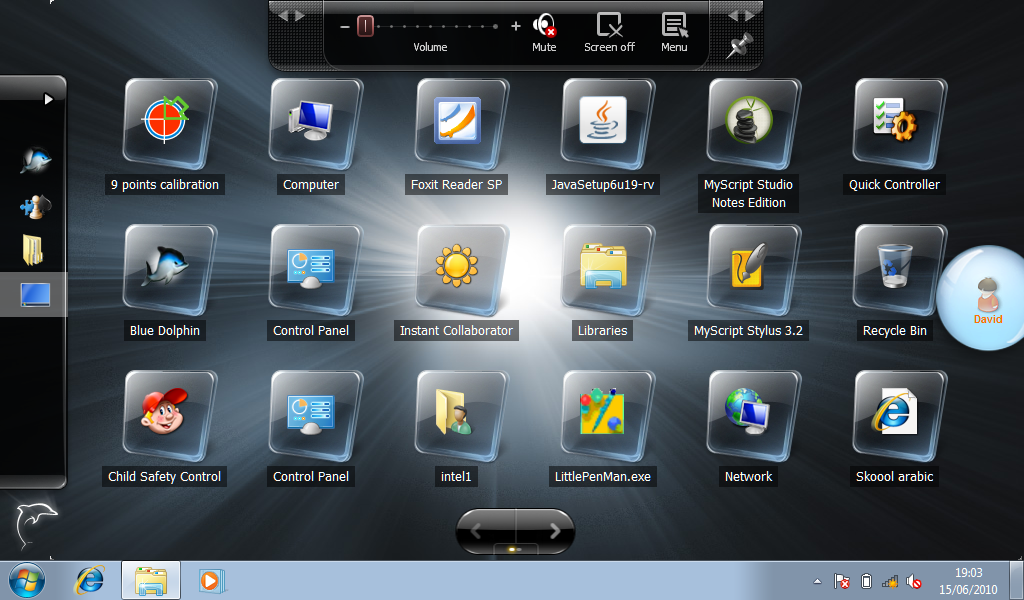
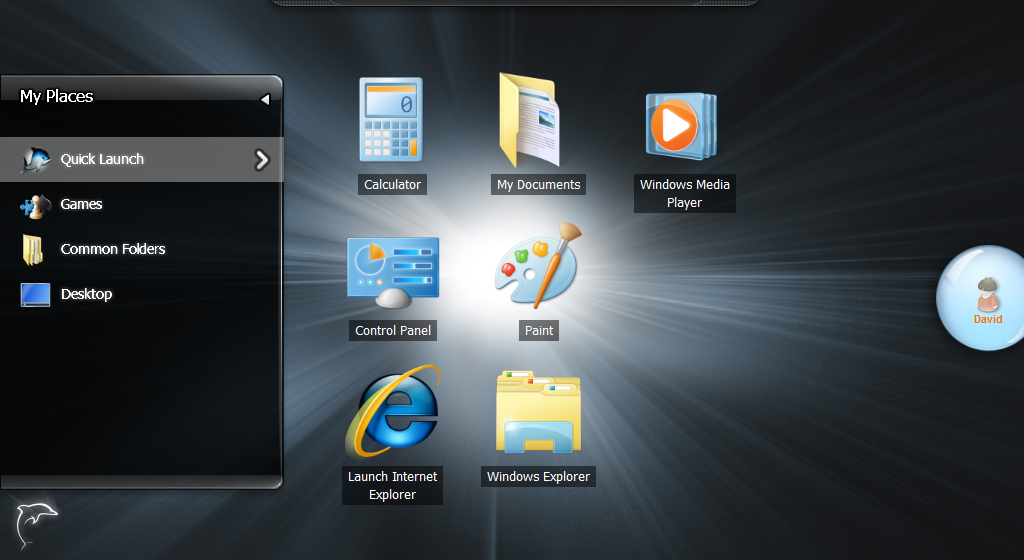
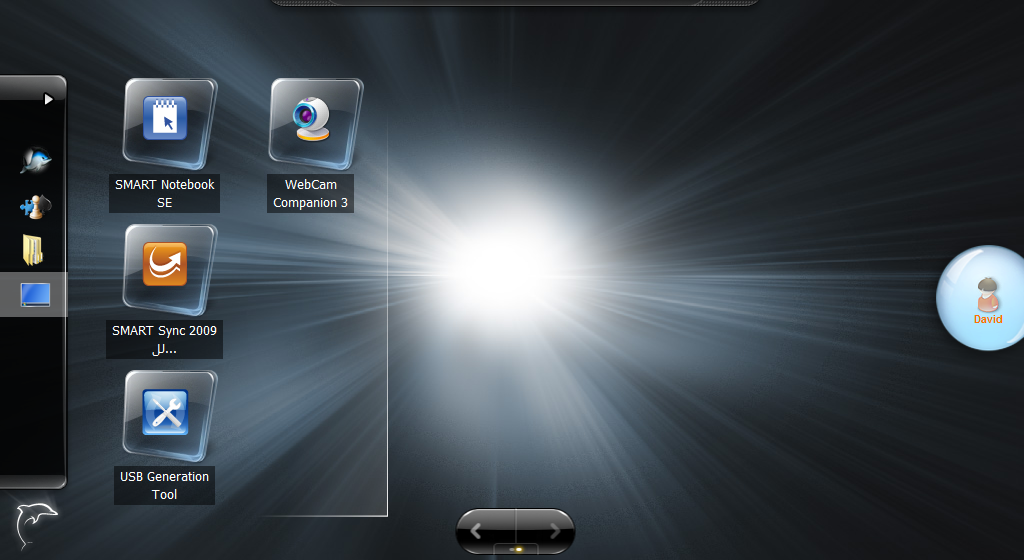
On the left is a sliding panel with an editable list of groups of different applications. The rest of the space is occupied by two virtual desktops, you can switch between them with a button or with a simple stroke on the screen - everything is lively and even with beautiful transitions. What is located on these tables? Predictable icons. And for the most part all sorts of system (not needed by the students; by the way, the icons can be edited), but this, as I understand it, is a feature of this assembly.


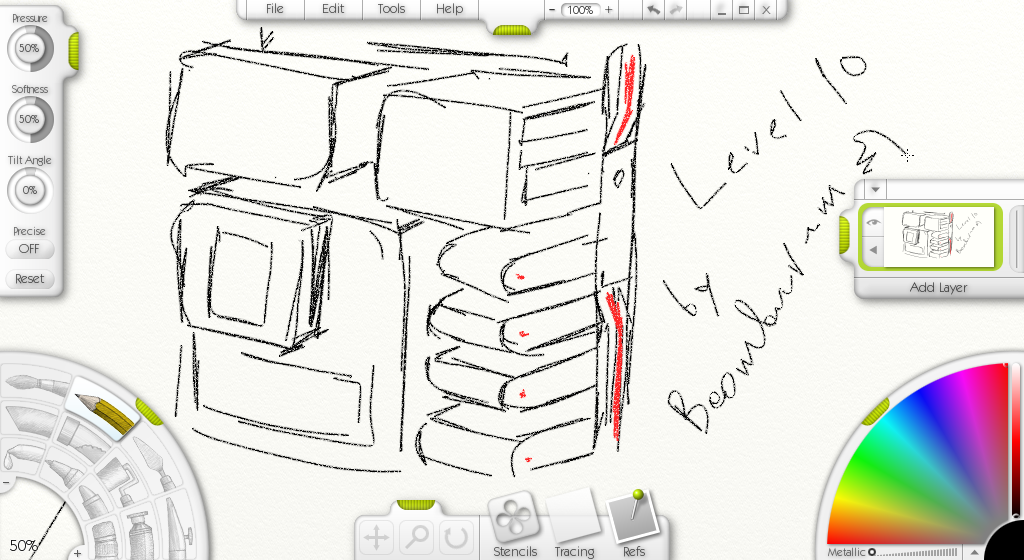
Like last time, the realistic and intuitive graphic editor ArtRage is preinstalled , which is really fun to draw. Could not resist :)
There is another flexible shell for setting up a “child” profile (I already wrote about it) —the choice of account design, parental controls, various restrictions (shutdown / restart / launch of applications, etc.) is quite a working option.
The Smart Notebooks SE program is an interesting software package for working on the “1: 1” model (student's netbook vs teacher’s computer vs interactive board) - in fact, it’s a program for creating and conducting presentations. For some reason, many people associate with the word “presentation” only miserable slideshows from PowerPoint, a), but everything is simpler here. And this is probably the best.

MyScript Studio Notes notes manager is also a good program, however, there is nothing teenage about it - a rather complicated interface, a small text ... well, I don’t know, let it be.

And this is a small wonderful program that allows you to keep under control some system functions, such as screen brightness, volume, etc.

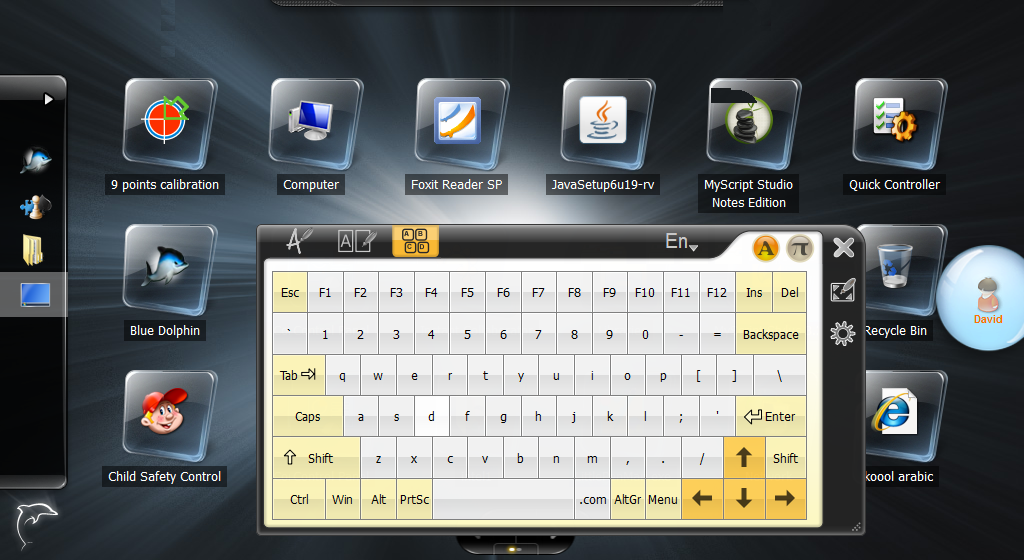
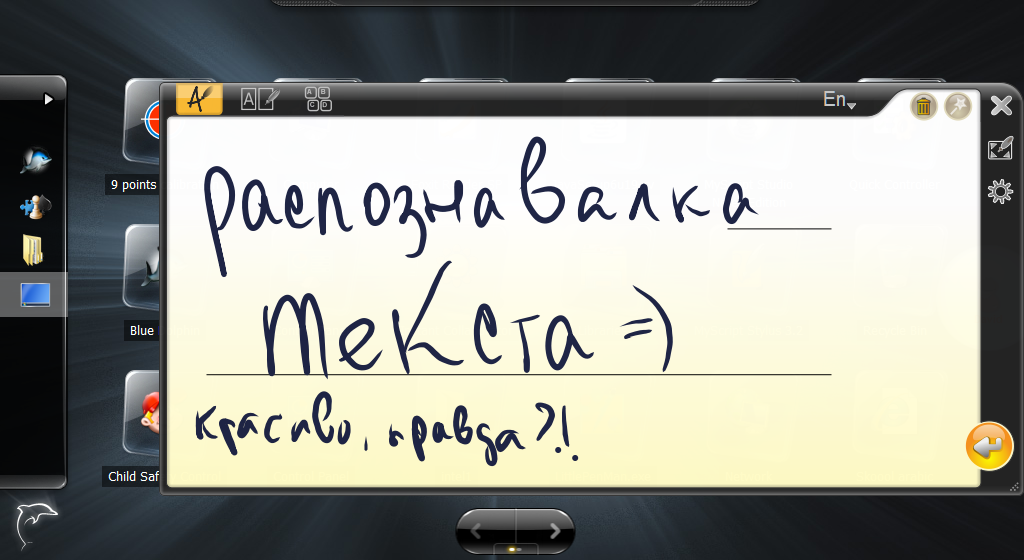
Data input is carried out through the hardware keyboard, through a virtual one, or by handwriting recognition. The recognition system is all the same cool - only the transformation of clumsy scribbling into very nicely stylized letters is worth something ... but that's what - it does recognize, and very skillfully!
Well, perhaps that's all. Involuntarily the question is born - "where else?". More precisely ... is this what the student needs, whatever the class? Can all these programs and visual beauties teach him something useful? The answer, it seems to me, is obvious. But here it is not clear “who is to blame and what to do” - on the one hand, Intel is trying in every way to pull a heavy educational burden, on the other hand, where are the “specially trained” people and organizations? At a minimum, they should provide all possible assistance. Nonetheless, Intel is doing quite well - launching projects, developing various teaching ideas, spreading various techniques and teaching teachers - in a word, the right vector.
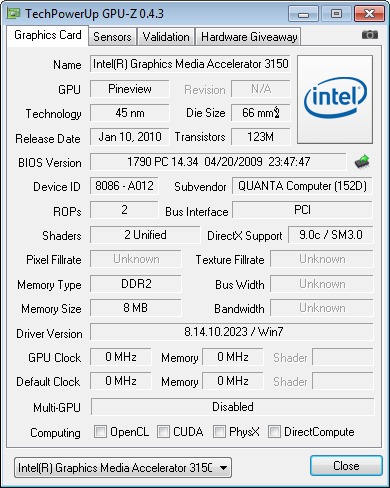
Returning to the technical parameters of the device, here are some clear numbers and screenshots. Processor and chipset:

Video system:
Hard disk linear read speed (250GB disk installed):

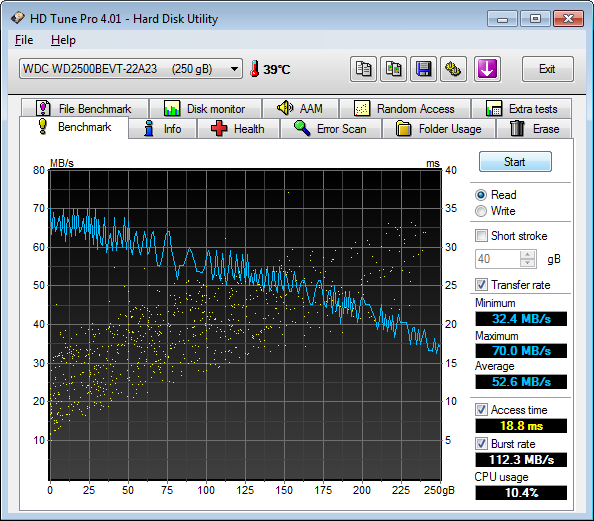
As you can see, a very powerful netbook - at least, for the overwhelming majority of educational tasks it will be enough for you.
Anticipating questions, grieving - this netbook is nowhere to be bought anywhere and not even the fact that it will be in retail at all. In Russia, CMPCs are “localized” by Aquarius and ICL companies — it is possible that netbooks can be bought as part of school / regional educational projects. So it is very easy to make a good deal - for the second year in a row, Intel holds a school project competition , in which absolutely any school can participate. And if there is an opportunity to at least just bring information about this event to the school’s leadership of the child, there is every chance that he will be one of the first participants in an attempt to introduce innovative developments.
To say that this is a “netbook from Intel” is impossible - the corporation only made a contribution to its design and promotion, and it is not yet clear who will be the final manufacturer. But even from a test sample, certain conclusions can be drawn: a netbook is definitely good and will only get better when the remaining “touches” are brought to mind.
But it confuses me completely different, not the name of the manufacturer and not the dampness of the software. By and large, this entire initiative has long grown out of just an idea - research has been done, development has been carried out, production has been established, there are devices and even software has been taken ... and there are still almost no changes in schools. A netbook shouts, “ Well, here I am! Ready to meet the time, ready to teach, surprise and interest children - give me a chance and I will take the first serious step in modern education !!! "But ... they don't hear it? Hmm, so after all, maybe the fourth generation of devices is morally obsolete, and the fifth ...) Therefore, to some extent it is even a shame that the available resources are used inefficiently.
But my limitless optimism calms me, because lately there is more and more light in the education tunnel - computer knowledge is added (and not only at the expense of young teachers), iron is becoming prettier and cheaper, software is being written, Internet connections are being summed up, and presidents are crammed with good examples IT solutions. Against the background of all this, you unwittingly understand that just about 10 school years of the younger generations will begin to take place much more efficiently - more clearly, more interestingly and more favorably, and this is the guarantee of our future. We can talk about this in the comments - feel free to write, we will discuss together)
I dug up an interesting textbook on physics for the 7th grade - I'll go look through, remember the youth.
Successes!
(A fictional story from the future)
')
HabraExclusive review under the cut.
In the spring of this year, Intel launched an interesting project called Intel Edu Galaxy - an online community for teachers, entirely dedicated to education and technology in education. In addition to interesting stories about the possible future of our education, at the event (dedicated to the launch of the community - I already wrote about this) several models of the “ Intel ClassMate PC ” netbook were presented - I did a review of this last year ( 1 + 2 ). Today, the hero of the review was a very fresh, newly-minted ... even more - an unbranded prototype of a school netbook of the last (fourth) generation.
Immediately I warn you not to have excessive snobbery - these devices are not intended to replace the usual notebooks and pens with an ominous qwerty layout - this is just a device to supplement the usual educational process, and not to replace it completely. That is, at the very beginning I, of course, got excited :)
Appearance
In the design of the device there is almost nothing on the appearance of ordinary netbooks. But much is adopted from the previous model - rubberized body, for example, or color.
A kind of business card of all CMPC, which is pulled through the entire model line with a thin thread, adding some recognition to the device. Standard netbook sizes, maybe a little bit thicker. Weight is also in the framework of decency - neither girls nor boys will have a hard time.
On the left side there are three audio connectors, a VGA port, one USB (2.0) and a hole for the stylus. The latter is very similar to the usual pen and, for the convenience of getting it, a metal ring is inserted at the end.
To the right are the vent hole, another USB port, and an SD card slot and an RJ-45 network connector with rubber flaps closed with folding rubber plugs.
On the back there are 4 rubber legs, a detachable battery (Li-Ion, 4400 mAh, 32 Wh) and one large system compartment cover, the screws of which are closed with plugs.
The carrying handle is not so convenient this time - if in the previous model it was large and monolithic, now it is smaller and “cleans up” - in order to take hold of the handle, you need to spend a second or two seconds.
A matte 10-inch screen is great. Moreover, it is touch and swivel! You want - work with a mouse, you want - poke a finger; if you want, turn the screen, make a “tablet”, and draw with a stylus as if nothing had happened.
Another big and convenient plus lies in the balanced sensitivity of the screen - it's easy to control the interface with your finger, but if you want to draw, you can safely put your hand right on the screen and it will not appear in the figure at all - there will be no false positives. Once again, I admire.
Around the screen (on the matte frame!) There are a lot of functional elements, no less surprising. Above - turning (270 degrees) 2-megapixel webcam.
On the left are the status indicators and the power button, and on the right are two rubberized buttons (Home and WebCam). Two more similar buttons (for browsing materials) and 2 speakers are located in the lower part of the display.
The indicators seemed to me superfluous - they are arranged exactly so as to distract as much as possible during operation (well, at least they were not made in the center of the screen) - I think they could be transferred to the back side of the lid, as was done with two other LEDs.
The keyboard is quite good - these are not fashionable split keys “like your own and able”, but no less comfortable (despite the size of the buttons slightly reduced from the standard). Keys are rectangular, gray and white; Two buttons Fn and separate arrows - this is what I approve of.) Another bonus is the moisture-proof properties, which is very prudent, since the netbook is intended for teenagers. So for the input device you can put the top five - printing is also convenient.
But the touchpad is as simple as possible - it has a pleasantly rough surface with a specially designated area for scrolling and two blue buttons. And that's all.
Netbook as a netbook. Something favorably distinguishes it from many competitors, but there are also enough moments to work on yet.
Work with the device
It is clear that this device is not a high-tech alloy of the very latest technologies, so you should not expect anything extraordinary from it. Just like everywhere - the average performance and battery life (about 5 hours). Preinstalled Windows 7 slows down a bit, but this is most likely the problem of an engineering instance - after all, history knows quite a few netbooks on a similar platform, which work perfectly under the control of the G7. Much more interesting is what is pre-installed on the device, in comparison, for example, with what was in the previous model. We'll see?
It all starts with the download of a specialized Blue Dolphin graphic shell. By and large, this is just a friendly application launcher, in which there are many interactive trivia that can attract attention.
On the left is a sliding panel with an editable list of groups of different applications. The rest of the space is occupied by two virtual desktops, you can switch between them with a button or with a simple stroke on the screen - everything is lively and even with beautiful transitions. What is located on these tables? Predictable icons. And for the most part all sorts of system (not needed by the students; by the way, the icons can be edited), but this, as I understand it, is a feature of this assembly.
Like last time, the realistic and intuitive graphic editor ArtRage is preinstalled , which is really fun to draw. Could not resist :)
There is another flexible shell for setting up a “child” profile (I already wrote about it) —the choice of account design, parental controls, various restrictions (shutdown / restart / launch of applications, etc.) is quite a working option.
The Smart Notebooks SE program is an interesting software package for working on the “1: 1” model (student's netbook vs teacher’s computer vs interactive board) - in fact, it’s a program for creating and conducting presentations. For some reason, many people associate with the word “presentation” only miserable slideshows from PowerPoint, a), but everything is simpler here. And this is probably the best.
MyScript Studio Notes notes manager is also a good program, however, there is nothing teenage about it - a rather complicated interface, a small text ... well, I don’t know, let it be.
And this is a small wonderful program that allows you to keep under control some system functions, such as screen brightness, volume, etc.
Data input is carried out through the hardware keyboard, through a virtual one, or by handwriting recognition. The recognition system is all the same cool - only the transformation of clumsy scribbling into very nicely stylized letters is worth something ... but that's what - it does recognize, and very skillfully!
Well, perhaps that's all. Involuntarily the question is born - "where else?". More precisely ... is this what the student needs, whatever the class? Can all these programs and visual beauties teach him something useful? The answer, it seems to me, is obvious. But here it is not clear “who is to blame and what to do” - on the one hand, Intel is trying in every way to pull a heavy educational burden, on the other hand, where are the “specially trained” people and organizations? At a minimum, they should provide all possible assistance. Nonetheless, Intel is doing quite well - launching projects, developing various teaching ideas, spreading various techniques and teaching teachers - in a word, the right vector.
Returning to the technical parameters of the device, here are some clear numbers and screenshots. Processor and chipset:
Video system:
Hard disk linear read speed (250GB disk installed):
As you can see, a very powerful netbook - at least, for the overwhelming majority of educational tasks it will be enough for you.
The end
Anticipating questions, grieving - this netbook is nowhere to be bought anywhere and not even the fact that it will be in retail at all. In Russia, CMPCs are “localized” by Aquarius and ICL companies — it is possible that netbooks can be bought as part of school / regional educational projects. So it is very easy to make a good deal - for the second year in a row, Intel holds a school project competition , in which absolutely any school can participate. And if there is an opportunity to at least just bring information about this event to the school’s leadership of the child, there is every chance that he will be one of the first participants in an attempt to introduce innovative developments.
To say that this is a “netbook from Intel” is impossible - the corporation only made a contribution to its design and promotion, and it is not yet clear who will be the final manufacturer. But even from a test sample, certain conclusions can be drawn: a netbook is definitely good and will only get better when the remaining “touches” are brought to mind.
But it confuses me completely different, not the name of the manufacturer and not the dampness of the software. By and large, this entire initiative has long grown out of just an idea - research has been done, development has been carried out, production has been established, there are devices and even software has been taken ... and there are still almost no changes in schools. A netbook shouts, “ Well, here I am! Ready to meet the time, ready to teach, surprise and interest children - give me a chance and I will take the first serious step in modern education !!! "But ... they don't hear it? Hmm, so after all, maybe the fourth generation of devices is morally obsolete, and the fifth ...) Therefore, to some extent it is even a shame that the available resources are used inefficiently.
But my limitless optimism calms me, because lately there is more and more light in the education tunnel - computer knowledge is added (and not only at the expense of young teachers), iron is becoming prettier and cheaper, software is being written, Internet connections are being summed up, and presidents are crammed with good examples IT solutions. Against the background of all this, you unwittingly understand that just about 10 school years of the younger generations will begin to take place much more efficiently - more clearly, more interestingly and more favorably, and this is the guarantee of our future. We can talk about this in the comments - feel free to write, we will discuss together)
I dug up an interesting textbook on physics for the 7th grade - I'll go look through, remember the youth.
Successes!
Source: https://habr.com/ru/post/99136/
All Articles