QQ: register and set security questions

From time to time I get requests from friends to tell how to register in the Chinese QQ messenger.
Some programs provide their own interface for registration, but this was not our case. In addition, registration alone is not difficult. The most difficult thing for a person who does not know Chinese is the installation of secret questions, saving him from obsessive reminders in the messenger.
So, let's begin.
check in
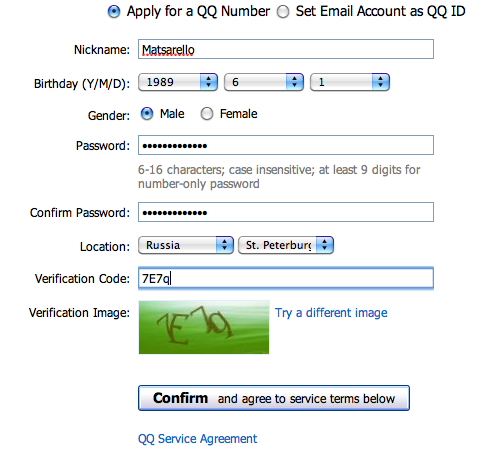
Follow the link signup.qq.com and fill in the registration form:
')
At the end we get a number.
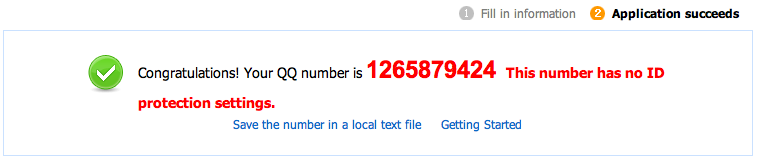
Nothing complicated.
Now we log in to the messenger (it is recommended to use the original QQ-client because the Chinese [and we are going to QQ to communicate with them?] Are used to using its chips that are not displayed in other clients). We receive messages from ourselves. Follow the link in this letter.
Setting secret questions
Following the link, enter the number with a password and see the following picture:
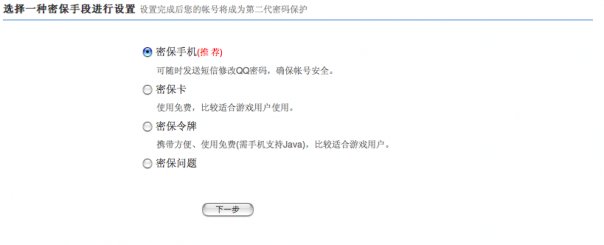
Choose the first item. In the next window, we need to select other options from the drop-down lists, because the default values are something like “Choose a secret question option”. Here is what happened in my case:
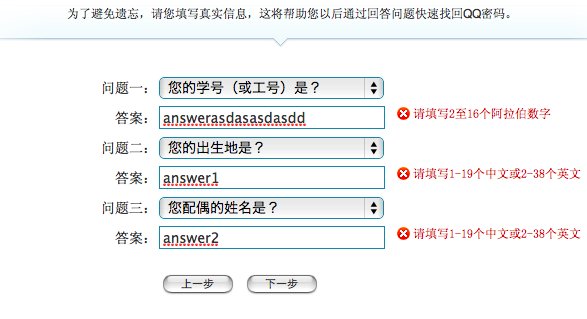
To the first question, the error written to the right means that we need to enter> = 6 digits.
For the second and third questions, the error says that you need to enter> 7 Latin letters.
Probably they have some other way of perceiving numbers, because the numbers that look between the hieroglyphs are not at all like “6” and “7” :-)
The right button is “Forward”. Left - "Back."
Go ahead:
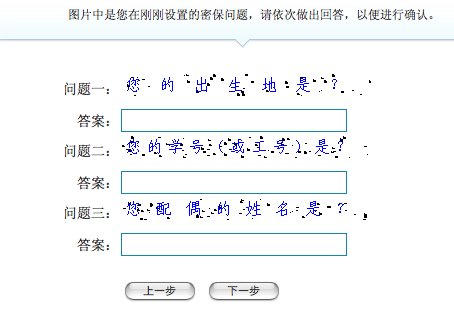
Sly Chinese captcha :-) Now the secret questions are presented in the form of pictures and mixed. We answer them again.
If everything is OK - the questions are set and we get confirmation of this on the next page, on which to exit the protection configuration mode, click the left button.
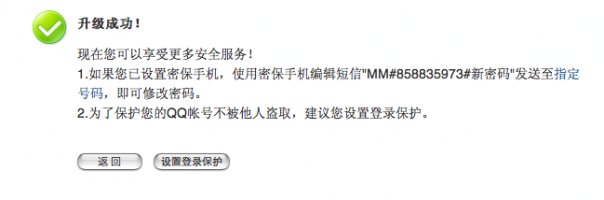
Now you will no longer be bothered by the QQ bot on account insecurity and you will be able to safely communicate with the Chinese, who themselves stick to you when they see in the Russia questionnaire :-)
UPD. Thanks alexsx06 for the tip-off - the bot is no longer knocking and does not offer to go through the terrible quest to protect the account :-) But maybe someone will face all the horror of the Chinese forms and this article will help him =)
Source: https://habr.com/ru/post/76626/
All Articles