Photo storage, backup and cataloging
Here periodically write posts about how their photos are stored and backed up - well, and just files. In the last such post I wrote a rather long comment, I thought a little and decided to turn it into a post. Moreover, I have somewhat changed the method of backup to the cloud, it may be useful to anyone.
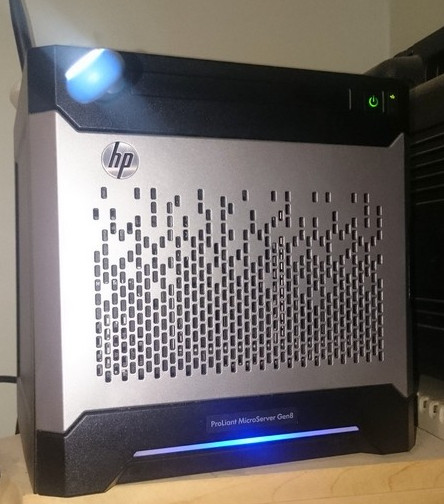
Home server, where much of the following happens:
')
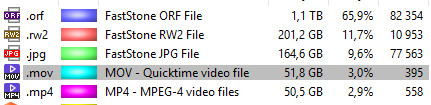
My most important and voluminous one is photos. Occasionally, a video, but very rarely - it takes too much space and takes too much time, so I don’t like it too much, I only make short videos that are in the same pile as the photos. At the moment, the photo archive takes about 1.6 terabytes from me and grows about 200 gigabytes per year. Other important things are much less voluminous and there are fewer issues with them in terms of storage and backup, a dozen or two gigabytes can be pushed around a bunch of free or very cheap places, ranging from DVDs to flash drives and clouds.
My entire photo archive is about 1.6 terabytes at the moment. The master copy is stored on a two-byte SSD in the home computer. On memory cards, I try not to keep photos longer than necessary, at the first opportunity I merge onto a desktop or laptop (when on the road). Although I do not delete the flash drive, if there is still a place. An extra copy never hurts. From the laptop on arrival home, too, everything falls off on the desktop.

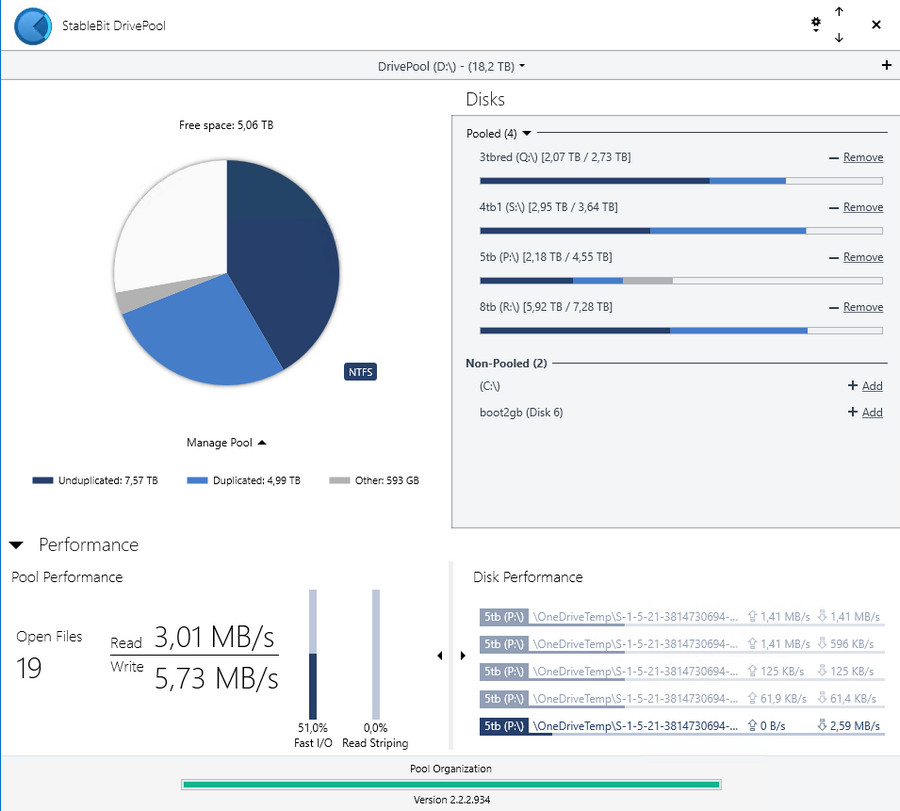
A copy of the folder with photos to the home server is made daily (with a type of mirror based on the Drivepool, where duplication of important folders is configured). By the way, I still recommend Drivepool - for all the years of using a single glitch. It just works. You just don’t have to look at its Russian interface, I sent a more decent translation to the developers, but I don’t know when they’ll implement it ( update : they said they’d try it in the next release). In the meantime, in Russian, this is a pool management program (manage pool).
You can, of course, make copies more often, if a lot of work is done during the day, then I can force the task to run. Although now I’m still thinking about starting up copying by changing files, I want to stop the desktop being kept on around the clock, let the server work more. The program is GoodSync.
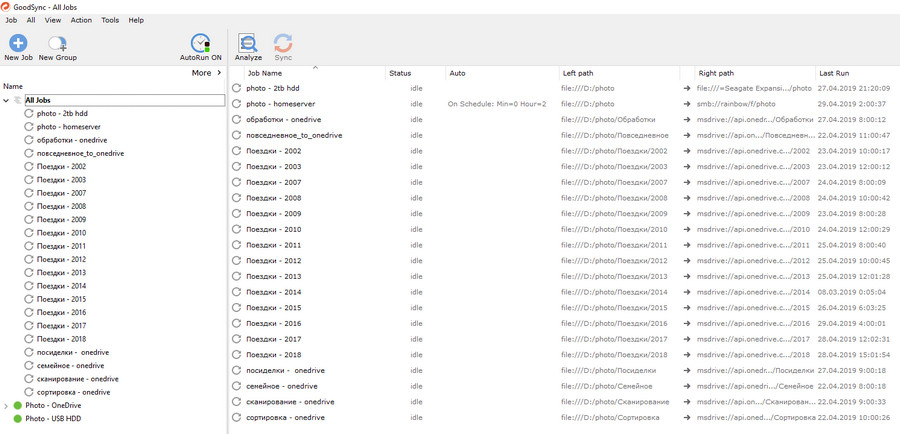
Until recently, the same GoodSync files were downloaded from the same desktop to the Onedrive cloud. Most of my files are not personal, so I downloaded it as it is, without encryption. What was personal was downloaded by a separate task, with encryption.
Onedrive was chosen because the Office 365 Home Premium subscription for 2000 gave five (and now six) terabytes in the cloud. Let and pieces on terabyte. Now, the truth is, the freebie has risen somewhat in price, but a few weeks ago there was another option for 2600-2700 per year (you need to look for search from retailers). I foresaw this when MS pulled prices up last year, and even stopped selling subscriptions on the site, so I activated the subscription for five years ahead and were still on sale for 1800-2000 boxes (of course, there were also several boxes in reserve to take, but so far I did not dare to think).

The download speed is the maximum for my tariff, 4-5 megabytes / sec., Up to 10 at night. At one time I looked at crashplan - it’s good if megabytes per second was loaded.
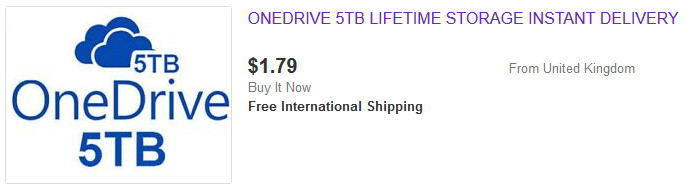
Lifetime 5TB for $ 2-3 with ebay is a very random thing. For the term of life can be very short, while the three-month record. It is not a business to back up to a place that can be covered at any moment. Let for a penny.
But now, due to the fact that I decided to drag a part of the tasks from the desktop to the server, the copying into Onedrive was transferred to Duplicati. Let it be beta, but I’ve been using it for several months now and it’s still quite stable. Since Duplicati still stores its backups in archives, rather than in bulk, I decided to encrypt everything that is loaded with built-in tools. Anyway, it will be necessary to restore, if anything, through Duplicati. So let all encrypt.
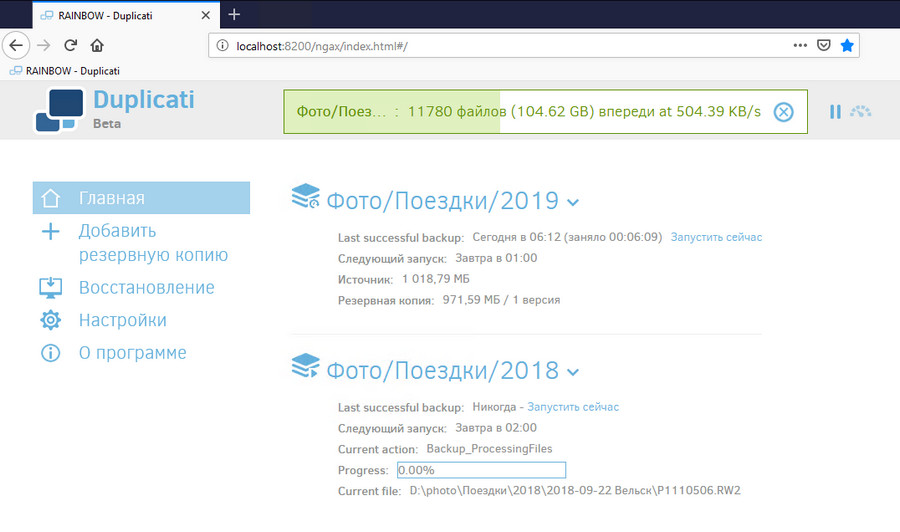
Given that I have pieces of terabytes, a backup to the cloud consists of several tasks. There is just a reloading backup to the cloud. 2019 was filled up quickly - there are fifty photos in a couple of days, I have not traveled so far yet, and 2018 is slowly pouring. The current download speed is not the maximum - the day, the channels are loaded and all that.
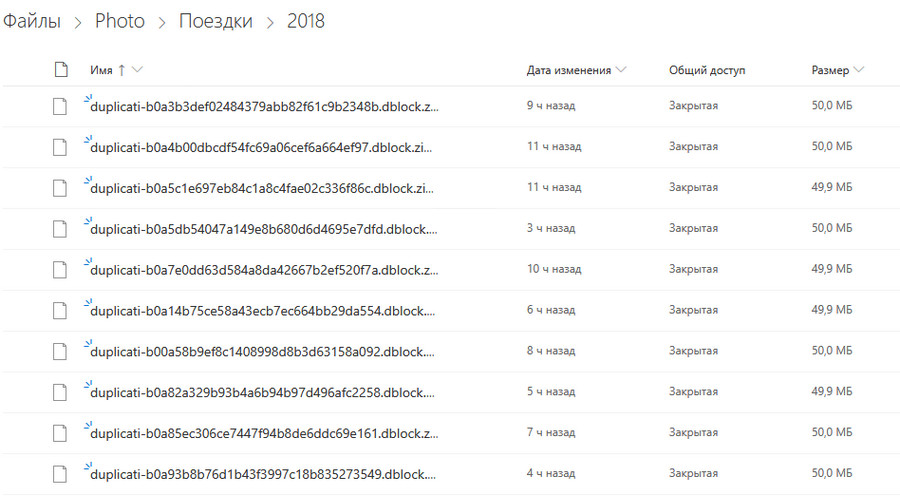
In the cloud, the backup folder looks like this - there are a lot of zip archives, the size of the archive is configured when creating a task:
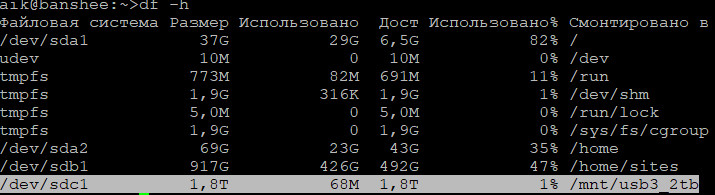
About once a month I make a copy on an external disk that is stored in the cabinet. I connect and run the task in the same GoodSync. Although, of course, it is possible to configure the launch after the disk connection - but I do not always need to make a copy when I connect the disk.
In an amicable way, you need another remote storage location - your own and not very cloudy. On my server, which is on the provider site, I have already prepared a disk for this business for a long time, but all hands do not reach. But since I took up dragging everything under duplicati, I think I’ll do it now, after reloading everything in onedrive.
Here the question is divided into two - the file system level, where cataloging is at the folder level and logical cataloging for more parameters, because the folder tree is still limited in capabilities.
Yes, I take pictures in rava. Because of raw at any time you can make jpg, but not vice versa. Once I shot raw + jpg so that I could quickly transfer a photo to my phone and send it to the Internet (it was difficult to transfer raw to a phone). jpg then erase when copying to the desktop. But now the phone began to arrange me for the quality of the photo (for putting it on the Internet), because I completely refused from jpg on cameras. Left either from the time when I did not have a mirrorless, or come from the phone.
At the file system level, it looks something like this: at the top level of folders, the source. Names of photographers usually.
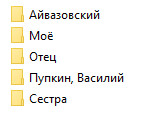
A level below are topics. All are more or less the same, there may be personal themes (for example, "Dogs", some may not be so.
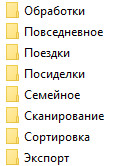
Next - the year. Inside the year folders by day. In the folder there can be separate photo sessions if the photos of the day are broken by topics.
As a result, the path to the file may look something like this: My \ Travel \ 2018 \ 2018-04-11 Berlin \ French Station \ P4110029.ORF
I photograph on two cameras, usually in turns, but occasionally I take both with me - then I dump photos from them into one folder. The main thing is that the time is synchronized, otherwise, then you have to calculate the difference and adjust the shooting date of all the files (in a lightroom it’s easy, but it's difficult to count the time difference).
For photos from the phone there is a separate folder on the second level, but if necessary, the photo can be sent to the thematic folder.
Logical cataloging over folders - Adobe Lightroom . Of course, there are quite a lot of programs for cataloging and processing, but the light-room suits me, it’s worth lifting (and even Photoshop is included), and over the past couple of years it has also slowed down. Although, of course, there is also a complete transition to the SSD helped.
All photos live in one directory. The folder structure from the previous item is used in a basic way, on top of it is EXIF information, geo-tags, tags and color marks. You can also enable facial recognition, but I do not use it.
On the basis of all of the above, you can create "smart collections" - dynamic samples for specific file properties - from shooting parameters to text in the comments.
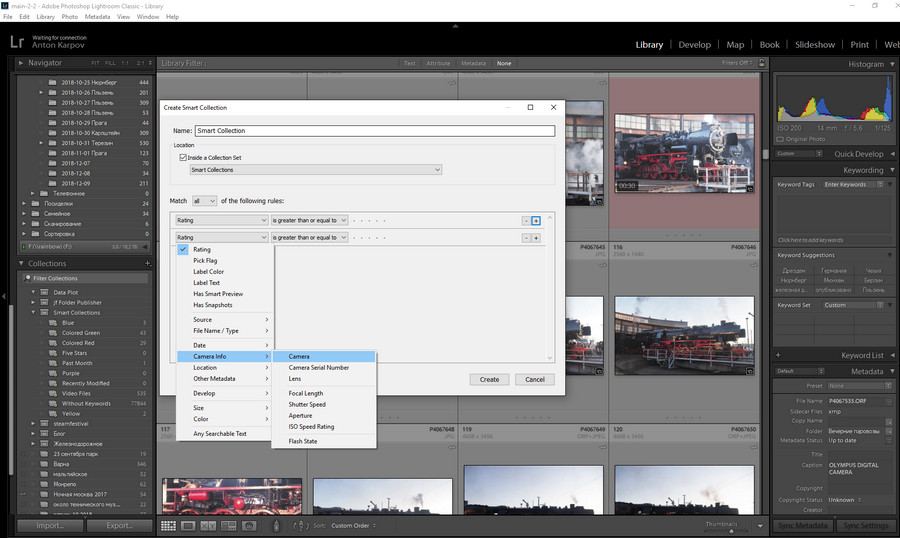
All tags are stored in files, editing history is stored in XMP files next to the raves. The lightroom catalog is backed up by the lightroom tools itself once a week in a specific folder, from where it is thrown onto onedrive. Well, plus through the veeam agent, the system desktop disk is uploaded to the server every day - and the directory is stored on the system disk.
There is, why not. The backup methods are not different (if you need to back up at all), and the cataloging methods depend on the type of content.
Basically there is enough sorting at the folder level, tags are not needed. For movies and TV shows a separate cataloger is used. - Plex Media Server. He and the media server, as the name implies. But there the horse did not roll, it is normally sorted well if a quarter of the film library, and the rest is lying in the folder "! To sort".
Home server, where much of the following happens:
')
What you need to save?
My most important and voluminous one is photos. Occasionally, a video, but very rarely - it takes too much space and takes too much time, so I don’t like it too much, I only make short videos that are in the same pile as the photos. At the moment, the photo archive takes about 1.6 terabytes from me and grows about 200 gigabytes per year. Other important things are much less voluminous and there are fewer issues with them in terms of storage and backup, a dozen or two gigabytes can be pushed around a bunch of free or very cheap places, ranging from DVDs to flash drives and clouds.
How is it stored and backed up?
My entire photo archive is about 1.6 terabytes at the moment. The master copy is stored on a two-byte SSD in the home computer. On memory cards, I try not to keep photos longer than necessary, at the first opportunity I merge onto a desktop or laptop (when on the road). Although I do not delete the flash drive, if there is still a place. An extra copy never hurts. From the laptop on arrival home, too, everything falls off on the desktop.
A copy of the folder with photos to the home server is made daily (with a type of mirror based on the Drivepool, where duplication of important folders is configured). By the way, I still recommend Drivepool - for all the years of using a single glitch. It just works. You just don’t have to look at its Russian interface, I sent a more decent translation to the developers, but I don’t know when they’ll implement it ( update : they said they’d try it in the next release). In the meantime, in Russian, this is a pool management program (manage pool).
You can, of course, make copies more often, if a lot of work is done during the day, then I can force the task to run. Although now I’m still thinking about starting up copying by changing files, I want to stop the desktop being kept on around the clock, let the server work more. The program is GoodSync.
Until recently, the same GoodSync files were downloaded from the same desktop to the Onedrive cloud. Most of my files are not personal, so I downloaded it as it is, without encryption. What was personal was downloaded by a separate task, with encryption.
Onedrive was chosen because the Office 365 Home Premium subscription for 2000 gave five (and now six) terabytes in the cloud. Let and pieces on terabyte. Now, the truth is, the freebie has risen somewhat in price, but a few weeks ago there was another option for 2600-2700 per year (you need to look for search from retailers). I foresaw this when MS pulled prices up last year, and even stopped selling subscriptions on the site, so I activated the subscription for five years ahead and were still on sale for 1800-2000 boxes (of course, there were also several boxes in reserve to take, but so far I did not dare to think).
The download speed is the maximum for my tariff, 4-5 megabytes / sec., Up to 10 at night. At one time I looked at crashplan - it’s good if megabytes per second was loaded.
Lifetime 5TB for $ 2-3 with ebay is a very random thing. For the term of life can be very short, while the three-month record. It is not a business to back up to a place that can be covered at any moment. Let for a penny.
But now, due to the fact that I decided to drag a part of the tasks from the desktop to the server, the copying into Onedrive was transferred to Duplicati. Let it be beta, but I’ve been using it for several months now and it’s still quite stable. Since Duplicati still stores its backups in archives, rather than in bulk, I decided to encrypt everything that is loaded with built-in tools. Anyway, it will be necessary to restore, if anything, through Duplicati. So let all encrypt.
Given that I have pieces of terabytes, a backup to the cloud consists of several tasks. There is just a reloading backup to the cloud. 2019 was filled up quickly - there are fifty photos in a couple of days, I have not traveled so far yet, and 2018 is slowly pouring. The current download speed is not the maximum - the day, the channels are loaded and all that.
In the cloud, the backup folder looks like this - there are a lot of zip archives, the size of the archive is configured when creating a task:
About once a month I make a copy on an external disk that is stored in the cabinet. I connect and run the task in the same GoodSync. Although, of course, it is possible to configure the launch after the disk connection - but I do not always need to make a copy when I connect the disk.
In an amicable way, you need another remote storage location - your own and not very cloudy. On my server, which is on the provider site, I have already prepared a disk for this business for a long time, but all hands do not reach. But since I took up dragging everything under duplicati, I think I’ll do it now, after reloading everything in onedrive.
How is it cataloged?
Here the question is divided into two - the file system level, where cataloging is at the folder level and logical cataloging for more parameters, because the folder tree is still limited in capabilities.
Yes, I take pictures in rava. Because of raw at any time you can make jpg, but not vice versa. Once I shot raw + jpg so that I could quickly transfer a photo to my phone and send it to the Internet (it was difficult to transfer raw to a phone). jpg then erase when copying to the desktop. But now the phone began to arrange me for the quality of the photo (for putting it on the Internet), because I completely refused from jpg on cameras. Left either from the time when I did not have a mirrorless, or come from the phone.
At the file system level, it looks something like this: at the top level of folders, the source. Names of photographers usually.
A level below are topics. All are more or less the same, there may be personal themes (for example, "Dogs", some may not be so.
Next - the year. Inside the year folders by day. In the folder there can be separate photo sessions if the photos of the day are broken by topics.
As a result, the path to the file may look something like this: My \ Travel \ 2018 \ 2018-04-11 Berlin \ French Station \ P4110029.ORF
I photograph on two cameras, usually in turns, but occasionally I take both with me - then I dump photos from them into one folder. The main thing is that the time is synchronized, otherwise, then you have to calculate the difference and adjust the shooting date of all the files (in a lightroom it’s easy, but it's difficult to count the time difference).
For photos from the phone there is a separate folder on the second level, but if necessary, the photo can be sent to the thematic folder.
Logical cataloging over folders - Adobe Lightroom . Of course, there are quite a lot of programs for cataloging and processing, but the light-room suits me, it’s worth lifting (and even Photoshop is included), and over the past couple of years it has also slowed down. Although, of course, there is also a complete transition to the SSD helped.
All photos live in one directory. The folder structure from the previous item is used in a basic way, on top of it is EXIF information, geo-tags, tags and color marks. You can also enable facial recognition, but I do not use it.
On the basis of all of the above, you can create "smart collections" - dynamic samples for specific file properties - from shooting parameters to text in the comments.
All tags are stored in files, editing history is stored in XMP files next to the raves. The lightroom catalog is backed up by the lightroom tools itself once a week in a specific folder, from where it is thrown onto onedrive. Well, plus through the veeam agent, the system desktop disk is uploaded to the server every day - and the directory is stored on the system disk.
What is all about the photo? What, there are no other file types?
There is, why not. The backup methods are not different (if you need to back up at all), and the cataloging methods depend on the type of content.
Basically there is enough sorting at the folder level, tags are not needed. For movies and TV shows a separate cataloger is used. - Plex Media Server. He and the media server, as the name implies. But there the horse did not roll, it is normally sorted well if a quarter of the film library, and the rest is lying in the folder "! To sort".
Source: https://habr.com/ru/post/450010/
All Articles