As I was looking for the perfect tool for designing conversational interfaces, or Finding the Holy Grail

 Pavel Guay, KODE android developer
Hi, my name is Pavel pavelgvay , I work in the Kaliningrad mobile application development studio KODE and about a year ago I actively immersed in the process of developing applications for Google Assistant and just stuck on the interface design stage, which became a real creative outlet after the lines of code.
Having developed a dozen projects, speaking at several conferences, having met the developers of Google Assistant, who, by the way, will soon speak Russian , sharing experience with developers, studios and even the author of the book , I seriously thought about optimizing the process of designing and testing voice applications, which can already be done even for Alice.
It was this thought that gave me a motivational kick, sent me on a long journey through the existing tools and analysis of their shortcomings, and led to the expected conclusion - about him at the end of the article, but for now about the present.
Theory
For those who have not yet tested conversational interfaces from the inside, I’ll explain what the design of such an application is all about.
A good conversational application differs from chatbot lack of coercion to use specific commands - here the user has a free dialogue with the service, similar to communication with a real person. The main thing is voice and text, but in case the device has a screen, the application can connect the visual accompaniment in the form of cards, carousels, lists for better reporting of information.
Take at least “pizza order”: Imagine how many different phrases you can use to tell an application that you want pizza. The user can name a specific name, and can ask for advice on options with mushrooms and ham, or ask to read the entire available list and choose from it, or maybe just report that he is hungry.
All of these options for the development of the plot. Here is what we should consider: every single step in every possible path of each of the application scenarios. Plowed field! And we still have not ordered pizza!
Design Technique
Designing (or design, as you prefer) a conversational interface, regardless of the platform, goes through a standard set of steps. Detailed guidelines can be found at the Google Assistant developers themselves, Amazon Alexa , Microsoft Cortana , I also summarized it in a short checklist:
- We identify a person - each person is a collective image of a representative of an audience of an application, followed by a certain set of phrases based on stereotypes of its behavior.
- We filter the scenarios - we sort the possible variants of conversation by their applicability to the real dialogue with the person. Sounds weird? Then we reject. We write examples of dialogues on these scripts.
- Create a character - since we are for the naturalness of the dialogue, then the interlocutor of our application should form an image of the person with whom he communicates. We add the name, draw the appearance, skills, brief biography, character and, of course, voice ( SSML is a markup language for speech).
We are building a dialogue tree - in order to take into account all variants of the course of events, all steps that will lead the user to a hypothetical “pizza order”, it is necessary to visualize all actions.
- Working with phrases - each step involves at least 5-10 variations of both replicas from the interface, which makes the conversation alive, and the user, which will help in speech recognition.
- Testing - whether all branches of the dialogue are taken into account, whether there are any logical dead ends, chopped phrases - for this, you need to check all the scenarios by speaking to someone.
Houston, we have a problem
The root of all the problems of the designer of conversational interfaces is a huge mass of information. Scenarios, options for their passage, the trees of the dialogues, steps, which on a small application can get a hundred pieces. All this mass of information needs to be stored somewhere, somehow synthesized, verified, tested, transferred to development, given to the customer, and there are simply no recommendations on choosing a tool from the developers of voice assistants in the guidelines.
Having designed the first applications, I have reduced all my pains into the main set of problems:
- A huge dialogue map is a detailed and illustrative path from point A to point B, the whole maze of user’s intricate movement to the goal — an ordinary white board is not enough for such a task (just imagine how to write words and then drag the Talmud to the developers) you still have to agree with the team about the symbols that we use on the map. Darkness!
- Manual slave labor - a lot of time must be spent not only on the placement of information, but also on the synchronization of changes and changes. All variants of phrases are not placed on the card, so you have to keep them in the table. A lot of time has to be spent on manually synchronizing all the information that we have. Since all actions are performed manually and are not immune from the usual errors and typos, you have to double-check yourself a hundred times.
- Quality mark - each time to check the quality of the work done, one has to manually assemble a dialogue transcript, constantly switching between a document with a transcript, a dialogue map and a table with phrases. This is a terribly tedious and lengthy process that discourages the desire to control the quality of their work completely.
The result of this constant struggle with pain is not only the stretching development time, but also the loss of quality due to inattention, fatigue and, of course, loss of motivation.
The network has already appeared a number of tools that should facilitate the process, but their functionality is quite limited.
Criteria for evaluation
In order not to be unfounded in my analysis and subjective criticism, I, in the best traditions of scientific research, took the same part of the real application I worked on and tried to implement with the help of the proposed toolkit.
I summarized all the results in a table and evaluated each set of services according to three main criteria, giving them a rating on a 5-point scale:
- visibility of the map of dialogues;
- ease and quality of testing;
- easy editing and synchronization.
Whiteboard (Realtimeboard)
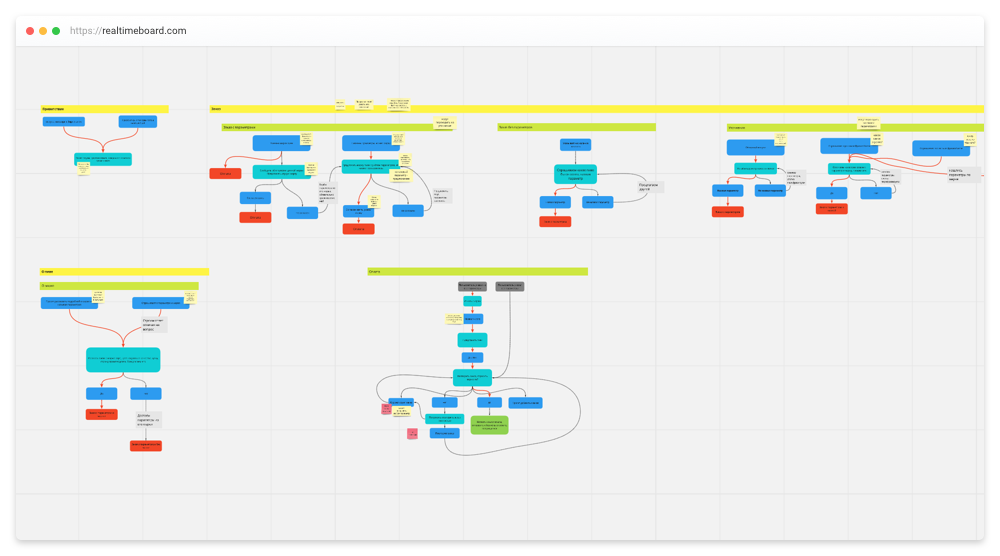
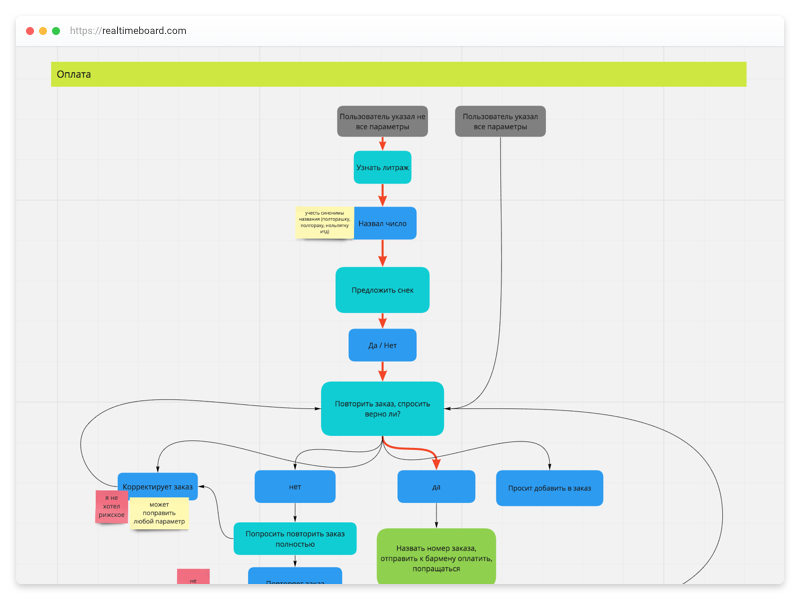
Let's start with the “classic” approach: we build a map of the dialogues on a white board, or rather in its digital counterpart - Realtimeboard . Character description and phrases will be stored in Google Docs .
Map
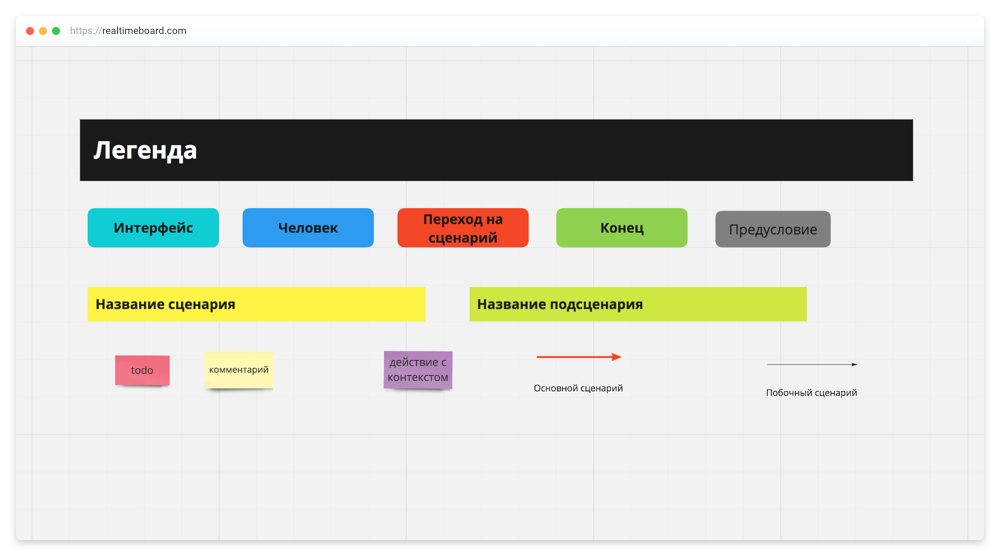
Before building a map, you will have to work out your own symbols - again, time costs, and when building a map, each step is drawn and aligned manually - it comes out slowly, but the map becomes more visual.
Testing
The process of collecting materials for testing takes a lot of time. It looks like this: looked at the map, then took a phrase from the table and wrote it in the document. No flexibility, continuous routine and constant switching between tools.
Editing and synchronization
It is easy to edit the map: steps can be swapped, moved whole branches and selected individual elements into groups. But to synchronize the map with the table of phrases has to manually - again scrabbling sense of lost data.
Total
We put "good" Realtimeboard for clarity and flexible adjustment of the methodology of work under the designer. We threaten with a finger for the lengthy testing process and manual synchronization of the table of phrases with the map.
- Map - 5/5
- Editing and synchronization - 0/5
- Testing - 0/5
Sayspring
The map and phrases are inside Sayspring , information about the character and person will remain in Google Docs .
Map

The map is formed step by step: there are designations for the user and the interface, it can be divided into scripts. In the process of building you catch minor inconveniences, for example, the need to constantly save changes. At the same time, the map is absolutely linear: transitions are not displayed in any way (links and forks on the screenshot have already been added independently).
Testing
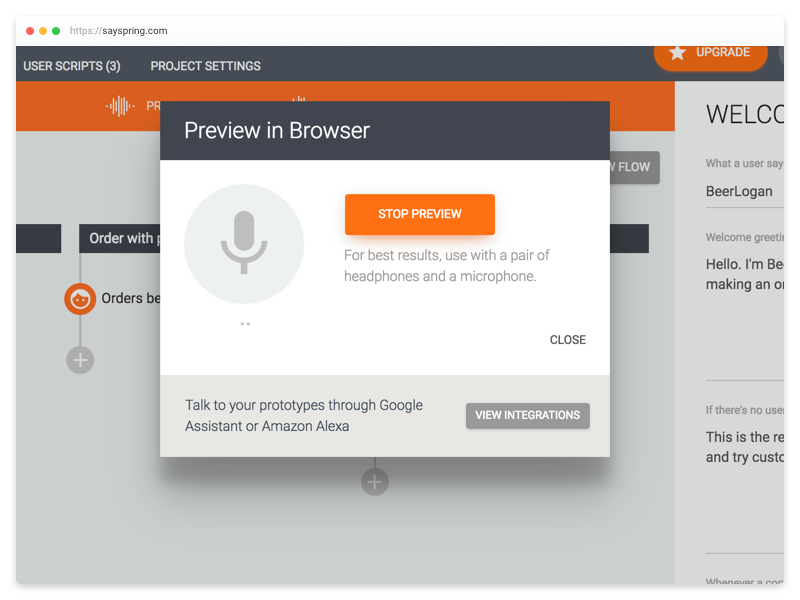
The service allows you to test scripts with your voice, but the text equivalent of phrases is not available, there is no possibility to go back a couple of steps (you will have to start again), speech recognition is available only for three languages and does not work well. For testing this mode is useless, because there is no possibility to watch the history of the dialogue, you still have to collect the dialogs into a file.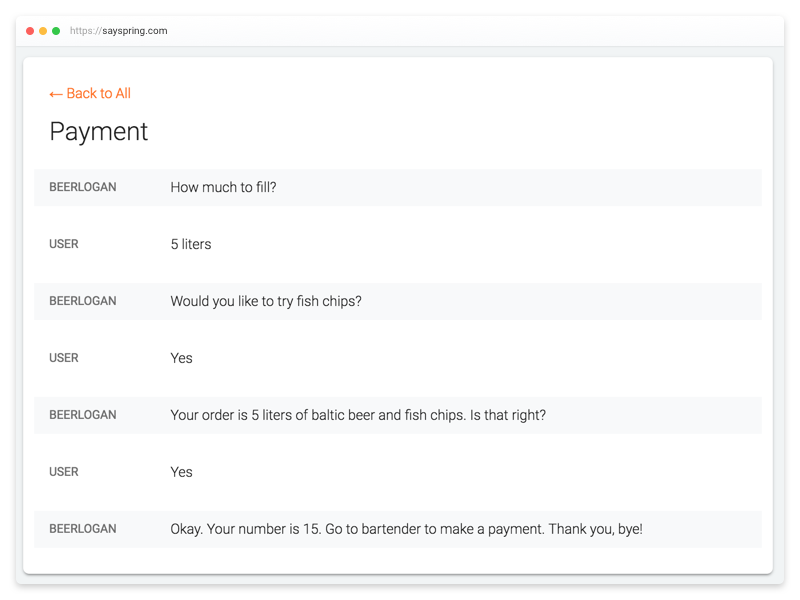
Fortunately, the collection of dialogs here is facilitated. By clicking on the button, the tool itself will show you the possible dialogues. There are many problems and inconveniences (for example, you cannot collect two scripts into one file; you cannot download a file, just view it in the tool), but this already saves us time for testing.
Editing and synchronization

All replicas are assigned to a specific logical step in the map, which eliminates the need to switch between tools and synchronize their state.
It is inconvenient to make changes to the map: dragging elements is possible only within one scenario, groupings are not available.
Total
Sayspring eliminates the routine work of collecting materials for testing and synchronizing the table of phrases with the map, since the replicas are assigned to the steps. These are the only advantages.
The map is unattractive, working with it is difficult and inconvenient. Testing by voice works, but it is useless, since there is no opportunity to read the replicas, to look at the history, and the unloading of dialogues is limited.
- Map - 0/5
- Editing and synchronization - 3/5
- Testing - 3/5
Botsociety
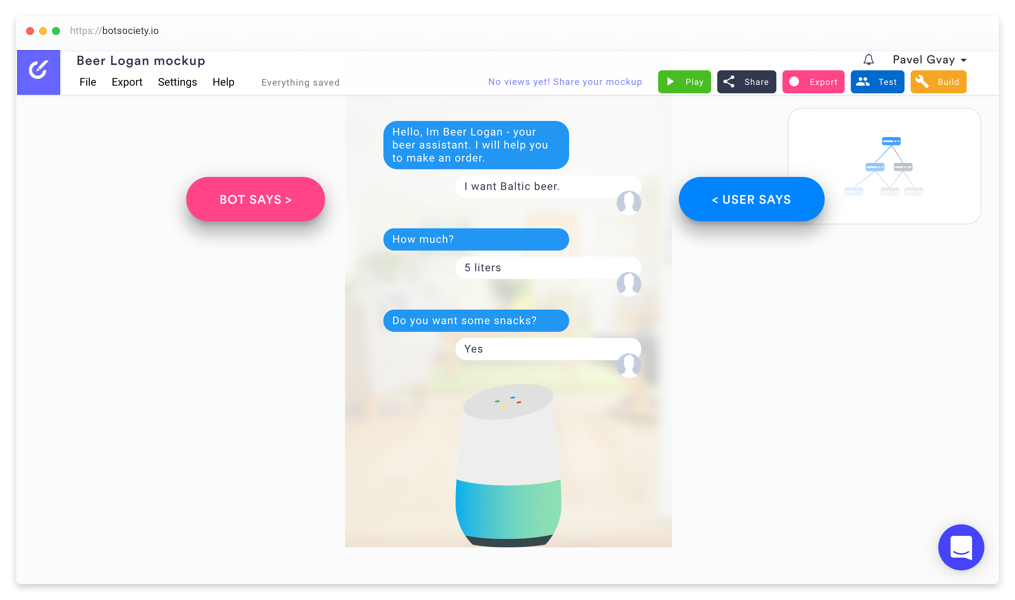
The tool differs in the format of the main screen: the dialogue is initially built, and the map is drawn automatically. Phrases and character will be stored in Google Docs .
Map
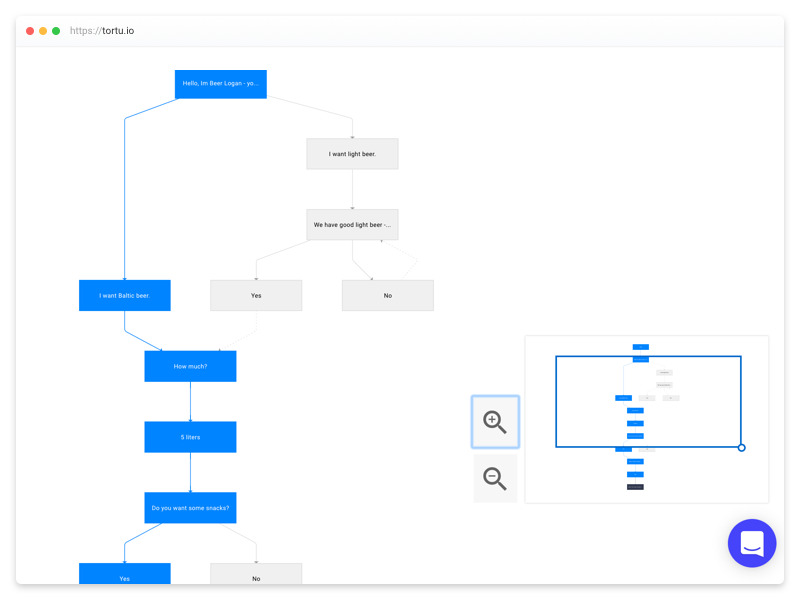
Forks and connections between steps are clearly visible on the map. It is interactive: by clicking on a step, editing of the element opens.
There is no division into scenarios, which will lead to a large number of repetitions and a huge confusing flowchart.
Testing
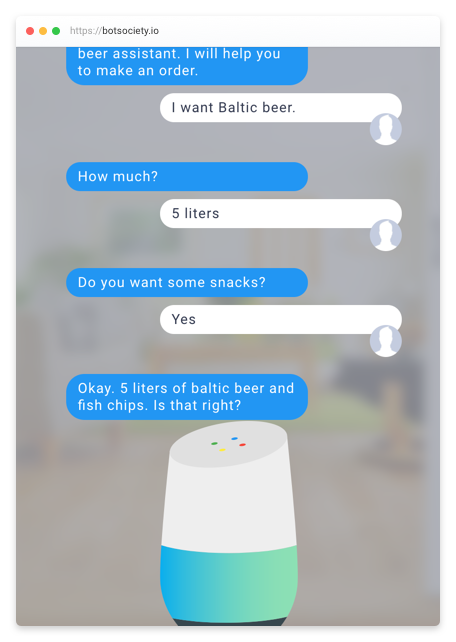
Testing is performed in the form of correspondence, which allows you to get a hand in replicas, see the story.
However, it is not possible to choose steps: in fact, we do not control the process, but watch the video, which makes the mode useless.
Editing and synchronization
Since the phrases and the map are stored separately, the problem with synchronization remains. Editing the map is quite convenient, there is a drag-and-drop, but you cannot select several elements and make a general action on them.
By the way, the service implements the so-called build-mode: you can embed variables in phrases and access them through the API. Thus the tool can become the content keeper. What exactly is not clear, because you can specify only one version of the phrase.
Total
The tool is most likely created for rapid prototyping of simple applications, and not for full-fledged design. Testing does not work, leaving the problem with the collection of materials open. Dialogs download is available only in MP4, GIF or AVI format.
- Map - 2/5
- Editing and synchronization - 1/5
- Testing - 1/5
Xmind
The tool allows you to build maps, but does not specialize in the design of conversational interfaces. Character and phrases will be stored in Google Docs .
Map

The map can be divided into scripts. It is built conveniently and quickly thanks to convenient hotkeys, removing from us the need for alignment.
The connections between steps are poorly implemented, it is impossible to change curves, and they are built on top of everything, greatly reducing the readability of the map.
As in realtimeboard, before building a map, you will have to work out a legend.
Testing
There is nothing to collect materials in the tool, the problem is not solved at all.
Editing and synchronization
It is convenient to work with the map: selection and dragging of elements is available. Since the phrases are stored separately, the synchronization problem remains.
Total
The process of building a map is very convenient, the map itself is quite visual, but there is a problem with the connections between the steps. Problems with testing and synchronization of the table of phrases and maps are not solved.
- Map - 3/5
- Editing and synchronization - 0/5
- Testing - 0/5
Complained and what's next
It is clear that the study did not consider all the available options (I will welcome your advice in the comments), but according to the analyzed services, we can make a clear conclusion - not a single tool is similar to the Holy Grail. A temporary solution for me personally is a combo from Realtimeboard + Google Sheets + Google Docs.
However, I did not put up with the loss of time and energy for designing and set myself the goal of developing my own tool - Tortu .
The development of the functionality directly depends on the opinion of the interested developers. Especially for this I have prepared several questions that will help me navigate. I would be grateful if you help me and fill out the form . Filling will take no more than 5-7 minutes.
Afterword
If you are interested in the topic of conversational interfaces, and you want to learn more about the design, development, or you have any questions, then click on my telegram chat dedicated to conversational interfaces, where a small community of developers and designers has already gathered.
')
Source: https://habr.com/ru/post/352136/
All Articles