Prototyping is easy how to assemble a puzzle. Multicomponent System Design in Figma
If you work in the Figma environment, then most likely you use components in your design processes and know what their advantages are. When I got tired of repeating the creation of the same lists, tabs, tables, or any other modules whose composition is dynamic in the daily freelancing routine, I started thinking about automating these processes so that the routine would run at least faster. Thus, multicomponents and were open!
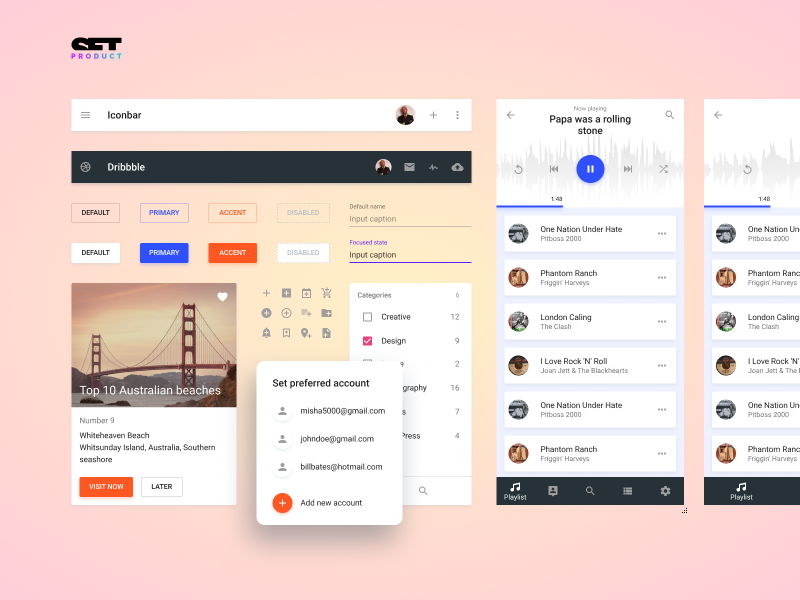
So, what is the multicomponent? MK is a component consisting of some set of repeating nested elements, which can be scaled by a simple resize of height, width, or along two axes at once. Let's look at an example. Almost every interface has a drop-down list. If you are a freelancer, I bet such lists have been developed by you abound. Each time you first created a list item, then you determined the dimension of the list (the number of elements by height), cloned and positioned each line one above the other, then merged into a group or frame, replaced the text; and used such a component to demonstrate the action by clicking on the drop-down list. Do you realize that this is routine?
The idea of MK is in the structure of duplicated identical components, cutting off the splices beyond the frame area (clip content) and the set resizing parameters depending on the direction of scaling (constraints). When you resize the frame border - you determine the desired composition of the future module in the design. The number of nested components must be so large as to give the impression of an infinite height or width. In fact, you rarely find too many items to choose from in a simple drop-down list. Therefore, when creating an IOM, the limit of nested components may be limited, for example, by the height or width of the screen.
Now automation is sweeping the world. If sometime in the future automate UI design / prototyping, then we are likely to remain without work. If we start thinking now how to automate our own workflows - this will help us solve more problems in one working hour. And then multicomponents come on stage to speed up design processes right now.
Let's now go back to the drop-down list to finally find out how it works. See how I just drag the finished component, stretch it down to the level when 5 list items are available, and then fill them with text. Quick and easy:
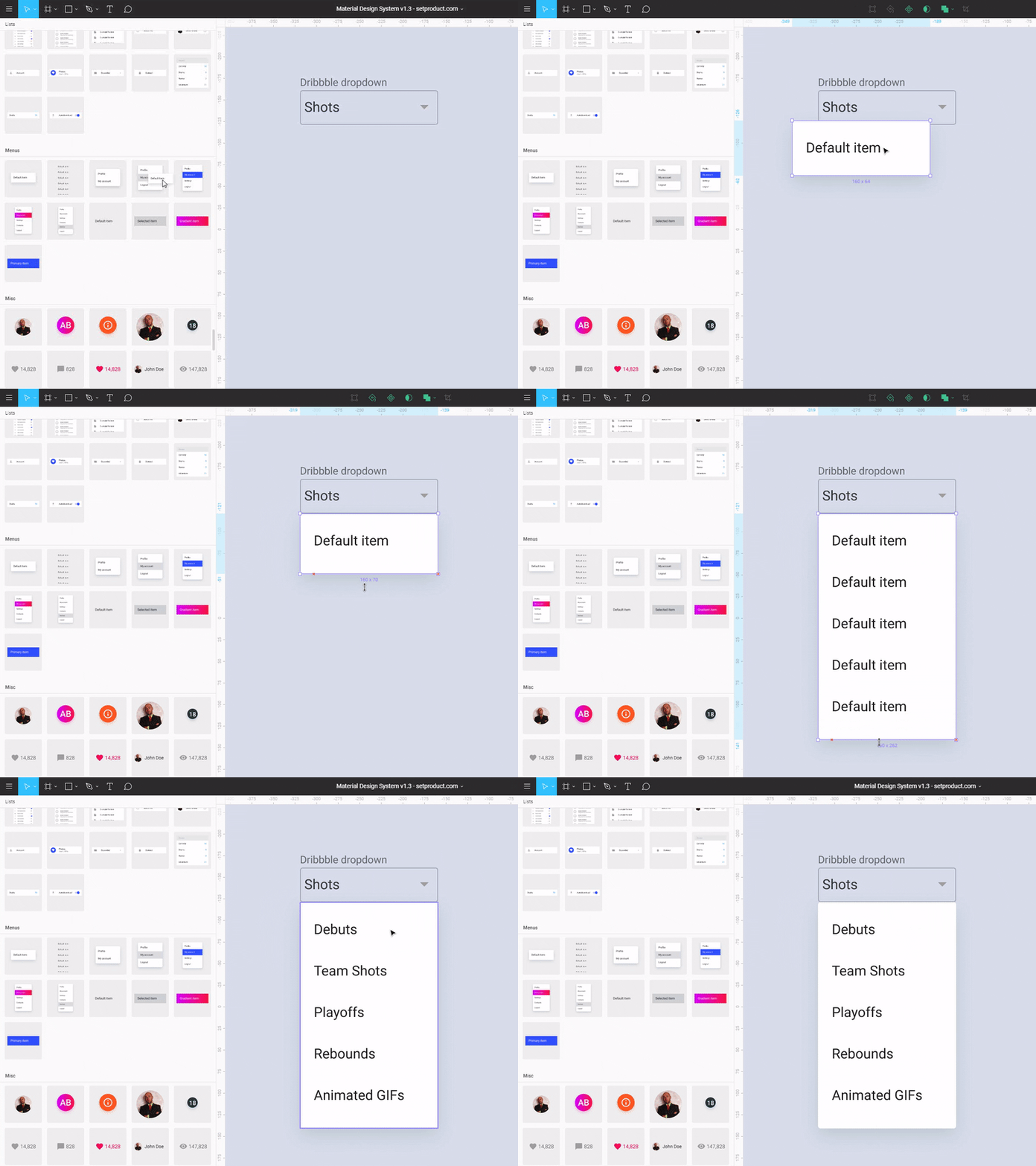
The composition of this MK is very simple:
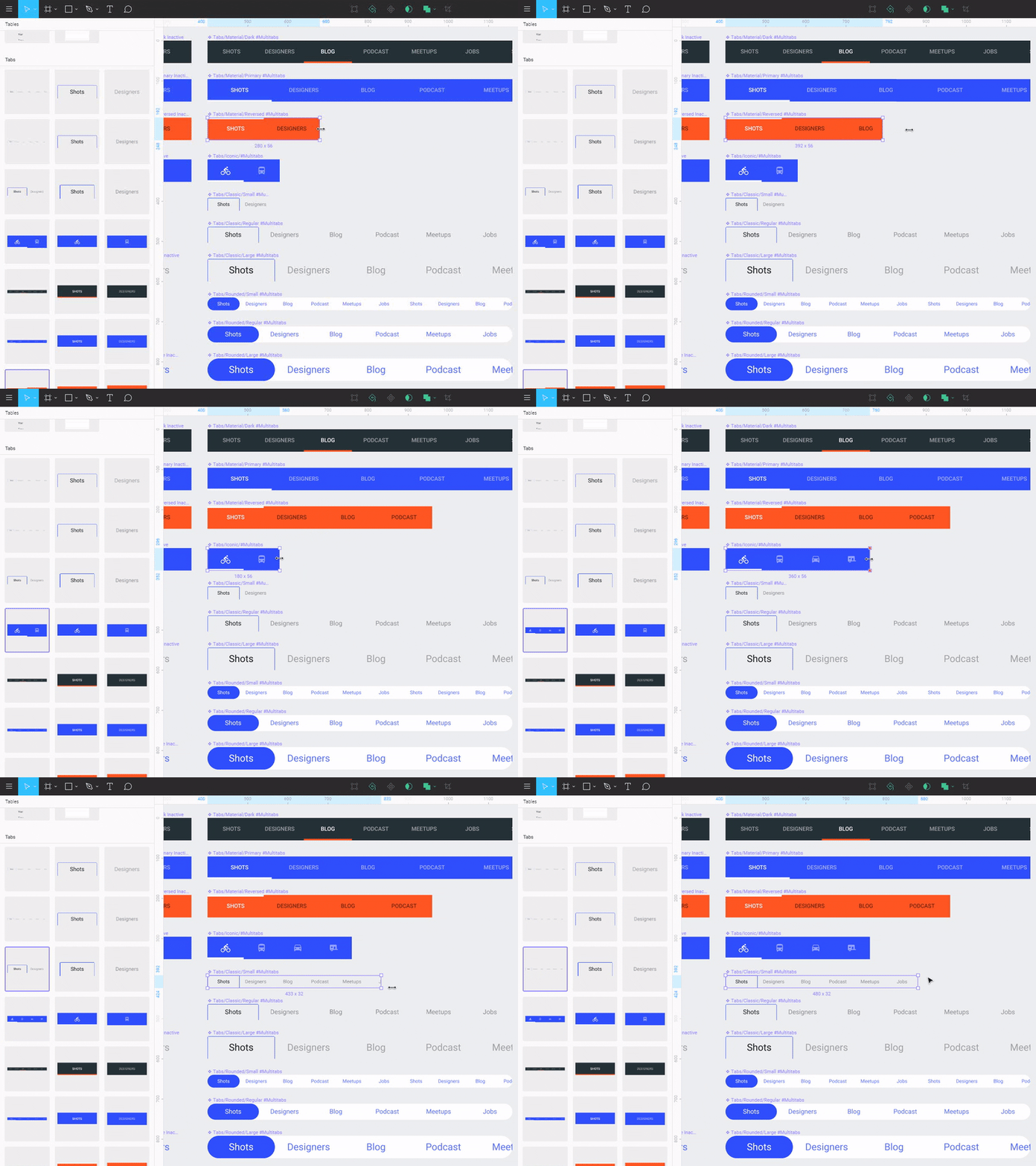
Tabs are a great category to create flexible MCOs. In this case, we are interested in the scalability along the X axis, since the tabs are horizontal. Alas, Figma does not allow moving objects inside a subordinate component, therefore it is optimal to have several dimensions in the library for Tabs:
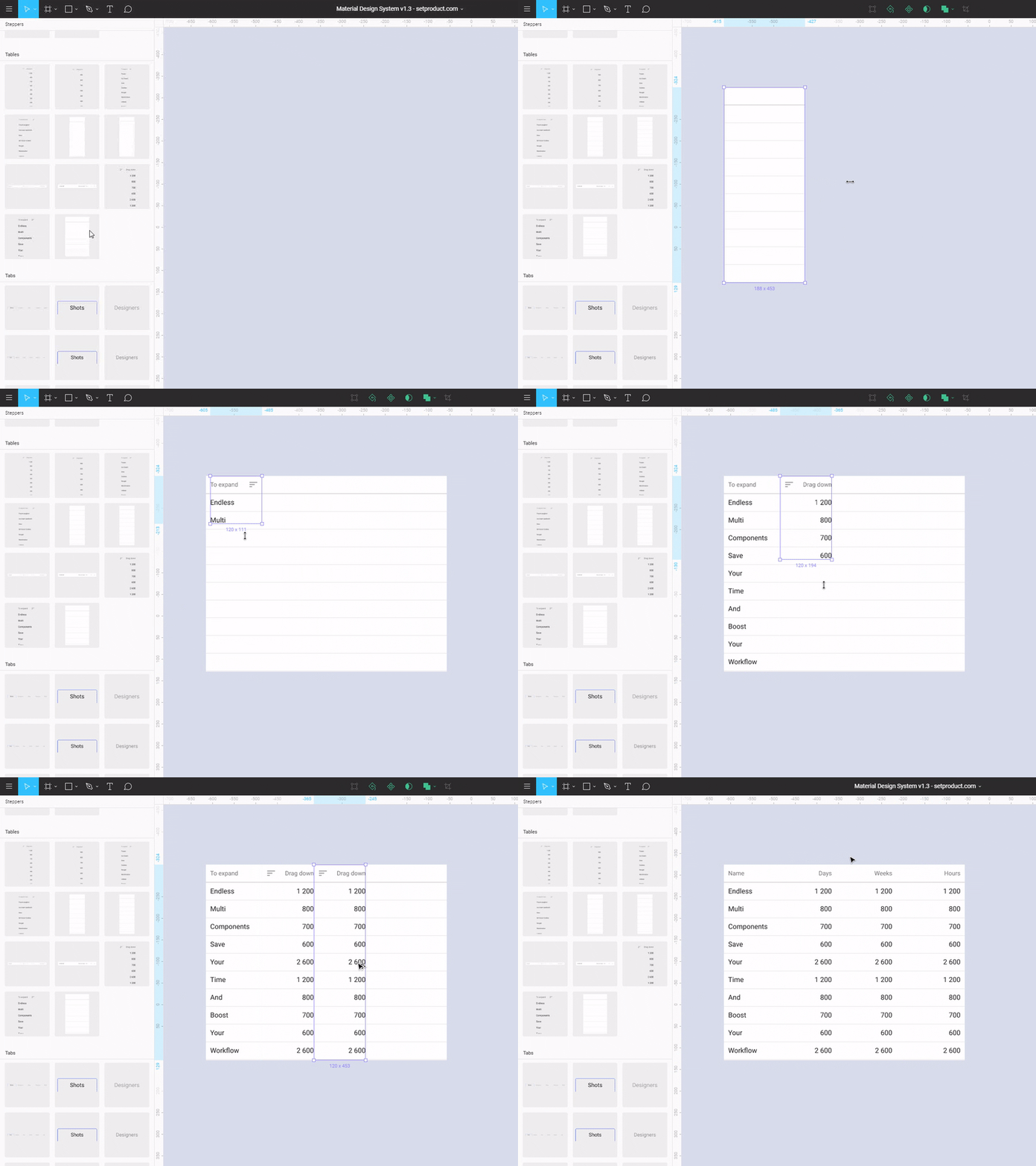
The tables are more complicated, because should be scaled along the Y axis to the required number of lines, and along the X axis to the required number of columns. Therefore, the table designer consists of two independent MCs. First, you form the required number of rows with the Table Base module, and then overlay the Multicolumn module on top and give it the same height:
At the moment I am focused on the development and development of the material design system in Figma . Recently, version 1.3 has been released, in which multicomponents are already used and more than 240+ standard UI elements have been developed. This product will really speed up your design work if you work with graphics. It will certainly be interesting to developers, as it allows to assemble "combat" prototypes without design skills. You can also use it as a basis for your own design system and combine several products in the Figma environment. See how it works:
In conclusion, I can say that the concept of the MC is superimposed on many other more complex modules in any interface. In the next posts I will talk about more flexible and complex MK. Using them you will begin to enjoy the routine, which now will spend very little time.
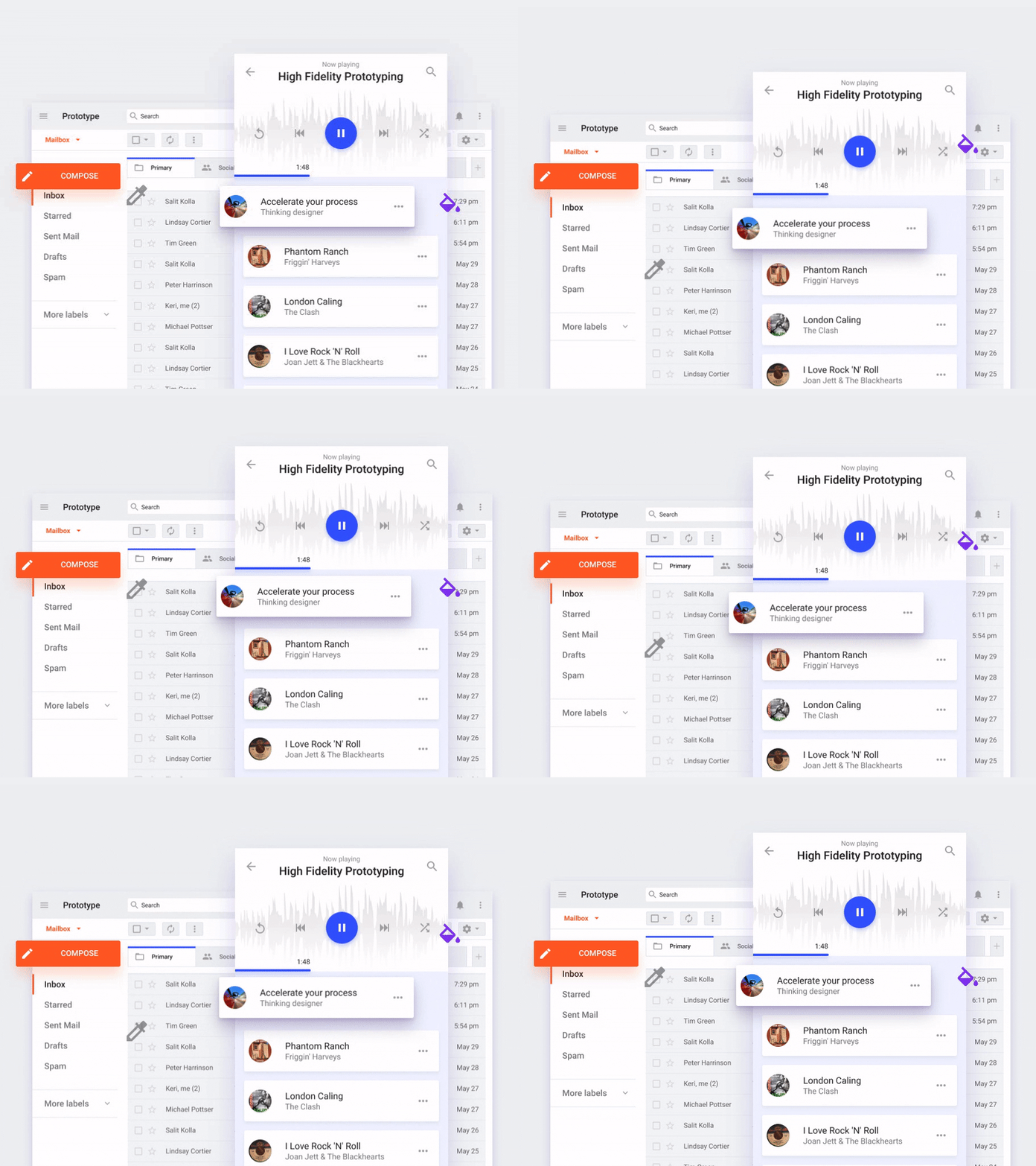
Repetitive structure
So, what is the multicomponent? MK is a component consisting of some set of repeating nested elements, which can be scaled by a simple resize of height, width, or along two axes at once. Let's look at an example. Almost every interface has a drop-down list. If you are a freelancer, I bet such lists have been developed by you abound. Each time you first created a list item, then you determined the dimension of the list (the number of elements by height), cloned and positioned each line one above the other, then merged into a group or frame, replaced the text; and used such a component to demonstrate the action by clicking on the drop-down list. Do you realize that this is routine?
By the way, if you use Figma , I recommend paying attention to our ready-made design systems . They help freelancers complete more orders per month, programmers can create beautiful applications on their own, and the Timlids run sprints faster using ready-made design systems for teamwork.
')
And if you have a serious project, our team is ready to deploy a design system within the organization based on our developments and tailor it to specific tasks using Figma. Web / desktop, and any mobile. We are also familiar with React / React Native. Write to T: @kamushken
The idea of MK is in the structure of duplicated identical components, cutting off the splices beyond the frame area (clip content) and the set resizing parameters depending on the direction of scaling (constraints). When you resize the frame border - you determine the desired composition of the future module in the design. The number of nested components must be so large as to give the impression of an infinite height or width. In fact, you rarely find too many items to choose from in a simple drop-down list. Therefore, when creating an IOM, the limit of nested components may be limited, for example, by the height or width of the screen.
Semi-automation of design processes
Now automation is sweeping the world. If sometime in the future automate UI design / prototyping, then we are likely to remain without work. If we start thinking now how to automate our own workflows - this will help us solve more problems in one working hour. And then multicomponents come on stage to speed up design processes right now.
Examples
Multicomponent for lists
Let's now go back to the drop-down list to finally find out how it works. See how I just drag the finished component, stretch it down to the level when 5 list items are available, and then fill them with text. Quick and easy:
The composition of this MK is very simple:
- we create the master component in the Figure with the list item
- we set all dimensions and indents (in my case on an 8dp grid)
- clone the elements of the list one under the other to the required height
- we create a new component from the multiplied fragments
- we set the rules of reaction to resize (constraints) → along the X axis “Top”, along the Y axis we select “Scale”
- mark the checkbox "Clip content"
Multi components for tabs
Tabs are a great category to create flexible MCOs. In this case, we are interested in the scalability along the X axis, since the tabs are horizontal. Alas, Figma does not allow moving objects inside a subordinate component, therefore it is optimal to have several dimensions in the library for Tabs:
Multicomponents for tables
The tables are more complicated, because should be scaled along the Y axis to the required number of lines, and along the X axis to the required number of columns. Therefore, the table designer consists of two independent MCs. First, you form the required number of rows with the Table Base module, and then overlay the Multicolumn module on top and give it the same height:
At the moment I am focused on the development and development of the material design system in Figma . Recently, version 1.3 has been released, in which multicomponents are already used and more than 240+ standard UI elements have been developed. This product will really speed up your design work if you work with graphics. It will certainly be interesting to developers, as it allows to assemble "combat" prototypes without design skills. You can also use it as a basis for your own design system and combine several products in the Figma environment. See how it works:
In conclusion, I can say that the concept of the MC is superimposed on many other more complex modules in any interface. In the next posts I will talk about more flexible and complex MK. Using them you will begin to enjoy the routine, which now will spend very little time.
Source: https://habr.com/ru/post/348828/
All Articles