How did I fix the interactive login, or What is there in the guts of // chrome / test / ChromeDriver?
This article came about because of one of my mistakes and two bugs - one each in Chromium Headless and ChromeDriver. As a result, I had to collect all of this from source (the article contains detailed instructions), debug the Selenium <-> ChromeDriver <-> Chromium interaction chain in the IntelliJ IDEA and Microsoft Visual Studio debugger, and dig into Java, C ++ and JS.
The article will be interesting to those who want to understand what they face as they move to Selenium + Headless Chrome and how to live with it. And also to everyone who just wants to mock a little over the unfortunate bydlokoder.
Under the cut there is a pack of screenshots (traffic!).

By the way, all this could be done with a screencast - but it is impossible, because the compilation time for C ++ is unusually long. Instead, there will be screenshots to attract attention.
First recall the names of the products involved. There are three of them:
- Chromium is a browser. Unbranded version of Google Chrome, without auto-updates, anal tracking probes, but also without proprietary components such as codecs.
- Chromium ChromeDriver is the part of Chromium that is responsible for managing it with external tools. This is a standalone front-server (separate exe-file), implements the W3C WebDriver standard and uses Chrome DevTools as a backend .
- Selenium and its Selenium Chrome Driver - this thing provides a Java API for managing Chromium. Java is not critical here, in JavaScript and jWebDriver it would be the same (and on the Puppeteer it might not, because it uses DevTools directly).
Everything together gives us a browser controlled by the Java API, JavaScript, and so on.
Remember? Let's go further.
The plot is that in one of my pet projects I parsya Habr. This experiment is called Textorio , but there is still nothing to watch, I have not even laid out the code yet. By the way, the very minimum of requests is sent, and this does not have any load on Habr at all.
For an interactive login on Habr, a combination of headed and headless Chromium is used. At first, the code tries to log in to Habra in automatic mode using a headless browser and previously saved cookies. When it fails (for example, because of guglokapchi) - goes into headed-mode and shows the user login window.

This is a common scheme that is used in another software - for example, in Wirecast, which I sometimes have the misfortune to use on stream: this is how you log in to Facebook, YouTube and Twitch. (At least these are the directions that I myself used in streaming. Maybe there are more of them.) But Wirecast uses its bike, and I made a decision worthy of 2018 (more precisely, spring 2017) - full-fledged Headless Chrome.

(in the screenshot I have facepalm due to the fact that they could not calculate the height of the window and show the scrollbar on the right)
The choice was also influenced by the fact that Heisenbug and HolyJS managed to talk to a bunch of people who use it. And even to interview Vitaly Slobodin , a former PhantomJS developer, who is now actively drowning for using Headless Chromium. And even chat with Simon Stewart - the creator of WebDriver. So many smart people just can not be wrong.
And indeed, at first, immersion in Headless Chrome turned out to be soft and pleasant. Debugging was done in fully headed mode — it's easier to see what the browser is doing under the hood. But as it came to production, it turned out that during non-interactive login cookies, received in interactive mode, are completely lost!
I almost pulled out all the hair on my ass. And then I came across an epic thread in the Puppeteer bugtracker. Puppeteer is our closest competitor from the JS world, making it the same soft as we are, so they collect about the same bugs. From this tracker in the future was still pulled a lot of amazing information.
In short, yes - initially Headless Chrome could not fumble any data at all with the headed mode. But this is not because they are so smart and care about security (as suggested by a bunch of people from whom we can remember Oleg Tsarev, for example). And stupidly because the layout of files in user-data-dir in headless-mode was different. Over time, this problem began to be solved, and in the freshest canaries (Chromium Canary - the nightly assembly of Chromium), the sharing finally worked.
However, earned only in one direction - saved in headed can be used in headless, but not vice versa. This is due to the fact that when leaving the headless Chromedriver nails it faster than Chromium manages to reset the data to disk. I lost a specific link to a bug, if you write in the comments it will be fine.
But for my purposes of interactive login only one direction is needed - from headed to headless, and it turned out that it already works in Canaries.
Well, it is clear that we need to go to the Canary. The matter is not long - to change the path to chrome.exe.
Restarted the tests, and they immediately crumbled into dust.
The problem arose when executing such a trivial code:
public void setAttribute(WebElement element, String attName, String attValue) { driver.executeScript("arguments[0].setAttribute(arguments[1], arguments[2]);", element, attName, attValue); } 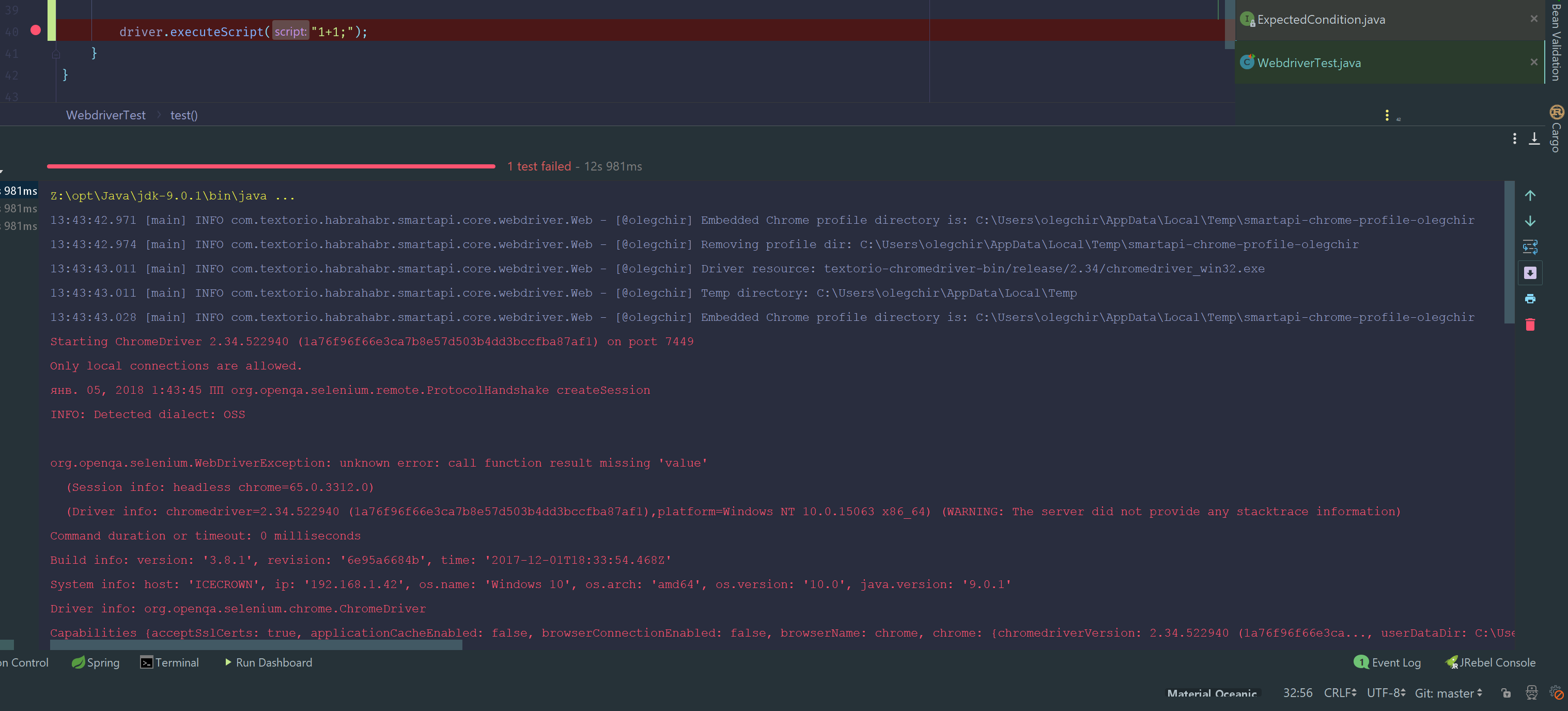
You can see badly in the screenshot, so I will repeat by letters:org.openqa.selenium.WebDriverException: unknown error: call function result missing 'value'.
There was no limit to my despair. If earlier it was extremely clear how to correct such errors, now some kind of tin was happening. No obvious frills with Java code helped.
The above JavaScript code is nothing special to explain: it simply messes the selected attribute on the page. When you run the script on ChromeDriver, the arguments array is populated with what is passed in the parameters. How exactly the parameters are thrown in there is a separate question, because the first argument is not id, but some WebElement, which I specifically get through XPath. How it is stored, we will see below. Why there is no such method natively in ChromeDriver and you need to write it yourself - I have no idea, we'll write off the youth of the Selenium project :-). Back to the topic.
Intuitively, this version of ChromeDriver is simply not compatible with the version of the browser you are using, and you need to try to find a fairly recent version of ChromeDriver.
In principle, these fairly recent versions of ChromeDriver are in Google Cloud . And here begins my facs, thanks to which this article appeared.
I copied myself the latest version of Chromedriver (from the second of January or something like that), started on it ... and got the same error. In other words, the new Hromdrayver is incompatible with the Canary, too? How so?!
In fact, the fresh chrome driver works fine . The problem is that due to some mystical problems with Windows, the new file simply did not copy. If the file was copied successfully, we would not have seen the errors. We’ll forget how to be clear as a moron, so as not to look at the driver version in the log, and move on to the next story.
Then there were some attempts at reflection.
First, it was necessary to read the W3C Webdriver specification . This is a very important specification, as we will see later.
After that, I pumped the Selenium Chrome Driver straight into the project and began to fiercely debug it.
Immediately after reading the specs, the W3C caught my eye that the request was not being made http://127.0.0.1:9999/session/sessionId/execute/sync , as written in the spec, but at the same URL, but without Sync. It turned out that this is the difference between W3CHttpCommandCodec and JsonHttpCommandCodec , which are set to the driver during initialization.
And what if to change it - a crazy thought flashed? We are looking for a setter method ... and do not find it.
This field is private and is set only once when processing a NEW_SESSION . Actually, we do not invent the dialect ourselves inside Selenium, but Hromdrayver tells us about it, and this decision will not affect in any way.
But we have a Reflection! The URL field is final, so we will change the whole dialect.
Let's try to change the dialect right before sending the executeScript in the test:
public static CommandCodec commandDialectFromJsonToW3C(ChromeDriver driver) { CommandCodec oldCommandCodec = null; CommandExecutor commandExecutor = driver.getCommandExecutor(); try { Field commandCodecField = commandExecutor.getClass().getSuperclass().getSuperclass().getDeclaredField("commandCodec"); commandCodecField.setAccessible(true); oldCommandCodec = (CommandCodec) commandCodecField.get(commandExecutor); W3CHttpCommandCodec newCodec = new W3CHttpCommandCodec(); commandCodecField.set(commandExecutor, newCodec); } catch (Exception e) { staticlogger.error("Can't change dialect", e); } return oldCommandCodec; } (From the appearance of this code, the eyes begin to bleed, but in my defense I wrote it in a strongly altered state of consciousness, and here I cite it for historical authenticity.)
Cool? Not. Chromedriver handled the execute / sync call perfectly and responded with exactly the same error as at the beginning of the post. The hypothesis with the dialect is not shot.
A simple solution would be to be killed against the wall.
But we are not looking for easy ways. A real Indian is walking the way of Gentoo, stepping on rakes, crutches and props of night releases in a springy step!
It was decided to compile from source files the ideally suited versions of Chrome and Chromedriver. In the future, this will allow us not to depend on the Big Uncle and the success of his work on assembling canaries. And also, to fart with manual assembly from source is nice.
In principle, this is not difficult, given the availability of detailed instructions , although there are nuances.
Firstly , it is desirable to select some fast disk (I had this SSD on NVMe), which should be excluded from antivirus scanning. The fact is that about 20 gigabytes of small files will be downloaded (and about 10, if you download without history in git). Even just deleting these files from the SSD takes about five minutes. If the antivirus starts checking them, all this can be delayed for hours.
If the company has free resources, they will be superfluous. Neither 20 cores, nor 64GB of RAM, nor the fastest SSD on solid fuel - none of this will be superfluous, as we will see later.
Secondly , it was absolutely necessary to set up git:
$ git config --global user.name "Oleg Chirukhin" $ git config --global user.email "oleg@textor.io" $ git config --global core.autocrlf false $ git config --global core.filemode false $ git config --global branch.autosetuprebase always This may not be obvious, but without the three lower settings, nothing works.
If this is not done, then some errors in python will fall.
Thirdly , I use Windows as the main platform for most Habr users. You need to install Visual Studio at least update 3.2 with patch 15063 (Creators Update). The free version will do. In the online installer, select “Desktop development with C ++” and in it “MFC and ATL support”.
If you, like me, do not trust Guy, then you need to download the online installer and call it with the following parameters from the command line:vs_community.exe --add Microsoft.VisualStudio.Component.VC.ATLMFC --includeRecommended
Next you need to go to the "Add or Remove Programs" and find the Windows Software Development Kit .
If you use Visual Studio, then the Windows Software Development Kit is presented in the form of many different versions. Need to find the latest in the list.
Next will be the Modify (or Change ) button, then a selection list in which you must select a radio button named Change , and then a table of additional components. You need to select Debugging Tools For Windows and click another Change button.
If this is not done, everything will fall down with Very Strange Errors.
If you are very lucky, there will be something of a human-readable type:
Exception: dbghelp.dll not found in "C:\Program Files (x86)\Windows Kits\10\Debuggers\x64\dbghelp.dll" You must install the "Debugging Tools for Windows" feature from the Windows 10 SDK. If you are unlucky, there will be some useless crap.
Next you need to download Depot Tools scripts to manage the repository. Google does not search for easy ways and stores all the Chromium code in a hellish monorep in the gita, which also uses links to SVN. To manage this disgrace, they had to write a lot of management scripts, which consist of batch file, bash, python and all that, under each platform - different.
The tutorial says that Windows should not download dependencies from something other than cmd.exe .
Checked: the recommendation is worth it! I tried to collect from my favorite msys2 and from git bash : they had errors that are not in cmd.exe at all.
Therefore, run cmd.exe and start uploading the scripts:
mkdir z:/git cd /dz:/git git clone https://chromium.googlesource.com/chromium/tools/depot_tools.git Next, add the path to the depot tools in the PATH (I had Z:/git/depot_tools ) ()
You also need to add the global environment variable DEPOT_TOOLS_WIN_TOOLCHAIN , the value is 0 . Otherwise, the collector will start using the wrong toolchain.
If you often fiddle with environment variables in Windows, it is best to use the Rapid Environment Editor . This is not paid advertising, this program really saved me many hours of life.
cmd.exe cd /d Z:/git/depot_tools gclient Then we go to fill in the Chromium code, since Chromedriver is part of it.
You need to create an empty directory and run the following commands:
mkdir chromium cd chromium fetch chromium 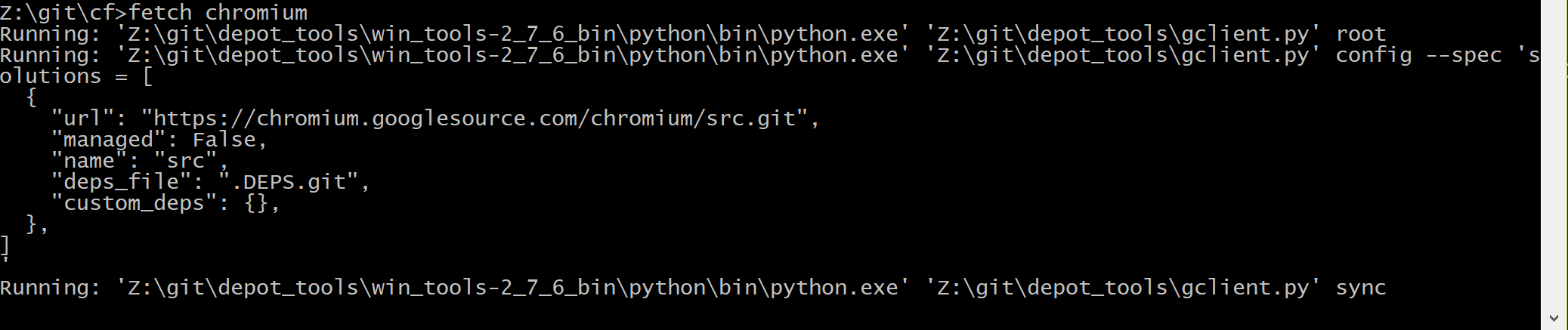
Here in this place you will have to wait a long time, there is a repository for 20 gigs.
Self-made depot tools, of course, are not known to anyone. But there is a small help here and here . If the help is not enough - you need to read yourself and suffer.
By the way, git eats significant resources. So, if you, like me, play Overwatch along with such operations, you can catch non-acidic lags.

Since I did not trust my nightly build, I decided to hack the version that corresponds to the official stable driver.
To do this, switch to the piece of history that is as close as possible to it.
By the way, you could use fetch --no-history chromium , it saves ten gigabytes on a hard disk.
But this is obviously only suitable for getting the latest version, and we need to first fiddle with the story and get the commit number.
See the version of the "stable" browser: 63.0.3239.84 .

Google that she came out on December 6th.
As it is normal to look at the information about the time of assembly, I did not understand (if anyone knows, tell me?). But googling helps.
Then we look at all the commits for this date:git log --after="2017-12-05" --until="2017-12-06"
Hash last commit for this date: 5eaac482ef2f7f68eab47d1874a3d2a69efeff33
git new-branch hacking git reset --hard 5eaac482ef2f7f68eab47d1874a3d2a69efeff33 Switching can take considerable time. Hell monorepa makes itself felt. In particular, while I was switching to the hacking branch, several commits flew into the master.
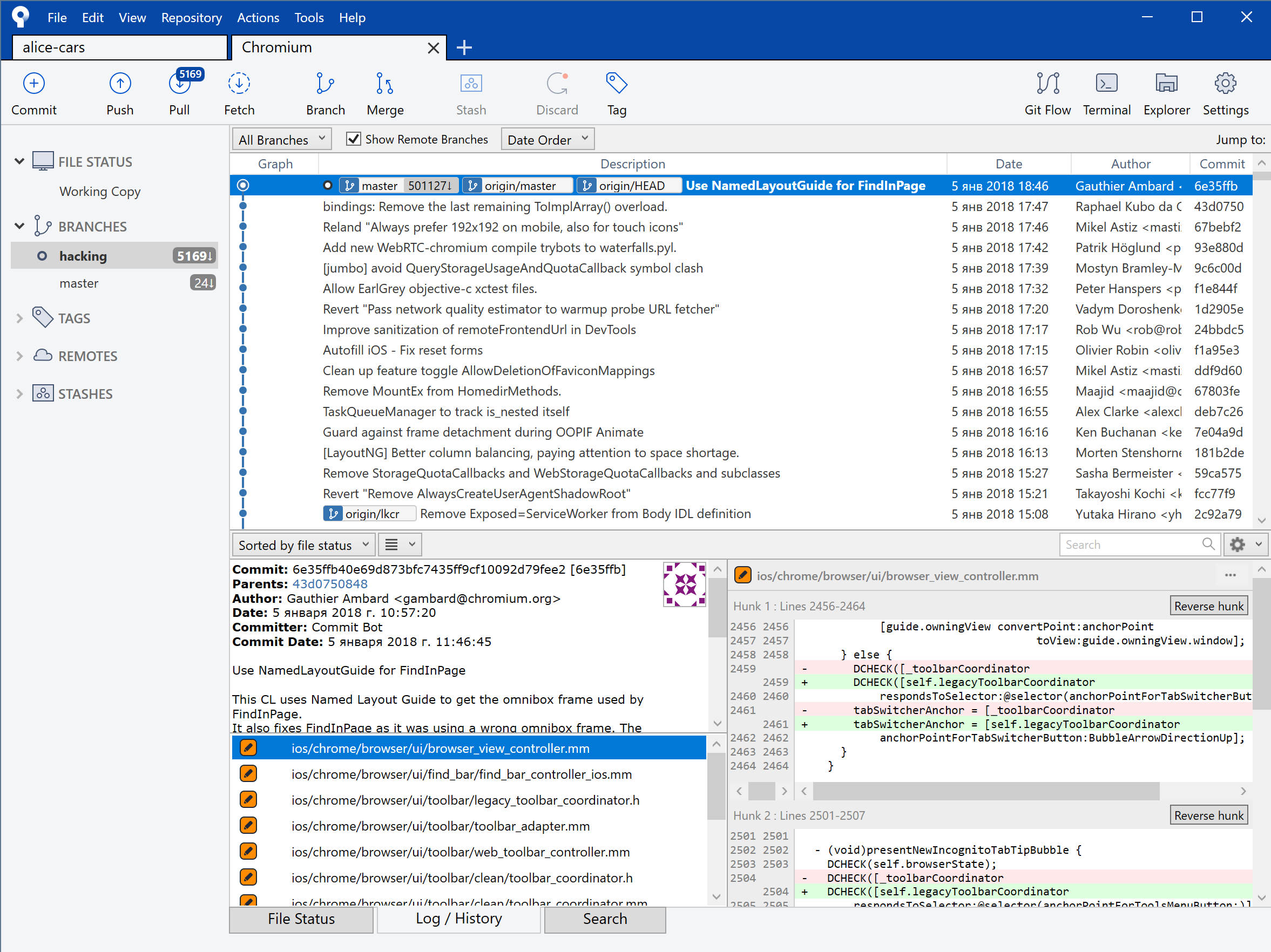
By the way, I highly recommend using a graphical git client instead of the command line to read commits.
The fact is that the numbers there go completely insane. Between the commit we are interested in (which was only a month ago) there are five thousand other commits. Hands to read it in the console - very painful.
For the trial, I generated only a project for ChromeDriver. It was necessary to understand whether the assembly works at all.gn gen --ide=vs2017 --filters="//chrome/test/chromedriver" out\Release
I would use the favorite CLion as the IDE, but it is not on the list supported by Ninja.
Of the rest, obviously, Vizhualka is the most reasonable under Windows.
The gn command used later is Ninja, the C ++ build system . How to use Ninja specifically in Chromium, described in a separate document :
To view all possible arguments, rungn args --list
Now we use the options read there:gn args out\Release
A text editor opens, where we enter the release options:
is_official_build = true is_component_build = false is_debug = false Save and close. Ninja will immediately begin to regenerate the project files. If it hangs at the same time, we cancel it and do gn args once more.
Then we start the assembly.ninja -C out\Release chromedriver
This build is fast.
I didn’t measure it, but for ten minutes it should be done - there are only 4207 files.
Now you can go to the out \ Default directory and quietly copy chromedriver.exe from there. It will run without dependencies and other files in this directory. We mentally congratulate ourselves: now we are not dependent on smart uncles who assemble us nightly assemblies on the offsite.
Well, the first test is done, now it was necessary to collect the real Chromium.
ninja -C out\Default chrome gn gen --ide=vs2017 --filters="//chrome" out\ChromeRelease gn args out\ChromeRelease is_official_build = true is_component_build = false is_debug = false ninja -C out\ChromeRelease chrome It turns out about 34465 files.
On i7 6700k, 32GB RAM, NVMe SSD Samsung 960 EVO - the complete assembly of Chromium took about 5 hours.
With 100% CPU usage and 60% RAM loading. (I assume that there were not enough cores for a full RAM load.)
The repository after assembly weighs about 40 gigabytes.
It should be noted that from time to time the compilation “shut up” for a couple of minutes: the load of the processor and memory dropped to zero, and even the fans switched to the normal mode. How many times it was “for a couple of minutes” - I don’t know, for I went to bed. I do not have enough knowledge about the computer device to interpret this behavior - maybe someone will tell?
All this time on the computer does not cost anything.
In these 5 hours I slept well! The gloomy morning of January 5 came.
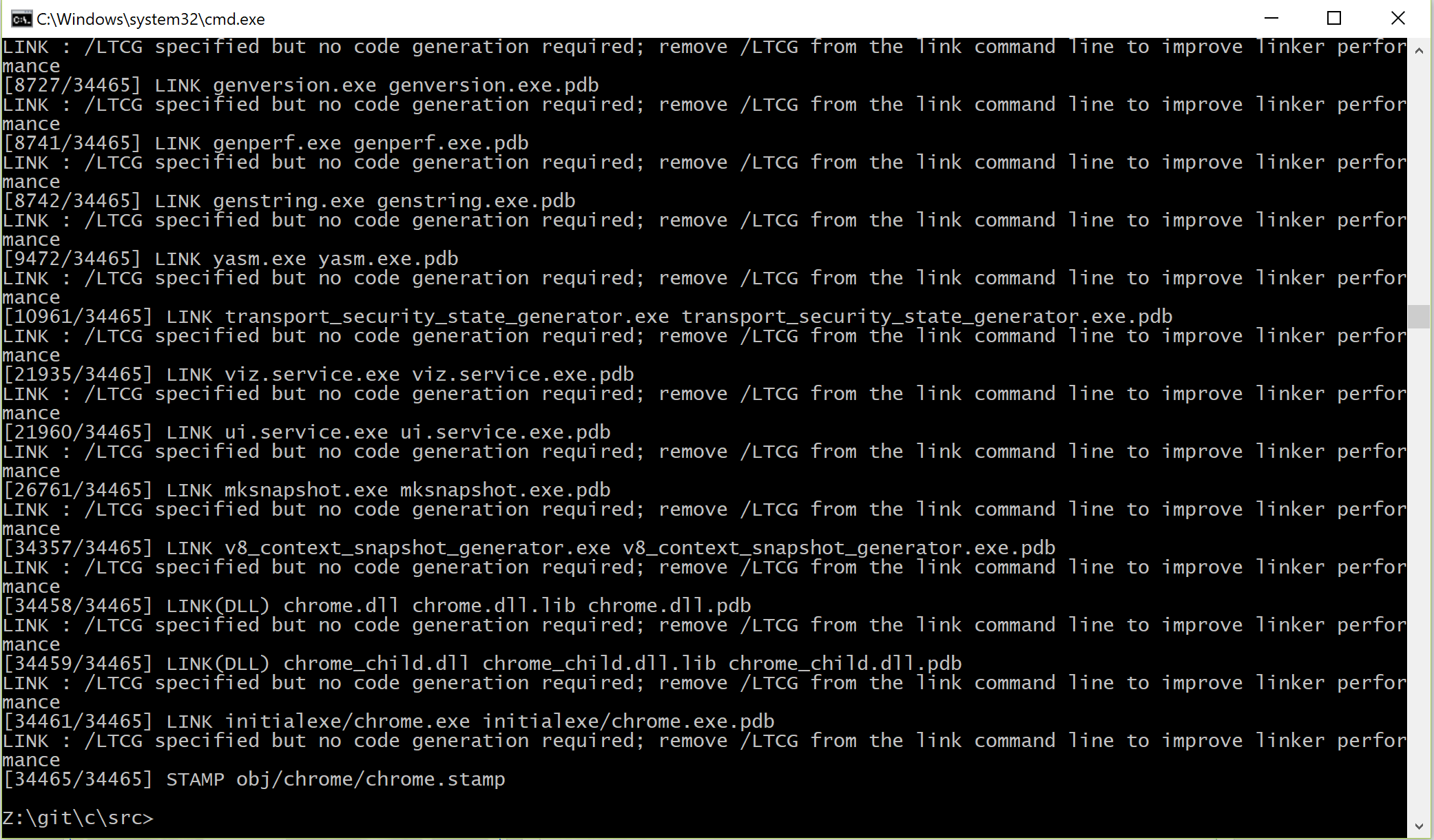
Ah, this romance of the native Gentoo, long sleepless red-eyed nights spent building the nightly builds from the wizard! When you see the collected chrome.exe in the console, it feels as if you have done a long, pleasant physical work.
With joyful excitement and a head splitting from pain (5 hours is quite a bit) I run tests on a fresh browser.
Nothing works.

It became clear that you need to dive deeper.
At that moment, for the first time during the holidays, I remembered the gift of a bottle of tequila and with difficulty suppressed an irresistible desire to get drunk in the spittle.
...
This time, a debug build was required.
gn gen --ide=vs2017 --filters="//chrome/test/chromedriver" out\Hacking gn args out\Hacking is_official_build = false is_component_build = true is_debug = true ninja -C out\Hacking chromedriver Unfortunately, this commit directly crashes instantly with an error:
Z:\git\cf\src>ninja -C out\Hacking chromedriver ninja: Entering directory `out\Hacking' [75/4177] CXX obj/base/base/precompile.cc.obj FAILED: obj/base/base/precompile.cc.obj ../../third_party/llvm-build/Release+Asserts/bin/clang-cl.exe /nologo /showIncludes @obj/base/base/precompile.cc.obj.rsp /c ../../build/precompile.cc /Foobj/base/base/precompile.cc.obj /Fd"obj/base/base_cc.pdb" Assertion failed: ID < FilenamesByID.size() && "Invalid FilenameID", file C:\b\rr\tmpcwzqyv\w\src\third_party\llvm\tools\clang\include\clang/Basic/SourceManagerInternals.h, line 105 Wrote crash dump file "C:\Users\olegchir\AppData\Local\Temp\clang-cl.exe-247121.dmp" LLVMSymbolizer: error reading file: PDB Error: Unable to load PDB. Make sure the file exists and is readable. Calling loadDataForExe OMG, C:\b\rr\tmpcwzqyv\w\src\third_party ? Shy of drive C, are you serious?
But this is not important, because, looking through the Internet, we find that the bug is not in the crooked way, but in Clang. And at that time (before which we rolled back in the gita) it was not fixed yet. Now everything is OK. At that time, the bug was managed by disabling precompiled headers.
By the way, every time I delete out\Hacking from Windows Explorer, to be sure of the result. With Windows, you can’t be sure of anything for nothing.
gn gen --ide=vs2017 --filters="//chrome/test/chromedriver" out\Hacking gn args out\Hacking is_official_build = false is_component_build = true is_debug = true enable_precompiled_headers = false ninja -C out\Hacking chromedriver It remains to open the project in Visual Studio:devenv out\Hacking\all.sln
When opened, the Visor hangs - this is normal.
But if it hangs longer than several minutes - it is necessary to close and reopen it.
Especially if you have ReSharper C ++ or something.
Examining the source code by keyword execute gives you the only interesting file: chromedriver\chrome\web_view_impl.cc
In it, we are primarily interested in CallFunction - obviously, it processes the incoming request.
Status WebViewImpl::CallFunction(const std::string& frame, const std::string& function, const base::ListValue& args, std::unique_ptr<base::Value>* result) { std::string json; base::JSONWriter::Write(args, &json); std::string w3c = w3c_compliant_ ? "true" : "false"; // TODO(zachconrad): Second null should be array of shadow host ids. std::string expression = base::StringPrintf( "(%s).apply(null, [null, %s, %s, %s])", kCallFunctionScript, function.c_str(), json.c_str(), w3c.c_str()); std::unique_ptr<base::Value> temp_result; Status status = EvaluateScript(frame, expression, &temp_result); if (status.IsError()) return status; return internal::ParseCallFunctionResult(*temp_result, result); } After the answer is received, before returning to the client, it will parse the result:
Status ParseCallFunctionResult(const base::Value& temp_result, std::unique_ptr<base::Value>* result) { const base::DictionaryValue* dict; if (!temp_result.GetAsDictionary(&dict)) return Status(kUnknownError, "call function result must be a dictionary"); int status_code; if (!dict->GetInteger("status", &status_code)) { return Status(kUnknownError, "call function result missing int 'status'"); } if (status_code != kOk) { std::string message; dict->GetString("value", &message); return Status(static_cast<StatusCode>(status_code), message); } const base::Value* unscoped_value; if (!dict->Get("value", &unscoped_value)) { return Status(kUnknownError, "call function result missing 'value'"); } result->reset(unscoped_value->DeepCopy()); return Status(kOk); } We carefully look at the code and ... see our error - call function result missing 'value'!
Of course, this assumption is still to be confirmed. "Code is cheap, show me debugger."
To do this, go to IntelliJ IDEA and set breakpoint in the Java code immediately before sending executeScript:

After that, go to Vizhualku and select there debug connection to the process:
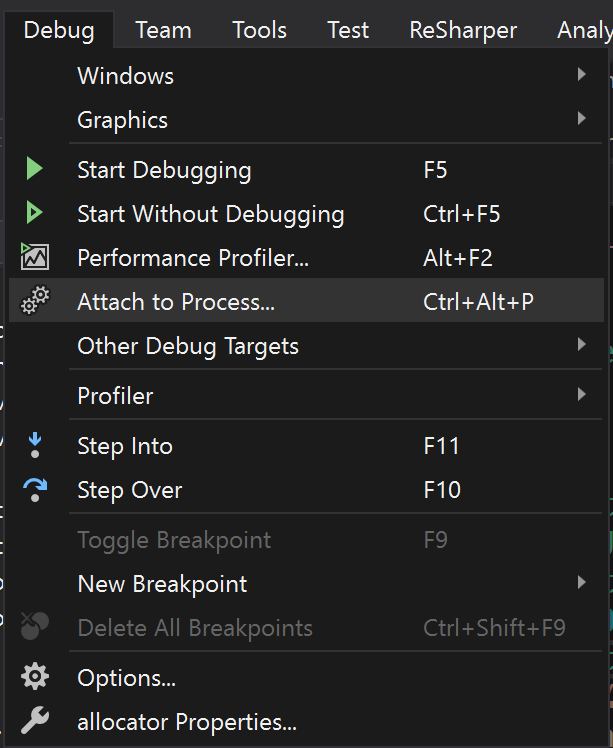
And from the list, select chromedriver.exe :
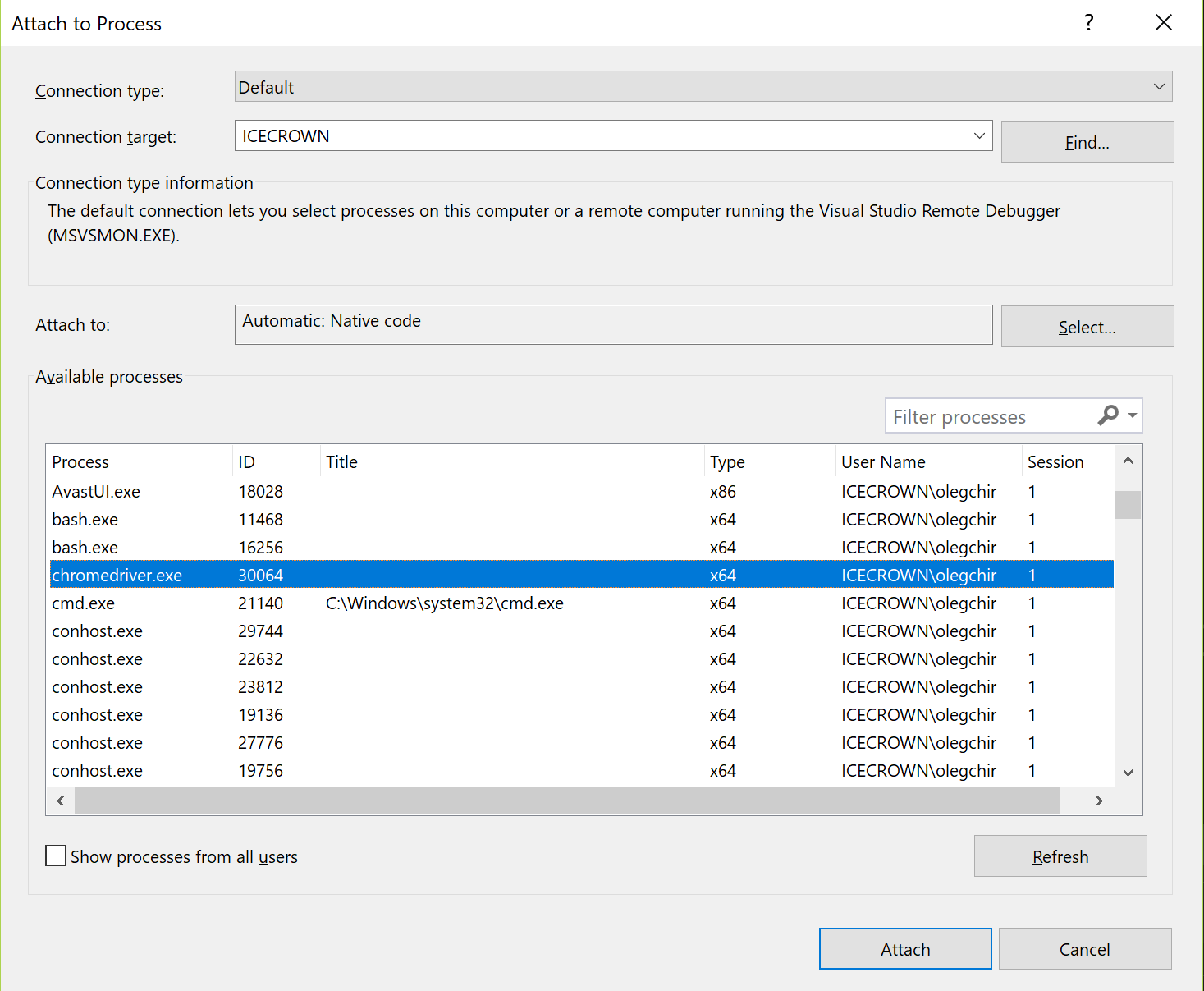
We set breakpoint to the beginning of the WebViewImpl::CallFunction and see what happens.
Next, release the code in the Idea and stumble upon the newly installed breakpoint in Vizhalka.
In the debugger you can find many interesting details about the connection. For example, we see that the WebElements passed to the JS function are transmitted by some internal links, and not by XPath (by which they were originally searched for). It is very cool, fast and convenient. The function is passed stupidly by the string - and all other parameters are also wrapped in reasonable types of modern C ++.
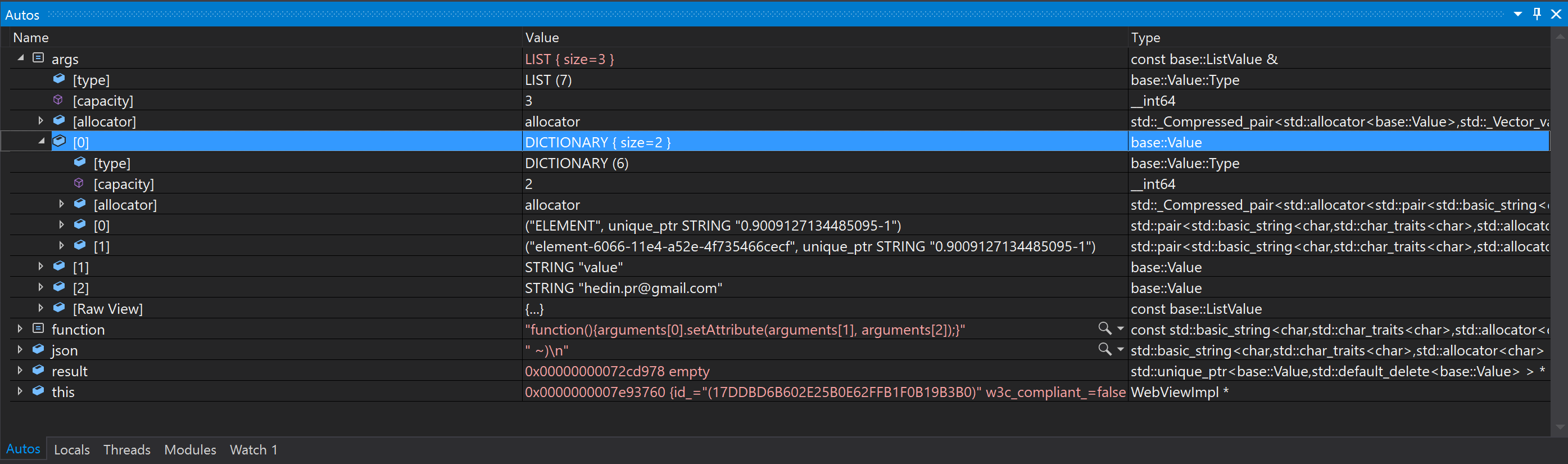
In particular, the driver understands that the dialect that I tried to hack from Java is not consistent with the W3C spec. In vain worried!
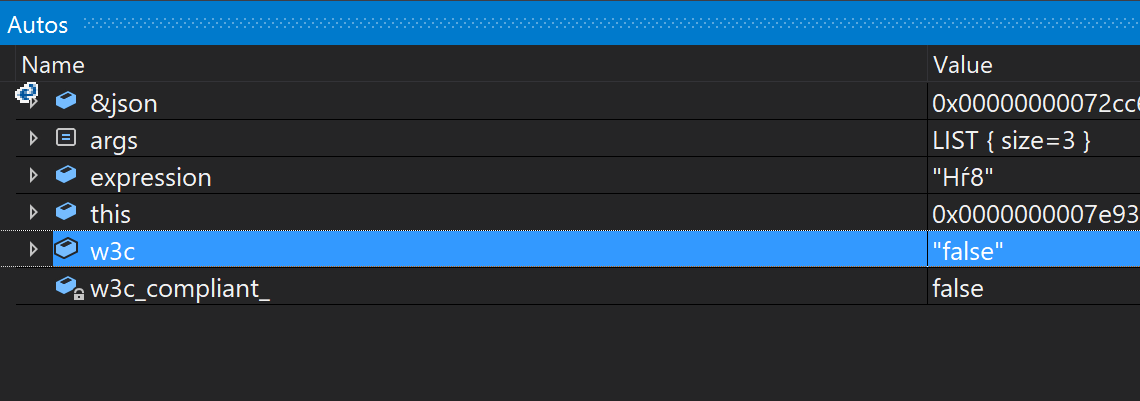
The command parameters in the JSON form (resulting from the execution of base::JSONWriter::Write(args, &json); ) can be beautifully viewed in the debugger:

The dubious parameter of kCallFunctionScript turned out to be the wildest javascript sheet tucked into const char[] . In the name of preserving the psyche of habrovchan, I post only a small fragment:

The most interesting part of debugging happens when we get to the ParseCallFunctionResult function:
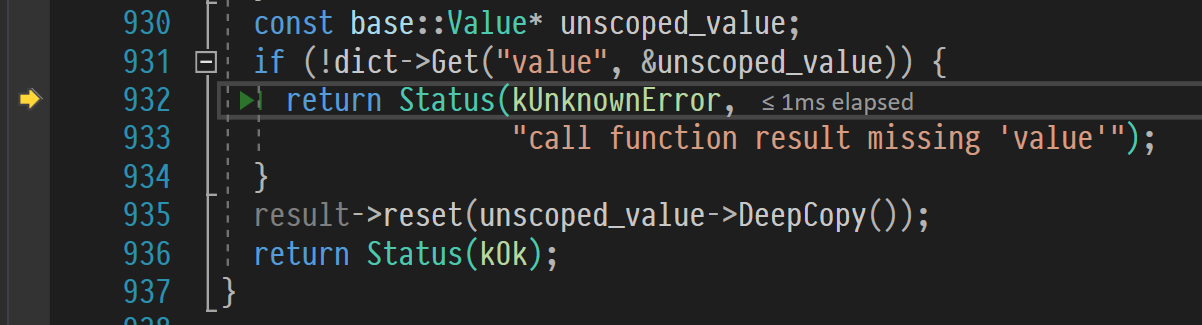
As we expected, the assumption worked.
In this piece of govnokod it is written that if we could not read the value , i.e. the result of the function, you need to give up and give the client an error.
I rushed into Java + JS code and rewrote the original function, adding retur true; to the end of the JS code retur true; :
public void setAttribute(WebElement element, String attName, String attValue) { driver.executeScript("arguments[0].setAttribute(arguments[1], arguments[2]); return true;", element, attName, attValue); } All tests instantly turned green.
This is obviously a heresy, and I have already begun to prepare to file a bug on the tracker .
But then something began to clear in my head, and in a moment of insight, I remembered the words from the W3C specs :
Script command executes a JavaScript function.
See, returns . They do not follow “Key words for use in RFCs to Indicate Requirement Levels” . They do not use the words must, must not, should and should not to indicate the level of significance. Accordingly, from some point of view, returns can be read as a must return . Or not - this is a matter of interpretation.
On the other hand, according to the specification, it is not required that we pass the completed function. In the end, Hromdrayver already appends the function header to us - so why not assign it to the end and return?
Or from a third party, functions in JS can not return anything. They always return at least undefined .
Take a look at the correspondence table:
null === undefined // false null == undefined // true null === null // true Obviously, undefined fine mapped to null , available in most programming languages (or having equivalents). There is no problem to translate undefined into something else empty.
On the fourth side, it is clear that the problem is in the standard. Specifically in this case the specification is incomplete. It stipulates that ExecuteScript will necessarily return what the function returns. But he does not stipulate how he will behave if the function returns nothing: the text of the specification can be interpreted and how “since the function returns nothing, ExecuteScript will return nothing”. Another implementation of ExecuteScript may become incompatible with the new version of specs, since decomposition is now possible:
- the function returns nothing ->
ExecuteScriptreturnsA - the function returns nothing ->
ExecuteScriptreturnsB != A - the behavior we are seeing now with an error (and in some implementation of
ExecuteScriptit was originally!)
Fix any behavior does not work. Unless you allow all three options at the same time.
Based on all this, I came to the conclusion that the file bug is meaningless. executeScript , return, — . — — «» ( ), «» ( ), «» return true ; — return .
— , ?
: , .
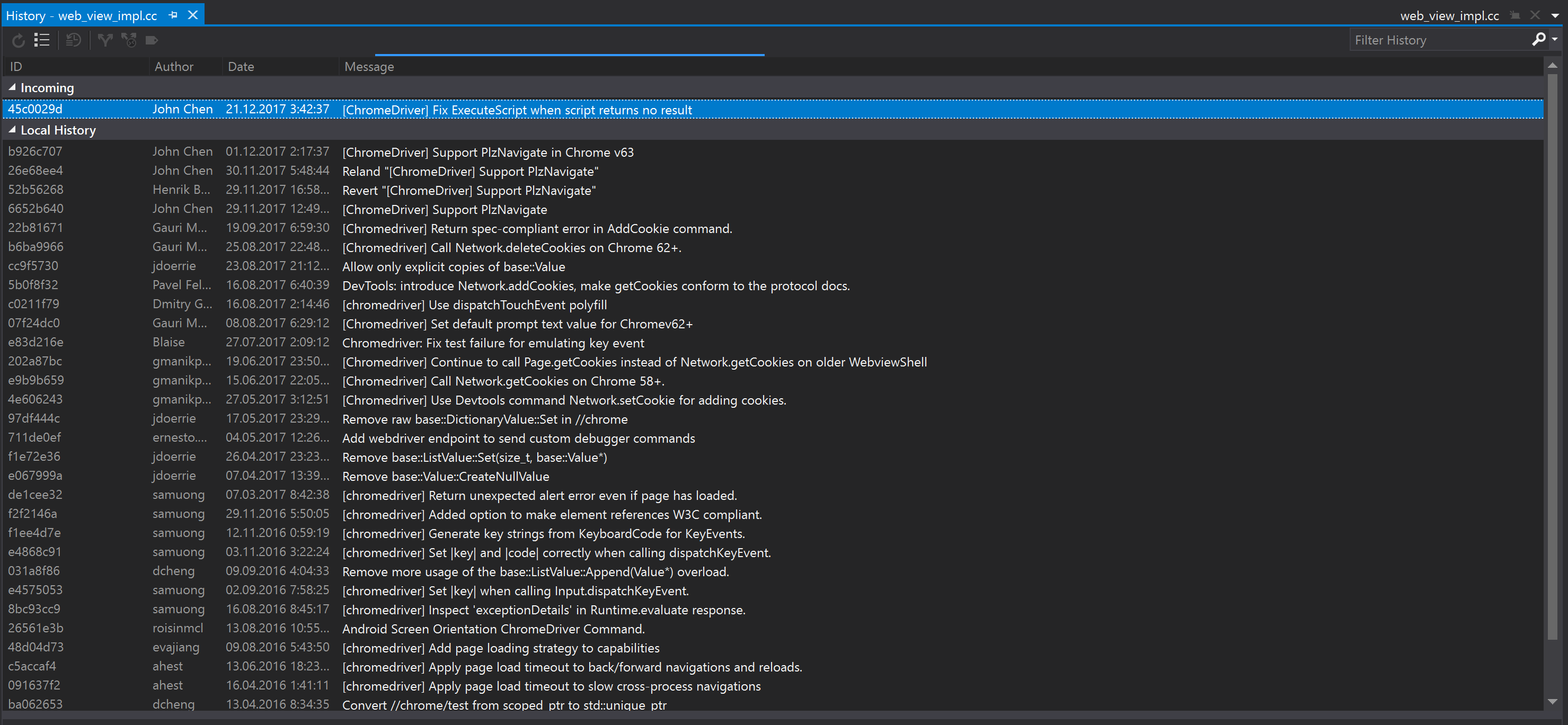
: «Fix ExecuteScript when script returns no result» .
:
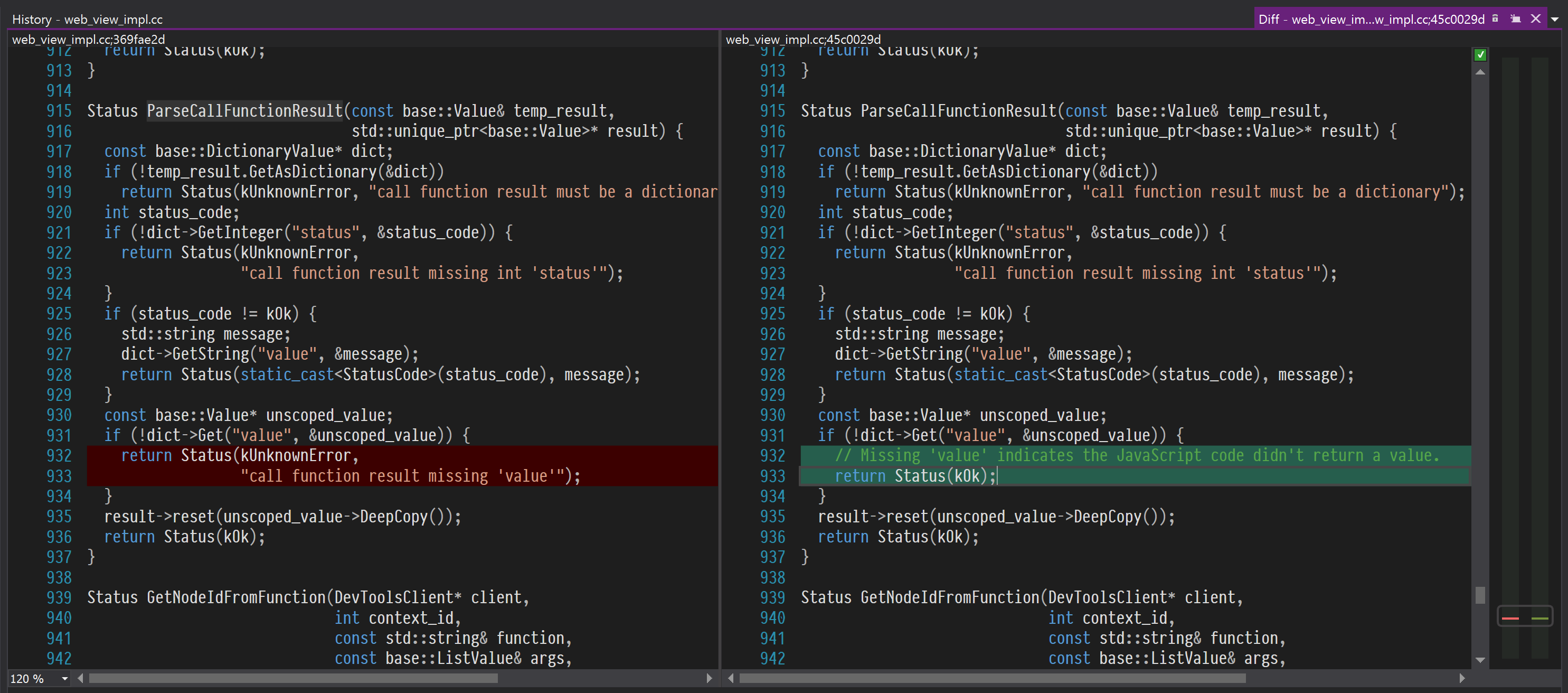
, « », «». , ?
. ?! chromedriver.exe — . ! !
return true; , hacking , . .
findings
- Headless Chrome ;
- ;
- ;
- , ;
- Windows;
- C++ , ;
- , ;
- Chromium ChromeDriver, ;
- Selenium , , , ;
executeScript- : , ;WebDriver— W3C. ;- Heisenbug HolyJS — PhantomJS, — WebDriver. , .
— , Chromium. , , .
')
Source: https://habr.com/ru/post/347024/
All Articles