Touch or not: What are the cash registers of stores today?

The time has passed when all the stores had the same cash registers. Today, a variety of commercial vehicles admire. We talk about the two main trends of modern retail: sensory and modular cash registers, as well as why the former are gradually crowding out the latter.
Modular (dispersed) cash registers
Dispersed (also modular) layout of POS systems is most often used in supermarkets, hypermarkets, and grocery stores of the "at home" format. In front of the cashier there is a monitor or a two-line display, a keyboard, a payment terminal, a scanner, a cash drawer, and the system unit is under or above the table. Since there are a lot of devices, and the space at the cashier's place is limited, an important question is the layout (configuration) of the POS computer. Usually it is different cash drawer: it opens forward or upward. Recent trends are as follows:
')
- instead of the buyer's display (a small two-line one, showing only the name of the product being punched, its cost and the total amount of the check), install a second monitor. The advantages of this solution are: a more visual reflection of the information and the possibility of displaying advertising multimedia content;
- Peripheral devices (monitor, customer display or second monitor, EFT terminal, sometimes a keyboard) are installed on a single stand. Thus, you can significantly save space in the workplace of the cashier.
Let us consider in more detail the components of the modular cash desks. As we have already said, the POS computer must include a system unit, an input device (keyboard, scanner), display devices (customer display), a tool that provides an interface between the cashier and the system (the cashier’s display is a monitor or a two-line display), a receipt printer (control cash registers) and cash drawer. To each of the components of the modular cash register today, there are clear technical requirements.

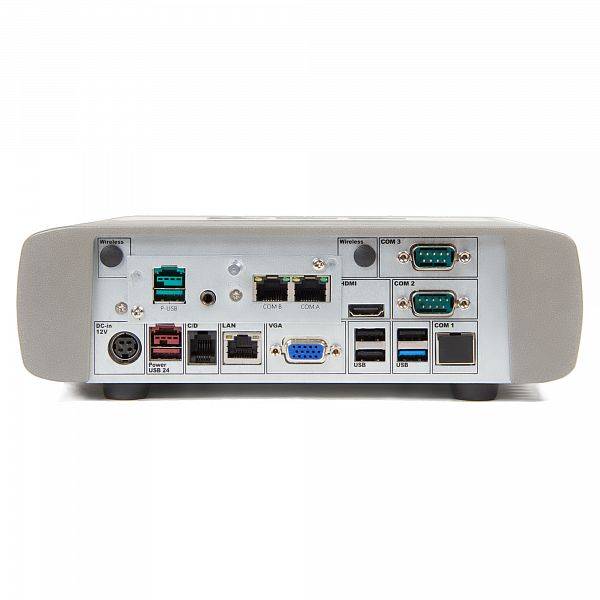
The system unit must be equipped with a J1900 processor, I3 or higher, with a memory of at least 2-4 GB, HDD of at least 500 GB. There is a tendency to use an SSD of at least 64 - 128 GB. The number of USB ports is at least five, COM ports are at least two - three. The case of the system unit must be aluminum, fanless or with a fan - it depends on the performance, the case, the heat sink. For example, the SKY-POS DF miniature POS computer possesses a passive cooling system (an aluminum case serves to remove heat), which ensures complete noiseless operation, as well as uninterrupted operation. This reduces the total cost of ownership and significantly reduces the need for preventive maintenance.
The following requirements are imposed on POS monitors: size from 10 to 15 '', VGA interface, USB for Touch, desktop or VESA stand, from IP54 to IP65. The life cycle of a TFT panel for at least 30,000 hours, a brightness of at least 300 to 350 cd / m2. It is important that the monitor case were aluminum parts, not just plastic. In this case, it will be more stable, reliable, and the cooling will be much better.
Most often in our country, retailers choose POS-monitors with a diagonal from 10 "to 15". The most popular monitor size is 10 '' because of the lower price than 15 ''. Although this trend is gradually changing, retailers are beginning to pay attention to larger monitors 15 ".
A number of retailers are trying to save money, so they install inexpensive monitors, but larger ones. However, such POS-monitors, as practice shows, do not last very long. Although usually the average service life of a POS monitor in a store with an operating mode of 7 days a week for 18 hours of work is more than 7 years.
POS-keyboard is usually represented by a device with 60 - 80 keys, equipped with a reader or lock to authorize the cashier, the store administrator. Although there are exceptions. For example, you can buy a keyboard from Toshiba without a lock and a reader, and eventually purchase these components and add a device to them, removing the plugs installed on it. Such a step saves the budget for retailers who decide to improve the equipment already installed in the store.
In general, the POS-keyboards differ in the way of keystrokes: they are spring-loaded (cheaper) or multi-layered structure of keystrokes (withstand more than 30 million keystrokes). In any case, it is better to choose keyboards with numeric keys, made as a separate block on the keyboard. In this case, they are easy to replace, because this is the most common type of keys today. You can also consider the possibility of supplying the keyboard with double horizontal or vertical caps, color keys and laser engraving of symbols on demand.
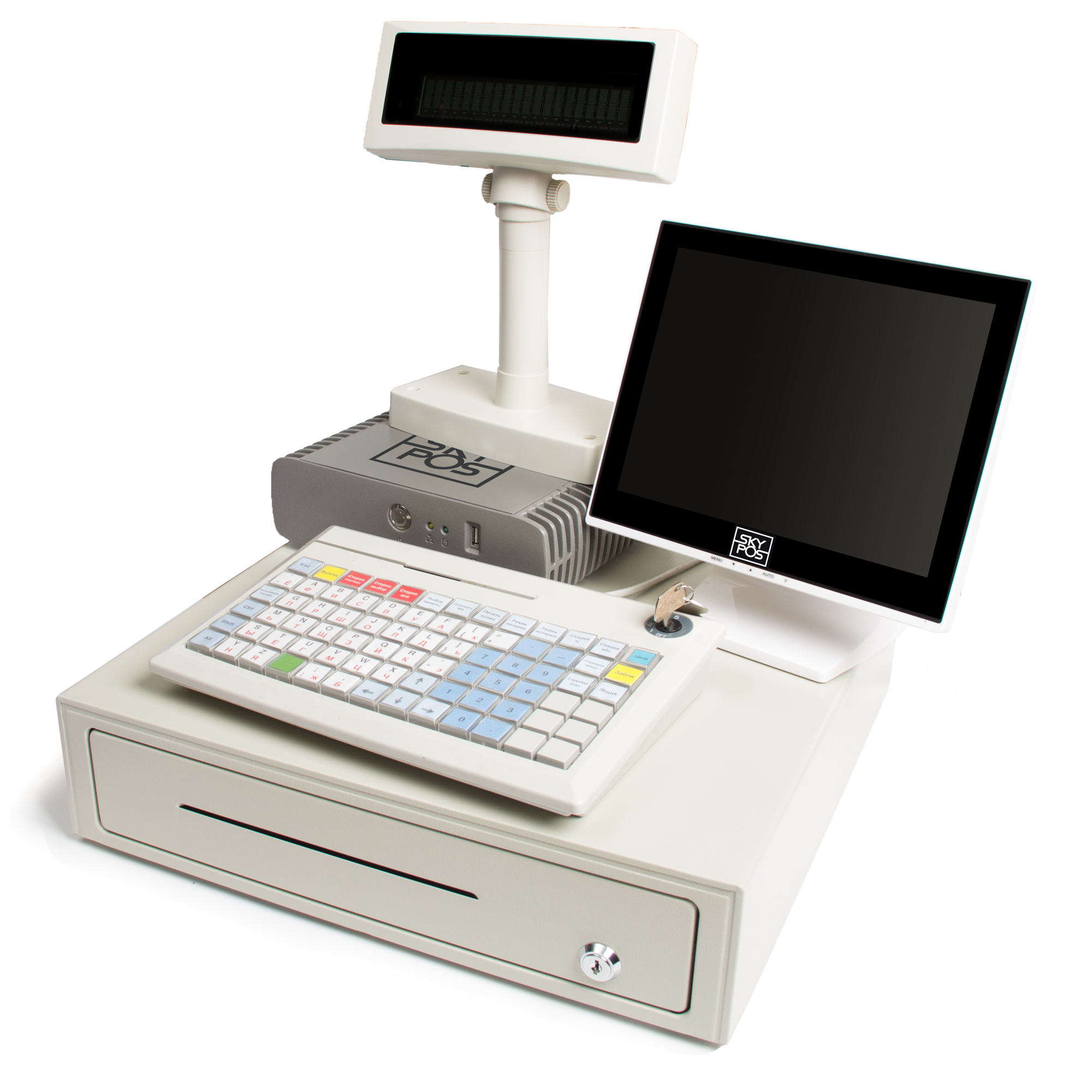
In relation to the monitor and keyboard, there is a general trend: increasingly, in stores, instead of a regular monitor and keyboard, touchscreens are installed with a reader, which is placed directly on the display itself. The advantage of this is clearly: saving space.
Customer display most often choose VFD 2 lines by 20 characters. However, this picture is gradually changing, and retailers are choosing to buy LCDs. Most often, this is a stand-alone device with the ability to change in height from 15 to 30 cm. It is better that the device has a removable interface cable - it is more convenient to use it. RS232 or USB interface. Today there is a tendency to use USB without a power supply: power comes from a removable unit. Advantage: fewer wires, power supply from the system unit is more stable, more power than free-standing ones. Usually the life cycle of a customer’s display is at least 20,000 hours, the brightness is at least 700 cd / m2.
Today, Flip Top models are the most popular among cash drawers - their advantage is that such devices take up less space and it is easier to collect with them thanks to a separate insert. In general, when choosing a cash drawer, the retailer should answer the following questions: how much space is it ready to take for this device (the device can stand on the table, or be embedded into it or be under the table), does it need to conduct regular collection or not? But in any case, it is desirable to give preference to a cash box with 6-7 compartments for banknotes and 8 compartments for coins, with an RJ11 interface for connection to a printer or system unit.
Unfortunately, retailers do not always succeed in correctly selecting a modular cash desk suitable for business. Here is an example that one of our clients once encountered. Not having dealt with the hardware, he purchased a cashier, which was equipped only with USB ports (she did not have any COM ports at all). As a result, he had to use adapters from COM to USB. And gradually this led to the fact that USB ports began to fall off due to a weak power supply.
And here is another example from the practice: POS-computers were installed in the store, in which the processor was manufactured for more than 5 years. And after only 1 year after the purchase of the cash register, it was discontinued. As a result, it was extremely difficult for the retailer to subsequently find a ZIP at the box office.
Touch Boxes
Touch-desk (otherwise it is called a monoblock) is a universal all-in-one device. This is a specialized POS computer whose system unit is integrated with a touch monitor. Due to this, the sensory cash registers are very compact and take up little space. For example, if you compare a modular cash register with a SKY-POS TF touchscreen POS computer, the second saves at least 60% of the usable area.
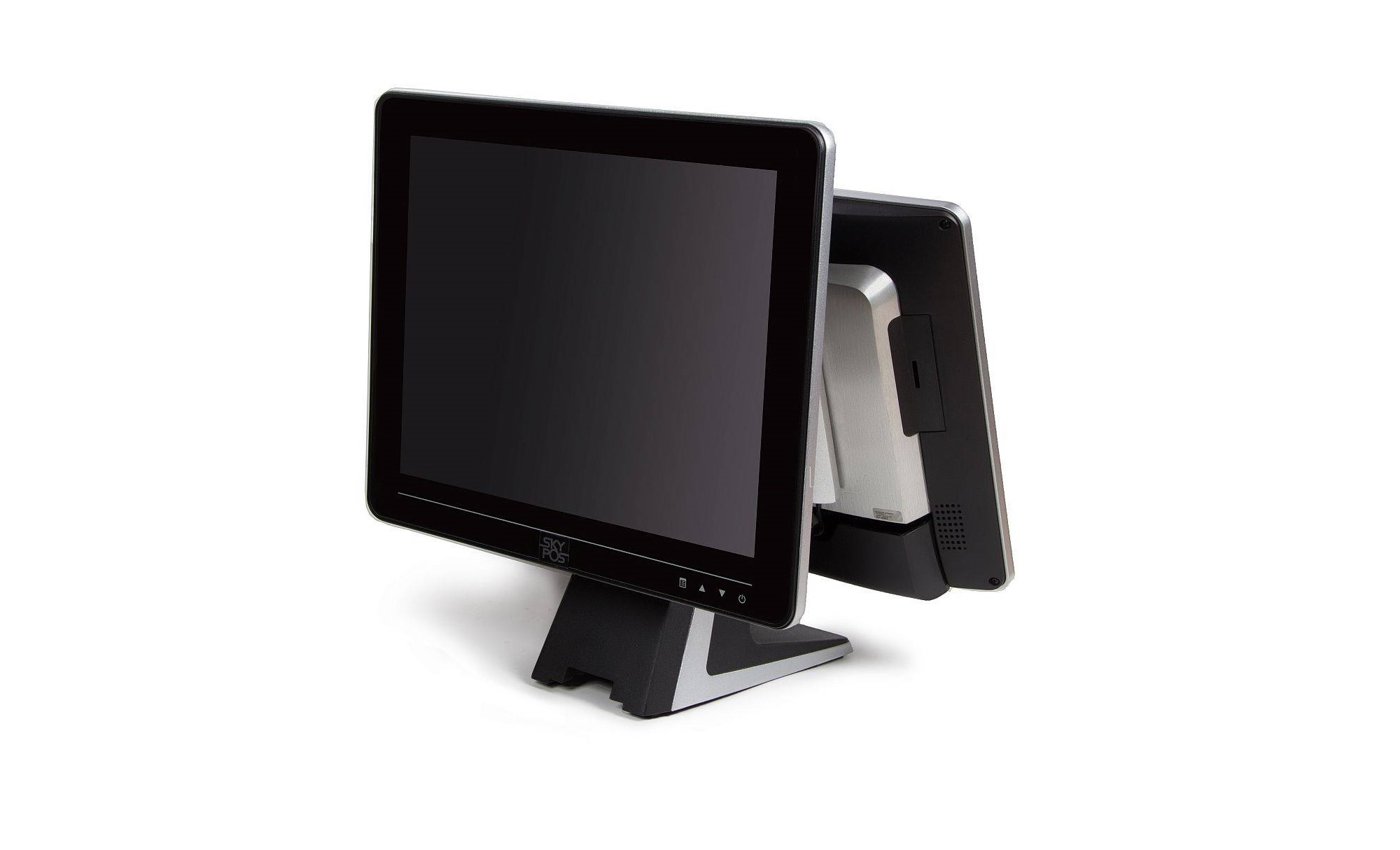
If we talk about the requirements of retailers to these devices, we can distinguish several main ones:
- cash registers prefer to take without a frame: they look prettier and easier to calibrate;
- in the case there should not be backlashes;
- Cashier is located on a stable stand, made with aluminum components. Yes, and in the case must be aluminum parts for better cooling;
- it is desirable that in the sensor box it was easy to replace the HDD or SSD without parsing the whole case
- minimum number of ports: 2-3 COM and 4 USB for connecting sufficient peripherals, RRN and PIN PAD;
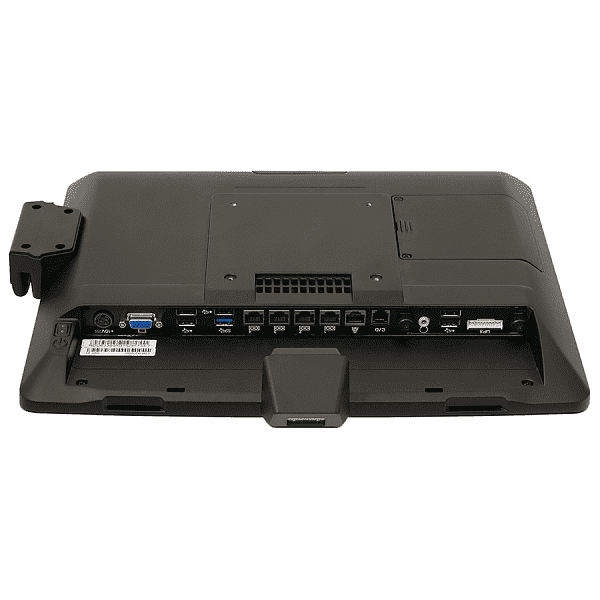
- customer display should correctly display the Russian font (capital and small letters).
In addition, we recommend to understand in advance what devices sellers or waiters click on the Touch panel to select a capacitive or resistive matrix.
Today, sensory cash registers have firmly established themselves in non-food retail and are slowly winning back pieces of the food retail market. The main reason for this is that the space at the cashier's place is the best and most expensive, because there you can place small goods that people buy without much thought. Therefore, for greater economy and efficiency, the cash register will be equipped with sensor devices. In addition, the sensor box has no extra wires, all the equipment is in front of the cashier, and he does not need to “spin”, strain his back muscles and spend extra time servicing customers.

However, the design - this is not all, especially for a store with high consumer traffic. In this case, the reliability of technology comes to the fore. And sensory cash registers perfectly meet this requirement. For example, SKY-POS devices are characterized by IP65 protection against moisture, dust and other harmful factors - this also plays an important role in their selection for installation, for example, in restaurants. Due to the lack of a fan, dust practically does not enter the sensor box, which reduces the need for preventive maintenance. The absence of a fan also affects the noise level produced by the sensor cash register - it is very low. This is true for the cozy and peaceful atmosphere of fashion stores and restaurants. A bright flat screen ensures good image quality even in sunlight.
There are at the box office and its limitations. Most importantly, the resistive screens used in them can withstand only a limited number of taps. This is clearly evident if there is a popular item or dish in a store or restaurant. High-quality touch box can withstand about 35 million clicks, and then the popular cell stops working. Due to the resulting "blind spot", you will either have to change the touch panel or buy a new device - the price in both cases will not differ much.
The number of clicks to withstand depends on the type of screen - there are four-, five-, six-, seven-or eight-electrode displays. The simplest to manufacture, and therefore the cheapest, are four-electrode. They withstand just 3 million clicks at one point. Five-wire is much more reliable - they can transfer the same 35 million clicks: four electrodes are located on the panel, and the fifth is on a membrane covered with a conductive compound.

The cheaper the POS terminal, the sooner it will need to be repaired or replaced. Therefore, store owners, before buying an inexpensive device, should understand whether it will have time to pay for itself before a breakdown.
Of course, punctures happen with the choice of sensory cash registers. For example, one of our clients, even before he turned to us, acquired a sensory cash register, equipped with a monitor with a resistive matrix. A year later, her most popular touch-screen cells stopped working. Replacing the sensor matrix cost him a pretty penny, since its cost is equal to the price of a new touch box office.
Another example: the retailer purchased a cheap touch-desk cash register without checking how it understands whether the HDD is removed, whether RAM can be increased, how many ports are needed in the future, from what plastic the device case is made, whether there is a gap, how the font is displayed on the customer’s display, which touch matrix All this led to the fact that the cashier quickly broke down, and the retailer had to buy a new device.
How to choose a cashier, whether sensory or modular, depends on the needs of a particular store. However, we can advise not to rely solely on the price of the device: then you can overpay for the cheap service doubly, and the functionality too expensive may not be used by the retailer at full capacity - in this case, the ticket office will not pay for itself. Therefore, we recommend that you first analyze the needs of your store and, depending on them, select a cashier that can solve all the tasks.
Source: https://habr.com/ru/post/346354/
All Articles