Mobile UX-design in 2018: trends and forecasts
The countdown to the winter holidays has already begun, which means that specialists from different fields have a reason to look back on everything that happened in the past year, to identify the main patterns and estimate what to expect from the next. We will conduct a brief overview of the trends in UX design of mobile and web applications that have emerged and strengthened in recent months and are likely to remain decisive in the near future.
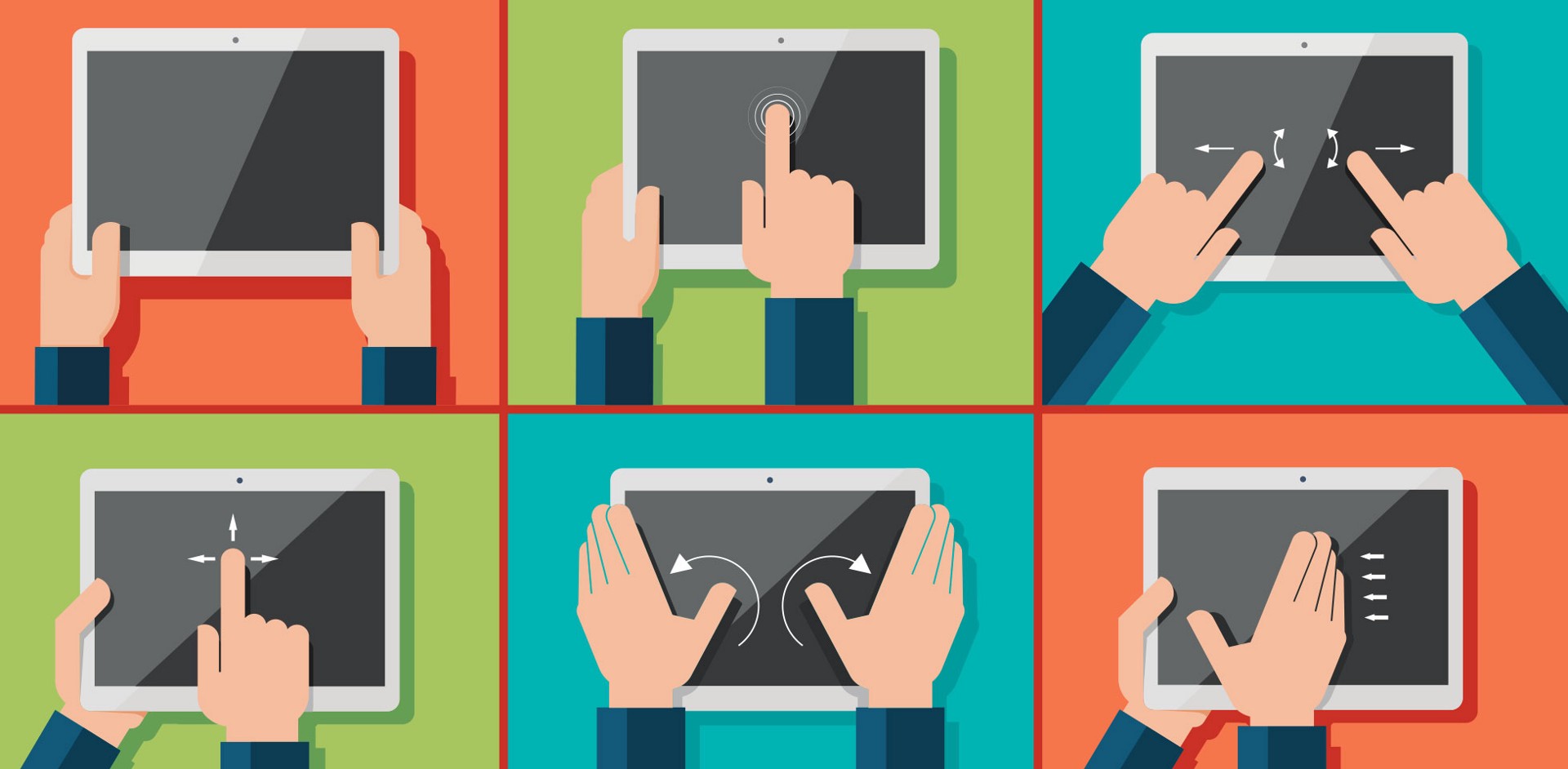
The concept of material design , proposed by Google, is gaining momentum for several years, and in the coming year, it may finally finally shift the flat design as the dominant style in mobile applications. To the inexperienced observer, this revolution may not be noticeable: the material design also leads to structuredness, minimalism and unreserved color schemes. However, it has several specific features:
As studies show, users are gradually becoming like cats: in order to attract their attention and interest, the element must move. Designers have noticed this pattern, and designs are becoming more dynamic: buttons, fields, and icons are increasingly flickering, rotating, changing texture, or simply popping out of nowhere to convey to us certain information in the language of movement.
')
As a rule, this information refers to one of three types:
This approach to the use of animations is usually called functional or meaningful: they, like beacons, guide the user through the application, helping to build interaction according to the desired scenario. However, interactive elements are often introduced and simply to revive the screen, increase concentration and not let people get bored with the static picture.
An individual approach to the user is already beginning to be perceived as the norm: people expect that when interacting with the application, the information that they provided in previous interactions will be taken into account in one degree or another in order to make their lives easier. During the survey from Monetate, 78% of respondents stated that they do not pay attention to offers that are not tailored to their individual profile. Not surprisingly, companies are racing to develop and implement artificial intelligence technologies to conduct in-depth data analysis and target with all possible accuracy.
Personalization, however, is good because of its many-sidedness: some of its level can be provided even without having at its disposal a stack of the most advanced predicative tools. The point is to make the interaction with the application comfortable by offering the user the necessary options before he asks for them. Sometimes it is enough for a customized version of the design, designed for a specific demographic group, to automatically save settings or segmentation by geolocation.
Load time remains a critical factor for conversion and failure rate for web applications. Modern users do not like to wait: as statistics show, the conversion in the boot process on average drops at a rate of 12% per second, and if the case drags on for more than 6 seconds, the number of failures sharply doubles. Modern developers, however, do not take it to heart: the average download speed of a mobile page is now nothing less than 19 seconds . According to experts, this is due to the fact that mobile versions of pages are, for the most part, poorly adapted and overloaded with content.
Yet the community is gradually accepted to solve the problem. This is evidenced, in particular, by the growing popularity of the lazy loading method, in which graphic content is loaded in stages, as the user scrolls through the page, thereby reducing waiting time. The trend towards acceleration has also affected mobile applications: for example, tools that allow working freely with functionality without installation are now being widely used - Progressive Web Apps, Android Instant Apps.
To date, authorization can safely be called a pain point in the field of UX. The majority of users are not very consistent with this problem: on the one hand, they want to be sure that their personal information does not fall into the wrong hands, on the other hand, they take all steps that precautions require as an annoying obstacle to ways to a positive experience. Thus, developers are in a difficult situation: they need to ensure reliable data protection so that it requires a minimum of effort from the user.
In 2017, brainstorming about this just started. Companies try different ways to get out of the situation: someone saves users from having to remember the input data using one-time passwords in combination with captcha, someone refuses the classical login-password pair in favor of authorization through a device or mail, someone This places hope in developing face and voice recognition technologies. Next year will probably bring a continuation of the dialogue and new solutions.

Option from Medium: a letter with a one-time link for authorization
With the acceleration of the pace of life, interactions are also accelerated, which means that there is a need for the most clear, transparent navigation that will lead the user to the goal in a direct way and will not allow him to deviate from the course. Ideally, the user flow should be linear and consist of a chain of unambiguous, logically related steps.
Much of what has already been mentioned here makes the interface clear and accessible for fluent interaction. Minimalism in design, the absence of visual “husk” does not allow the view to get lost, functional animations serve as pointers to guide the user from operation to operation, competent design of texts simplifies quick reading. Designers try to adhere to well-established patterns (typical icons to indicate actions, the standard arrangement of elements on the screen) in order to make the interactions more intuitive. Extra steps, if possible, are eliminated: in particular, many favorite hamburgers' menus with an expanding list of options are receding into the past, and the number of dialog boxes is minimized.
As it is easy to guess, in the modern realities, the same is required from the control system: simplicity and intuitiveness. Since 2016, the popularity of voice commands has been steadily on the rise, which is not surprising: the ability to engage in dialogue with your device, bypassing the interface, is perhaps the highest degree of intuition that can be achieved without telepathy. The most popular operations for which people prefer to “recite” teams are calls, clarifying the route, searching for information, playing music. Now, when technologies provide high (more than 90%) recognition accuracy, their implementation will be even more active.

Popular Voice Command Applications
Growing attention to content is another trend that has been outlined for a long time and strengthens its position year after year. This is not just about the high quality of the text content, the very idea of what place it should occupy in the design is changing. The answer "Paramount" sounds on reputable sites and in community conversations more and more regularly.
This primacy is expressed in different ways. First, the interfaces are aligned in accordance with the principles of digital storytelling, in which the design is viewed as a way of presenting history. Secondly, the content content first approach is gaining popularity, in which the visual component is developed taking into account and even on the basis of the already fully completed content, with the message and style of which the design should be in harmony. Finally, the texts simply become more noticeable, come to the fore - large headlines, high contrast, the strategic use of empty space. Designers do everything to even looking at the screen out of the corner of the eye on the run (and sessions on mobile devices often take place under precisely these conditions), the user can read all the most crucial.
Waiting that the design will be ideally adapted to the device on which the application is launched, and that switching from device to device will not entail any inconvenience, also becomes a matter of course to be borne in mind. This concerns, first of all, technical issues (61% of users will not return to the site if there were failures when working with it; 57% will also change their opinion about the business as a whole ), but the uniform style also plays a role. According to Alexa, 80% of top sites have their design properly optimized for various types of devices.
Do you still remember how easily the average user gets distracted? Judging by the calculations of specialists, the duration of concentration from 2000 has decreased from 12 seconds to 8 . In this situation, video materials become an important channel of information exchange: they both keep attention and transfer the necessary amount of information in a multidimensional format. It is no coincidence that over the past year, the short video genre has been used everywhere - and for advertising applications on markets, and instead of the standard text "About Us" on the pages of companies. Statistics show that mobile users have a particular weakness for video , so in the future its potential is likely to be used even more actively.
So, in general, 2017 did not become a turning point for UX - with the exception of some major events, trends here are mostly inherited from 2016: development occurs smoothly and consistently. On the other hand, it is a good motivation to adjust your approach accordingly without unnecessary haste so as not to end up in the last echelons of the inevitable evolutionary process. In 2018, the design promises to be adaptive, personalized, interactive, content-rich and material - we will try to meet its standards.
From flat design to material
The concept of material design , proposed by Google, is gaining momentum for several years, and in the coming year, it may finally finally shift the flat design as the dominant style in mobile applications. To the inexperienced observer, this revolution may not be noticeable: the material design also leads to structuredness, minimalism and unreserved color schemes. However, it has several specific features:
- Three-dimensionality : the design regains depth through the use of textures and shadows;
- Printing : when creating and organizing visual elements, the rules of traditional graphic design are followed;
- Adaptability : the basic feature of this type of design is its uniformity on different types of devices;
- Interactivity : the widespread use of animations. It is worth touching on this point in more detail.
Interactive Interfaces
As studies show, users are gradually becoming like cats: in order to attract their attention and interest, the element must move. Designers have noticed this pattern, and designs are becoming more dynamic: buttons, fields, and icons are increasingly flickering, rotating, changing texture, or simply popping out of nowhere to convey to us certain information in the language of movement.
')
As a rule, this information refers to one of three types:
- An explanation of the action that the user has just performed
- Indicating that the action is completed or not completed
- Hint what the next step should be
This approach to the use of animations is usually called functional or meaningful: they, like beacons, guide the user through the application, helping to build interaction according to the desired scenario. However, interactive elements are often introduced and simply to revive the screen, increase concentration and not let people get bored with the static picture.
Personalization
An individual approach to the user is already beginning to be perceived as the norm: people expect that when interacting with the application, the information that they provided in previous interactions will be taken into account in one degree or another in order to make their lives easier. During the survey from Monetate, 78% of respondents stated that they do not pay attention to offers that are not tailored to their individual profile. Not surprisingly, companies are racing to develop and implement artificial intelligence technologies to conduct in-depth data analysis and target with all possible accuracy.
Personalization, however, is good because of its many-sidedness: some of its level can be provided even without having at its disposal a stack of the most advanced predicative tools. The point is to make the interaction with the application comfortable by offering the user the necessary options before he asks for them. Sometimes it is enough for a customized version of the design, designed for a specific demographic group, to automatically save settings or segmentation by geolocation.
Fast download
Load time remains a critical factor for conversion and failure rate for web applications. Modern users do not like to wait: as statistics show, the conversion in the boot process on average drops at a rate of 12% per second, and if the case drags on for more than 6 seconds, the number of failures sharply doubles. Modern developers, however, do not take it to heart: the average download speed of a mobile page is now nothing less than 19 seconds . According to experts, this is due to the fact that mobile versions of pages are, for the most part, poorly adapted and overloaded with content.
Yet the community is gradually accepted to solve the problem. This is evidenced, in particular, by the growing popularity of the lazy loading method, in which graphic content is loaded in stages, as the user scrolls through the page, thereby reducing waiting time. The trend towards acceleration has also affected mobile applications: for example, tools that allow working freely with functionality without installation are now being widely used - Progressive Web Apps, Android Instant Apps.
Simplified Authentication
To date, authorization can safely be called a pain point in the field of UX. The majority of users are not very consistent with this problem: on the one hand, they want to be sure that their personal information does not fall into the wrong hands, on the other hand, they take all steps that precautions require as an annoying obstacle to ways to a positive experience. Thus, developers are in a difficult situation: they need to ensure reliable data protection so that it requires a minimum of effort from the user.
In 2017, brainstorming about this just started. Companies try different ways to get out of the situation: someone saves users from having to remember the input data using one-time passwords in combination with captcha, someone refuses the classical login-password pair in favor of authorization through a device or mail, someone This places hope in developing face and voice recognition technologies. Next year will probably bring a continuation of the dialogue and new solutions.
Option from Medium: a letter with a one-time link for authorization
Simplified navigation
With the acceleration of the pace of life, interactions are also accelerated, which means that there is a need for the most clear, transparent navigation that will lead the user to the goal in a direct way and will not allow him to deviate from the course. Ideally, the user flow should be linear and consist of a chain of unambiguous, logically related steps.
Much of what has already been mentioned here makes the interface clear and accessible for fluent interaction. Minimalism in design, the absence of visual “husk” does not allow the view to get lost, functional animations serve as pointers to guide the user from operation to operation, competent design of texts simplifies quick reading. Designers try to adhere to well-established patterns (typical icons to indicate actions, the standard arrangement of elements on the screen) in order to make the interactions more intuitive. Extra steps, if possible, are eliminated: in particular, many favorite hamburgers' menus with an expanding list of options are receding into the past, and the number of dialog boxes is minimized.
Voice control
As it is easy to guess, in the modern realities, the same is required from the control system: simplicity and intuitiveness. Since 2016, the popularity of voice commands has been steadily on the rise, which is not surprising: the ability to engage in dialogue with your device, bypassing the interface, is perhaps the highest degree of intuition that can be achieved without telepathy. The most popular operations for which people prefer to “recite” teams are calls, clarifying the route, searching for information, playing music. Now, when technologies provide high (more than 90%) recognition accuracy, their implementation will be even more active.
Popular Voice Command Applications
Content focus
Growing attention to content is another trend that has been outlined for a long time and strengthens its position year after year. This is not just about the high quality of the text content, the very idea of what place it should occupy in the design is changing. The answer "Paramount" sounds on reputable sites and in community conversations more and more regularly.
This primacy is expressed in different ways. First, the interfaces are aligned in accordance with the principles of digital storytelling, in which the design is viewed as a way of presenting history. Secondly, the content content first approach is gaining popularity, in which the visual component is developed taking into account and even on the basis of the already fully completed content, with the message and style of which the design should be in harmony. Finally, the texts simply become more noticeable, come to the fore - large headlines, high contrast, the strategic use of empty space. Designers do everything to even looking at the screen out of the corner of the eye on the run (and sessions on mobile devices often take place under precisely these conditions), the user can read all the most crucial.
Cross platform
Waiting that the design will be ideally adapted to the device on which the application is launched, and that switching from device to device will not entail any inconvenience, also becomes a matter of course to be borne in mind. This concerns, first of all, technical issues (61% of users will not return to the site if there were failures when working with it; 57% will also change their opinion about the business as a whole ), but the uniform style also plays a role. According to Alexa, 80% of top sites have their design properly optimized for various types of devices.
More videos
Do you still remember how easily the average user gets distracted? Judging by the calculations of specialists, the duration of concentration from 2000 has decreased from 12 seconds to 8 . In this situation, video materials become an important channel of information exchange: they both keep attention and transfer the necessary amount of information in a multidimensional format. It is no coincidence that over the past year, the short video genre has been used everywhere - and for advertising applications on markets, and instead of the standard text "About Us" on the pages of companies. Statistics show that mobile users have a particular weakness for video , so in the future its potential is likely to be used even more actively.
So, in general, 2017 did not become a turning point for UX - with the exception of some major events, trends here are mostly inherited from 2016: development occurs smoothly and consistently. On the other hand, it is a good motivation to adjust your approach accordingly without unnecessary haste so as not to end up in the last echelons of the inevitable evolutionary process. In 2018, the design promises to be adaptive, personalized, interactive, content-rich and material - we will try to meet its standards.
Source: https://habr.com/ru/post/345126/
All Articles