Designing a large project on the example of Alibaba.com analogue
Many people talk about designing: how to use Axure or Sketch, what features the site should contain, how to design a product page correctly. This is all, of course, very useful, but does not show the full picture of what is happening in the design. There is not even a single complete example of technical specifications for projects of this level on the Internet. In fact, to design a large site, you need to spend hundreds of hours on research, prototyping, and developing detailed TK. In this article, for the first time in RuNet I will show all the stages of design and the results on them, the full dynamic prototype (more than 150 prototypes) and a large technical specification (more than 200 pages of description). We will do all this on the example of the design of the analogue of the world's largest E-commerce platform “Alibaba.com”.
Knowledgeable people will now start talking about MVP (minimally working product) and about the harm of TK on hundreds of pages. Actually, designing does not prevent to create MVP, and helps. If you work on Agile and move towards MVP, we can either design in pieces, or design the entire system, but break it up into stages. It is important that the design phase in any case was and did not have to redo everything many times.
I have already described the design technology in the popular article " Serious design of serious sites " - more than 170 thousand views on Habré. There was also a series of articles “Serious design of a serious store”: part 1 , part 2 , part 3 , part 4 , part 5 , part 6 . In this article, we talk about the design of the marketplace. Since we are making an analogue of an already working and successful site, we will not have a number of stages or they will be minimal. In particular, the collection of requirements, goals of the project and the client, target audience and characters, research of competitors, tasks, problems, solutions, Mind map and site structures. We only need to study analog well. In principle, for convenience, you can make yourself a Mind map and the structure of the site, but this is more likely at will, without them, in this case, you can do.
Not difficult, but important stage. We will need user behavior scenarios a lot. In conjunction with dynamic prototypes, they will help us find errors that will inevitably skip over when developing interfaces and connections between them. We will need end-to-end scripts for the entire site and small scripts for each individual page in order to test its functionality and convenience.
')
We can invent scenarios by exploring the analog, so it will be easiest. Since we are not making a copy, but still an analogue - we will have slight differences in functionality from the original, so you should not forget about doing the scripts and exclude from them the functionality that we will not have, but include the unique one in the scripts.
After studying the analogue, we can proceed to prototyping and creating a dynamic prototype. You can design directly into sections and usually it starts with a product card, as the most important page with a large number of links (if you are talking about E-commerce, in other types of projects you need to start from other pages). For this we used the special program Axure, which allows not only to design interfaces, but also to create a dynamic prototype, without which the design will be incomplete. Since the project is very large, we numbered all the prototypes and made nesting. When there are dozens and hundreds of layouts in a project, without such nesting it is very easy to get lost. The source file itself turned out to be very large, so we divided the source into several parts, while maintaining the numbering, so going into a dynamic prototype, don’t be confused by the incomplete list of pages on the left, there are 4 such files.
Far from all designers do the dynamics, it is quite laborious even with their own groundwork (ready-to-use standard pieces of interfacing in dynamics, which every experienced designer has). After all, simply creating static interfaces and bringing them to perfection is a great job, given that there are more than a hundred of them in a project of this size. But this is not just an important part, it is an integral part of good design. The larger the project, the more connections, transitions, pop-ups and other non-obvious functions in it. Therefore, even the most experienced designer cannot keep everything in his head. A dynamic prototype is needed in order to get rid of user scripts and see if we have forgotten anything and if there are any logical errors. If you make only static, many more times you will redo / finish design, layout and programming. Therefore, it is better to catch all these “bugs” at the first stage than to spend a lot of time and money on rework afterwards.
We are lucky, we have not just ready-made parts of the interfaces in dynamics, but also a lot of developments in e-commerce and marketplace, in which we specialize. Therefore, it is easier for us to do such things than reinventing the wheel from scratch. And even taking into account all the developments, it took hundreds of hours. But, this is a guarantee of normal work in the following stages.
I will post the prototype with dynamics at the end of the article, it is big. The article will show only the main pages, and in the dynamics and TZ, you will see the whole amount of work.
And the prototype is ready together with the behavior scenarios. But no matter how experienced a designer is, in any case he will miss something, forget, not take into account. For this we have a quality control stage - QA. This is a completely standard stage for development, but few use it in design. Typically, the layout and software are tested, but they don’t think about designing. And everything would be fine, but, as I wrote above, the mistakes made in the design will go into further development and will need to be redone. That is, the earlier a mistake is made, the greater its cost for the project.
The method of quality control is quite simple: QA Engineer, with extensive user experience and knowledge of the subject area, looks at all the developed layouts, clicks on each link, tracks all the elements. If something is not clear - ask questions to the designer. If something is missing or illogical, it sets a task for revision / redesign. If the internal quality standards of interface design are not observed, it also sets the task for revision. It is this specialist that does not allow errors to pass on. In order not to miss anything and achieve an intuitive interface, here we use the very user-defined scripts developed earlier.
Later, the QA will check the technical task itself, but he is already doing this in order to observe the quality standards and to check whether everything is included in the ToR. Thus, QA connects to this stage twice and checks different materials. As practice shows, QA finds a lot of inconsistencies in the process, but the output of the prototype and TK are pretty well worked out. Errors, and therefore alterations, at the next stages at least.
After developing a complete prototype of the site and all its pages, we can proceed to the creation of a technical task. It is necessary to describe all non-obvious interface layouts. We have a dynamic prototype, all the buttons and references are pressed, but even this will not be enough for subsequent development, so the interface needs a description. In addition to the description of the interface in the TOR, there should be many other requirements that are worked out by the whole team.
Special requirements in the TK:
An example of a table with access rights in the project:

These are all sections of the technical task. If we do not work through at least one of the points, we will have problems in the next stages and will have to be redone. I think almost everyone saw a situation where, after the launch of the site, he started falling at some point, or was hacked, or made changes by SEO, or the layout was altered, etc. This is all a consequence of the incomplete design stage and incomplete TK. Therefore, it is much cheaper to think about the system right away than to spend money on the wrong implementation, then incur losses from it, then spend money on auditing and recommendations for improvement, and at the end to redo this wrong implementation.
Simply put, the correct specification is the key to the success of the project, its foundation. To illustrate the scope of work I want to show the description of the interface of our project: a description of the interface Marketplace.com . I draw your attention that this is not a complete technical task. Many of the blocks listed above are missing there. However, I’m doing different teams in different ways; in particular, we are working on some of the requirements described above at later stages. In particular, the architecture is being worked out at our programming stage and is a separate document, but we begin to discuss and think over it at the design stage, otherwise you can design an absolutely unrealizable product. The development stage and the document reflecting the result are not so important, the main thing is not to forget to do it.
Of course, if the project has already been created and the things described above have not been worked out on it - this is not deadly yet, you can always audit in one direction or another and refine it. As they say, better late than never. In our practice, almost every marketplace or online store has flaws that we often reveal with audits. The most common problems in terms of interfaces and SEO are some of the most important parts in such projects. All projects either lay the things I have described to TK as much as possible, or come to them in an evolutionary way. And this is the place to be.
Habr cuts long pictures, so look in the dynamics.
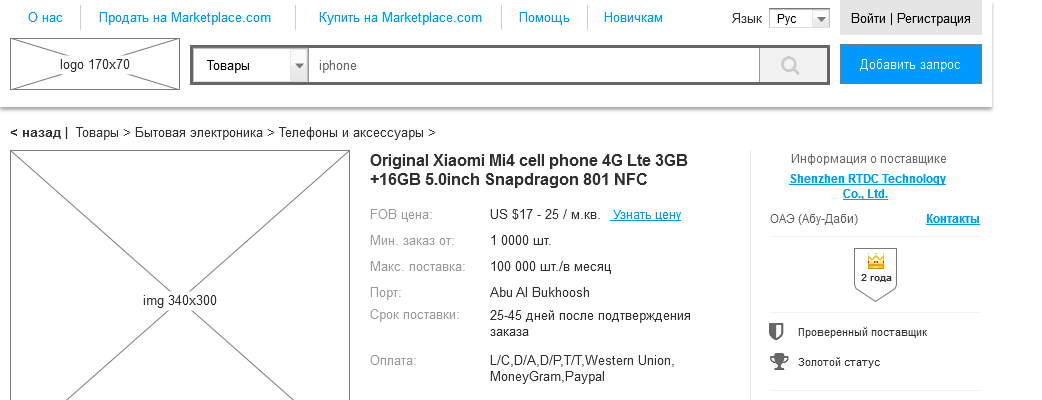
Page: Item Card
"Layout: http://wt9kcs.axshare.com/#g=1&p=1_0_0_0_items_card
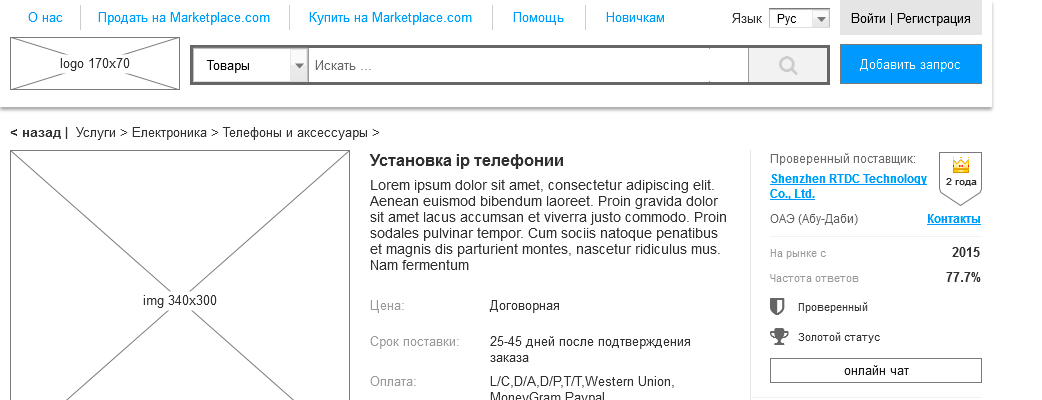
Page: Service Card
"Layout: http://wt9kcs.axshare.com/#g=1&p=2_0_0_0_service_card
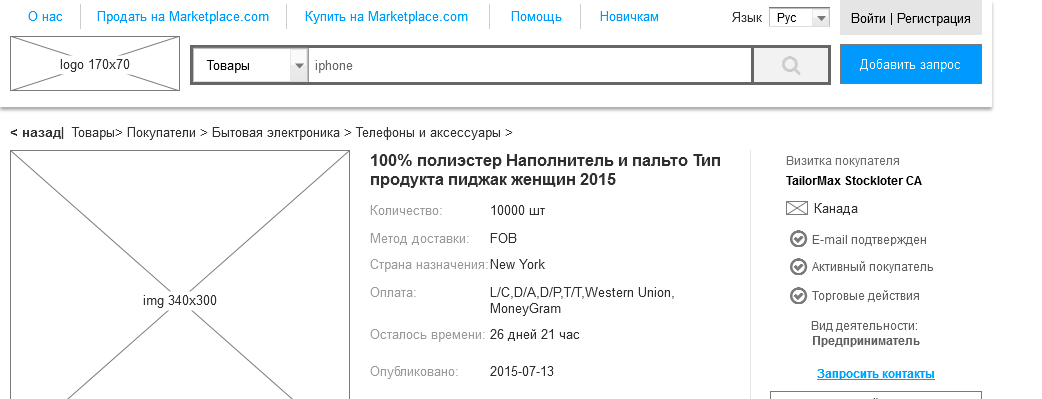
Page: Announcement
"Layout: http://wt9kcs.axshare.com/#g=1&p=3_0_0_0_obyavleniye_card_item
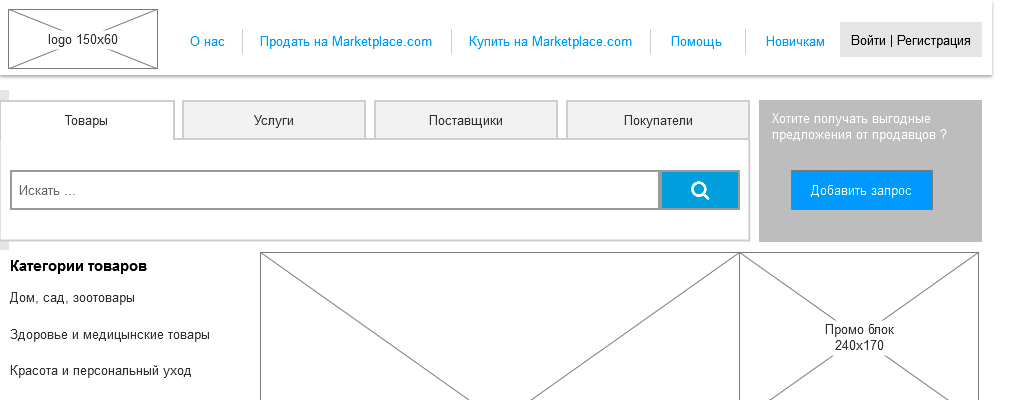
Page: Home
"Layout: http://wt9kcs.axshare.com/#g=1&p=9_0_0_0_glavnaya
Page: Shop
"Layout: http://wt9kcs.axshare.com/#g=1&p=10_0_0_0_magazin
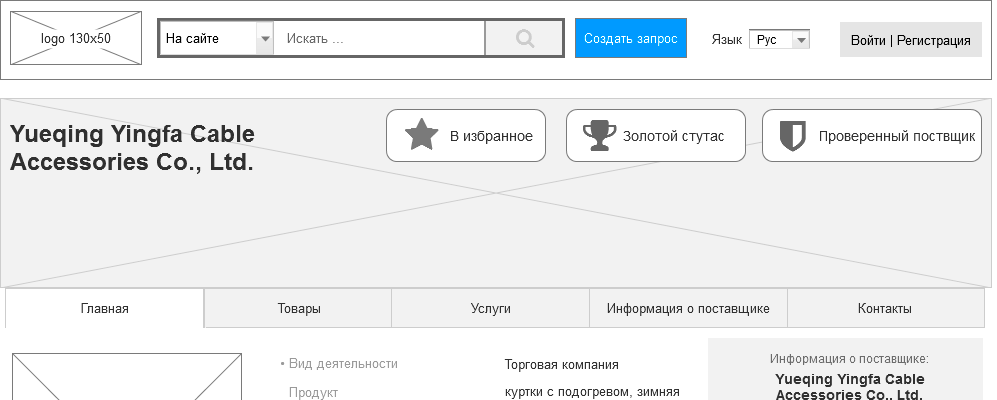
Page: Product Search
"Layout: http://wt9kcs.axshare.com/#g=1&p=13_0_0_0_serach_tovar
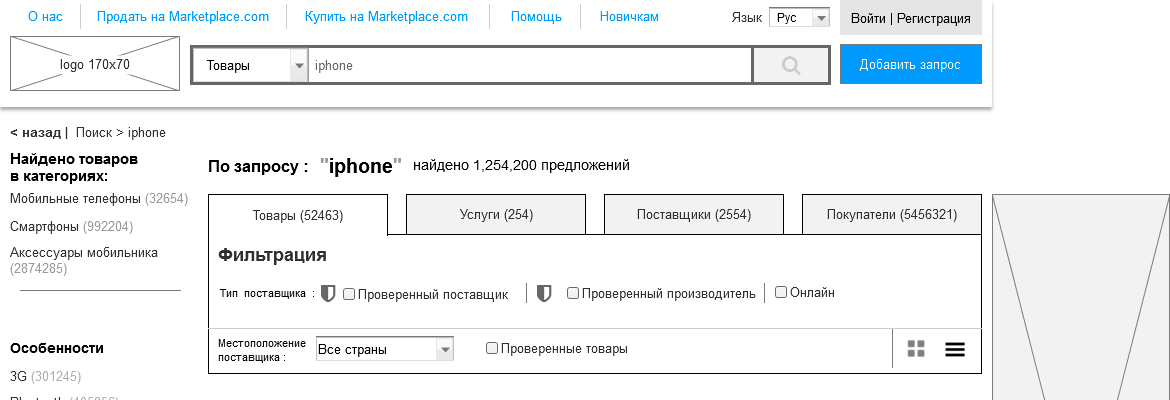
Page: Catalog. 3rd level
"Layout: http://dn4p5z.axshare.com/#g=1&p=2_0_0_0_catalog_3uroven_items
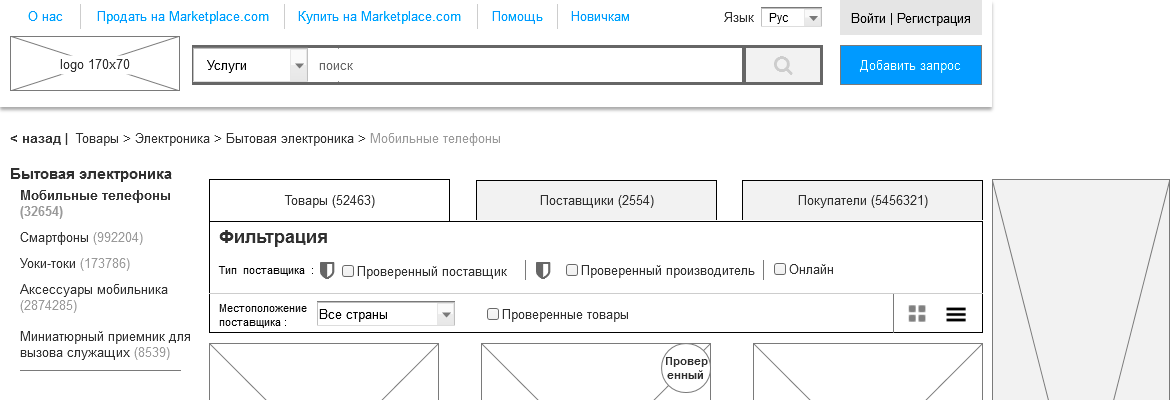
Page: Catalog. 2nd level
"Layout: http://dn4p5z.axshare.com/#g=1&p=3_0_0_0_catalog_2uroven_item

Page: Catalog. 1st level
"Layout: http://dn4p5z.axshare.com/#g=1&p=3_0_0_0_catalog_1uroven_item
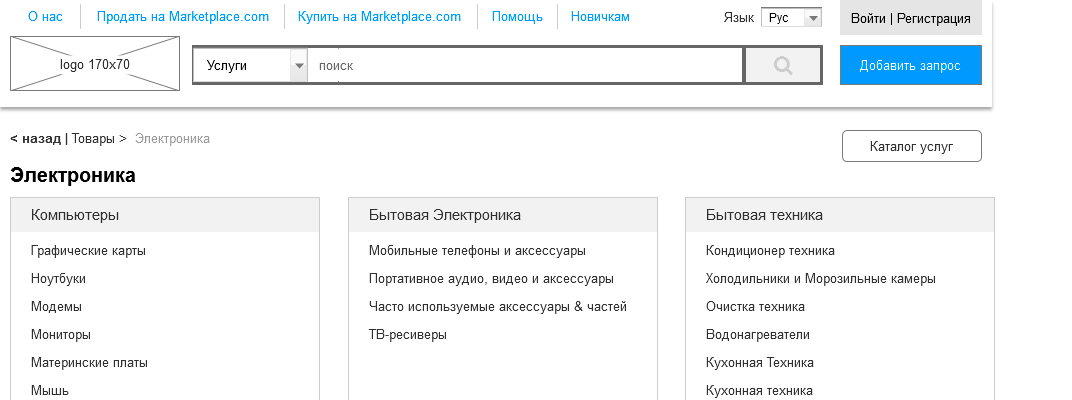
Page: Catalog. All categories
"Layout: http://dn4p5z.axshare.com/#g=1&p=3_0_0_0_catalog_all_item
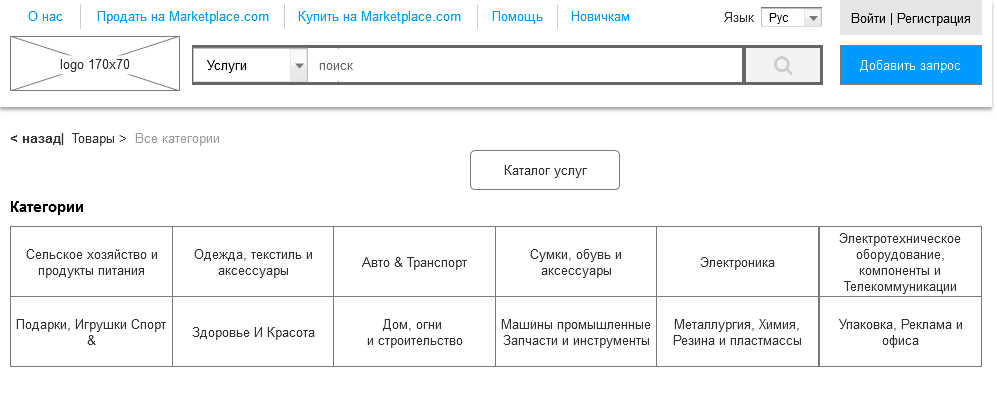
Page: Help Center
"Layout: http://dn4p5z.axshare.com/#g=1&p=6_0_0_0_help_center

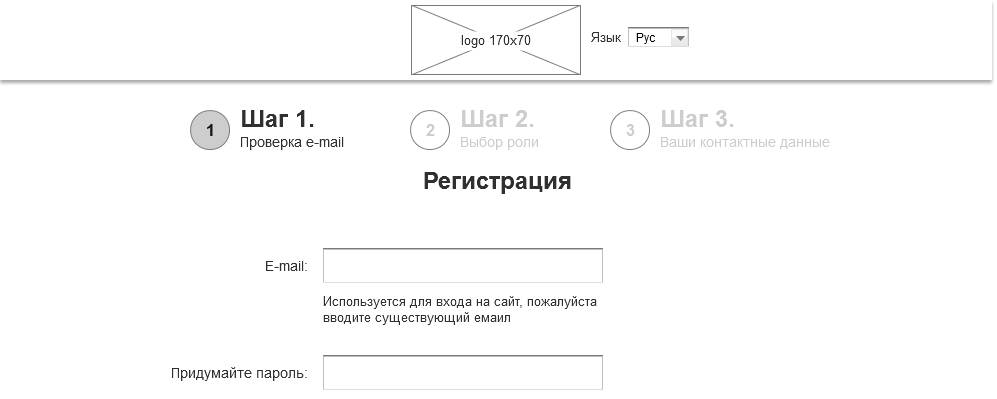
Page: Registration. Step 1
"Layout: http://dn4p5z.axshare.com/#g=1&p=8_0_0_0_reg_step_1
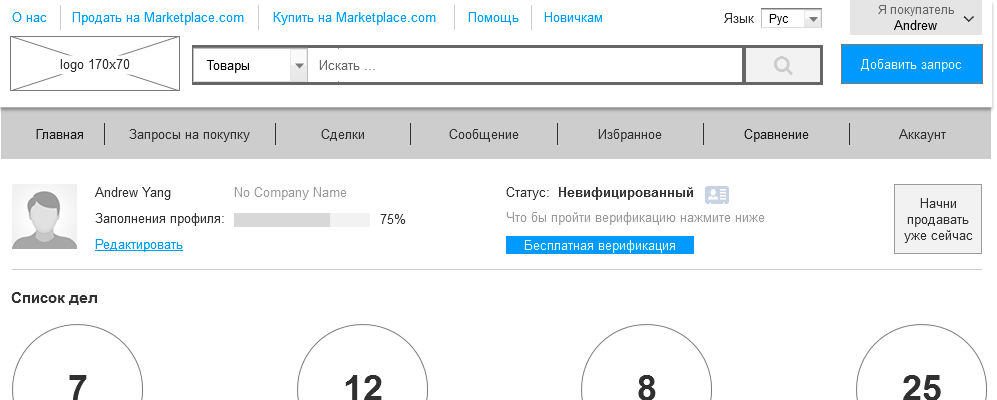
Page: Buyer
"Layout: http://l9d2yk.axshare.com/#g=1&p=13_0_0_0_pokupatel
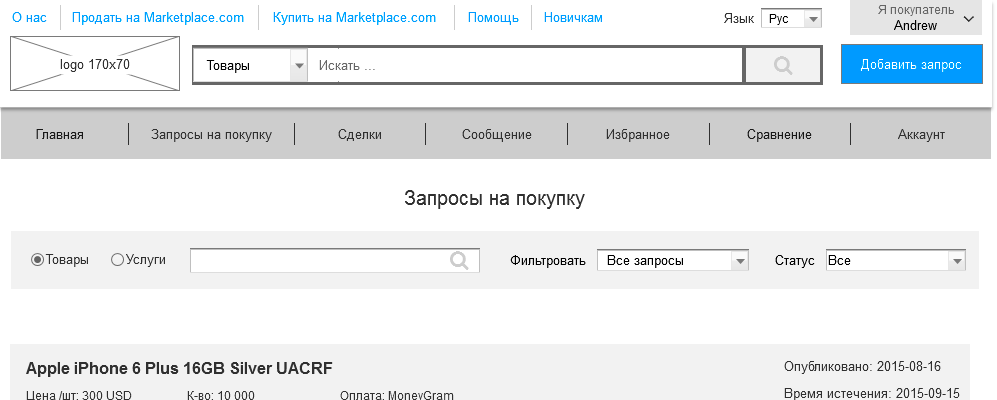
Page: Purchase Requests
"Layout: http://l9d2yk.axshare.com/#g=1&p=13_1_0_0_zaprosu_na_pokupku
Page: Checkout
"Layout: http://l9d2yk.axshare.com/#g=1&p=13_2_0_0_oformleniya_zakaza
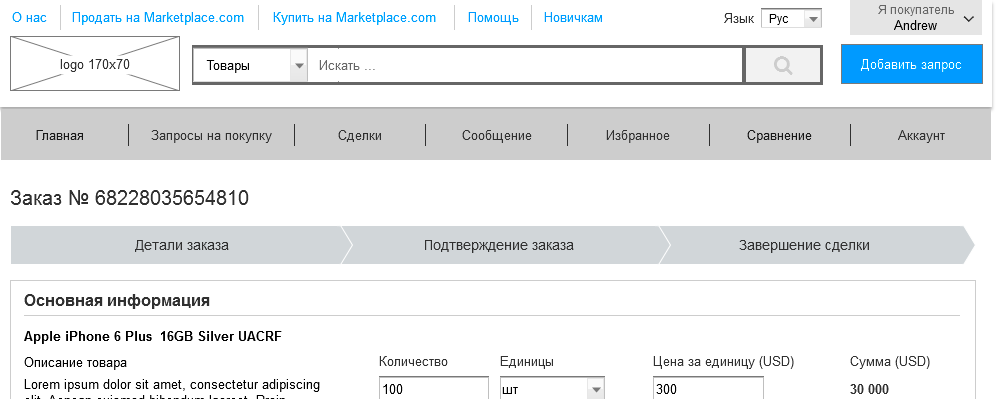
Page: Messages
"Layout: http://l9d2yk.axshare.com/#g=1&p=13_3_0_0_soobscheniya
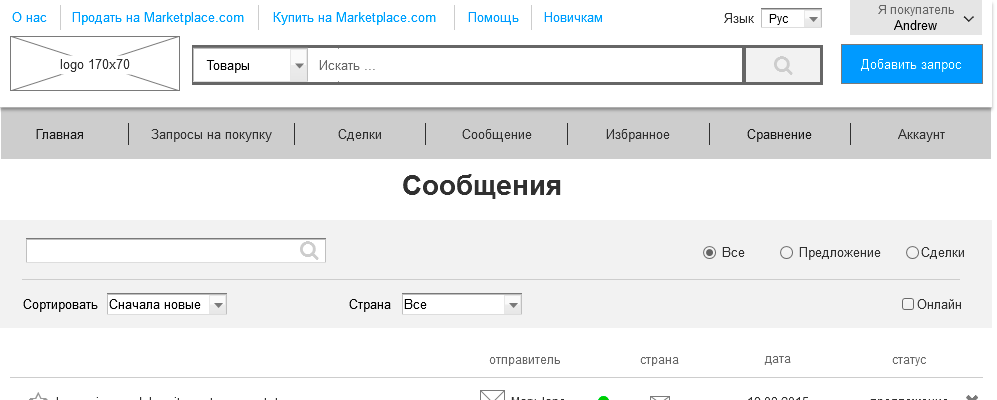
Page: Product Comparison
"Layout: http://l9d2yk.axshare.com/#g=1&p=15_0_0_0_comparison
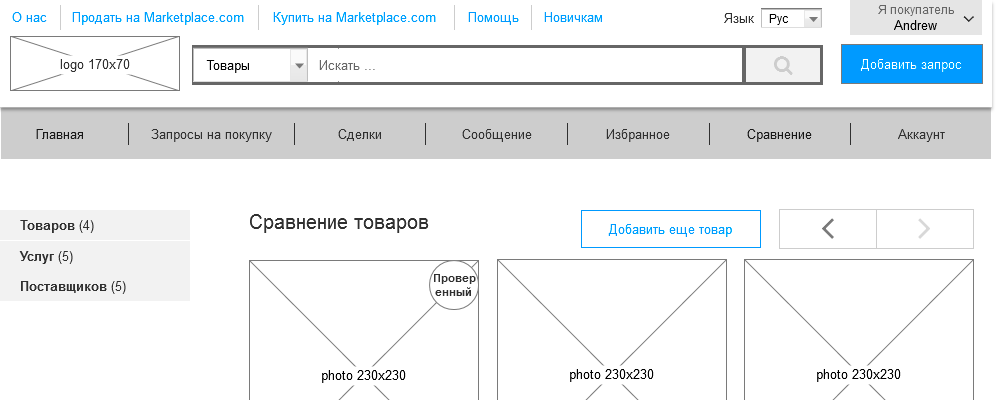
Page: Favorites
"Layout: http://l9d2yk.axshare.com/#g=1&p=14_0_0_0_featured
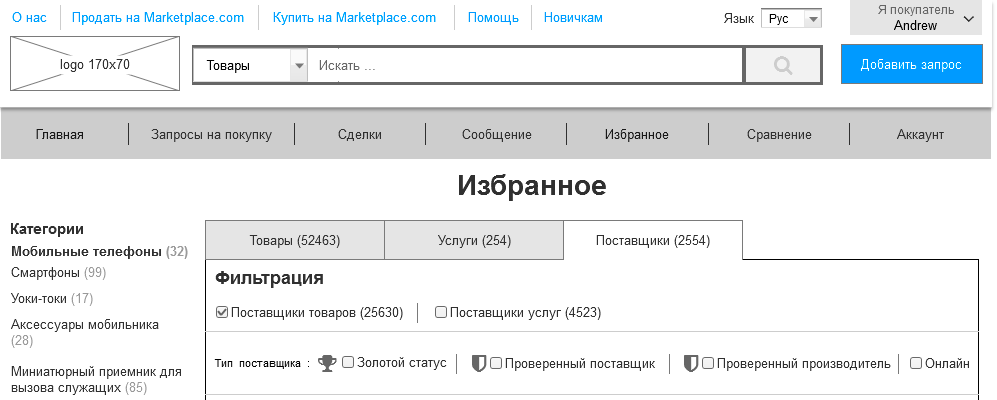
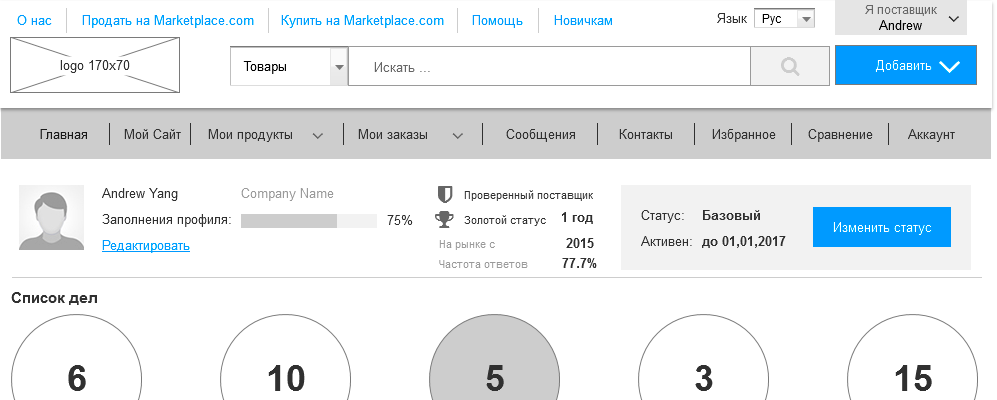
Page: Supplier
"Layout: http://sklpox.axshare.com/#g=1&p=13_1_0_0_postavschik
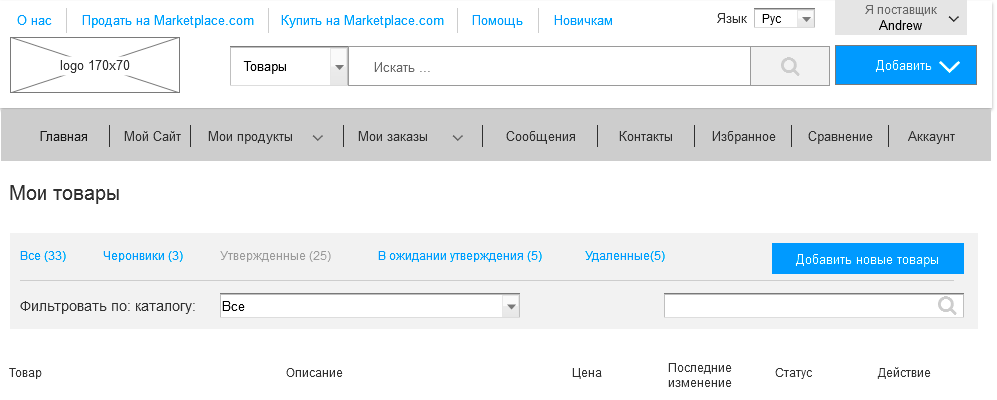
Page: My Products
"Layout: http://sklpox.axshare.com/#g=1&p=13_3_1_0_moi_produktu_tovaru
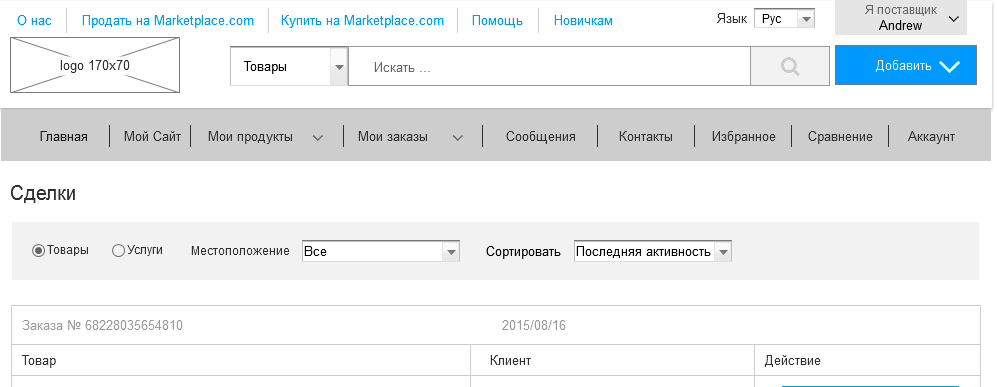
Page: Transactions
"Layout: http://sklpox.axshare.com/#g=1&p=13_4_2_0_zakazu_sdelka
Page: Supplier Contacts
"Layout: http://sklpox.axshare.com/#g=1&p=13_6_0_0_kontakt

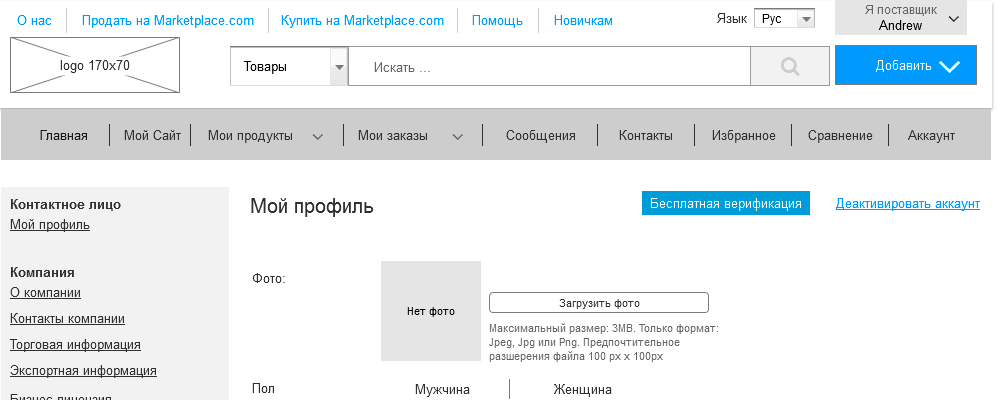
Page: My Profile
"Layout: http://sklpox.axshare.com/#g=1&p=13_7_0_0_akkaunt
A person is not in the subject of this amount of work can be scared, but experienced designers who have ever designed a marketplace or a large online store will notice that there is not all. In this project we did not show the admin panel, which is no less complicated than the external site and the adaptive is not shown, which needs to be designed separately (less often, in order to save, the adaptive is done by the layout designer at its discretion, but this is not very correct). Specifically, this marketplace was made by a specialist who designed more than 30 different marketplaces and online stores, therefore, communications, pop-up windows, logic and other elements are well developed. But for good, despite the huge amount of work shown, there still need to design and design. That is, this prototype will not be very well taken and used “as is”.
Many projects are still beginning to do without design. By the efforts of a project manager or designer. This is the way of endless rework and waste of huge amounts of money. I personally launched several projects, and, like everything, I once tried to do without design. After such experiments, I often recalled a good phrase: “I’m not rich enough to buy cheap things” - this phrase is perfectly suited to work with and without design. On the one hand, knowing the amount of work done, it seems that designing is too expensive. On the other hand, if you try to run something big and complicated without design, you will simply spend many times more money and time to rework the finished one.
PS If you need the source of this prototype, please contact. It can be altered under any subject and finalized. Contacts can be found here .
PPS Our school has design courses where we teach how to create such prototypes as in the article and not only: Designing serious websites . In November, a new group starts.
PPPS To receive our new articles before others or simply not to miss new publications - subscribe to the SECL Group's fan pages: Facebook , VK , and Twitter .
Author:
Nikita Semenov
CEO
SECL Group Company
Knowledgeable people will now start talking about MVP (minimally working product) and about the harm of TK on hundreds of pages. Actually, designing does not prevent to create MVP, and helps. If you work on Agile and move towards MVP, we can either design in pieces, or design the entire system, but break it up into stages. It is important that the design phase in any case was and did not have to redo everything many times.
I have already described the design technology in the popular article " Serious design of serious sites " - more than 170 thousand views on Habré. There was also a series of articles “Serious design of a serious store”: part 1 , part 2 , part 3 , part 4 , part 5 , part 6 . In this article, we talk about the design of the marketplace. Since we are making an analogue of an already working and successful site, we will not have a number of stages or they will be minimal. In particular, the collection of requirements, goals of the project and the client, target audience and characters, research of competitors, tasks, problems, solutions, Mind map and site structures. We only need to study analog well. In principle, for convenience, you can make yourself a Mind map and the structure of the site, but this is more likely at will, without them, in this case, you can do.
Behavior scenarios
Not difficult, but important stage. We will need user behavior scenarios a lot. In conjunction with dynamic prototypes, they will help us find errors that will inevitably skip over when developing interfaces and connections between them. We will need end-to-end scripts for the entire site and small scripts for each individual page in order to test its functionality and convenience.
')
We can invent scenarios by exploring the analog, so it will be easiest. Since we are not making a copy, but still an analogue - we will have slight differences in functionality from the original, so you should not forget about doing the scripts and exclude from them the functionality that we will not have, but include the unique one in the scripts.
Dynamic prototype
After studying the analogue, we can proceed to prototyping and creating a dynamic prototype. You can design directly into sections and usually it starts with a product card, as the most important page with a large number of links (if you are talking about E-commerce, in other types of projects you need to start from other pages). For this we used the special program Axure, which allows not only to design interfaces, but also to create a dynamic prototype, without which the design will be incomplete. Since the project is very large, we numbered all the prototypes and made nesting. When there are dozens and hundreds of layouts in a project, without such nesting it is very easy to get lost. The source file itself turned out to be very large, so we divided the source into several parts, while maintaining the numbering, so going into a dynamic prototype, don’t be confused by the incomplete list of pages on the left, there are 4 such files.
Far from all designers do the dynamics, it is quite laborious even with their own groundwork (ready-to-use standard pieces of interfacing in dynamics, which every experienced designer has). After all, simply creating static interfaces and bringing them to perfection is a great job, given that there are more than a hundred of them in a project of this size. But this is not just an important part, it is an integral part of good design. The larger the project, the more connections, transitions, pop-ups and other non-obvious functions in it. Therefore, even the most experienced designer cannot keep everything in his head. A dynamic prototype is needed in order to get rid of user scripts and see if we have forgotten anything and if there are any logical errors. If you make only static, many more times you will redo / finish design, layout and programming. Therefore, it is better to catch all these “bugs” at the first stage than to spend a lot of time and money on rework afterwards.
We are lucky, we have not just ready-made parts of the interfaces in dynamics, but also a lot of developments in e-commerce and marketplace, in which we specialize. Therefore, it is easier for us to do such things than reinventing the wheel from scratch. And even taking into account all the developments, it took hundreds of hours. But, this is a guarantee of normal work in the following stages.
I will post the prototype with dynamics at the end of the article, it is big. The article will show only the main pages, and in the dynamics and TZ, you will see the whole amount of work.
QA
And the prototype is ready together with the behavior scenarios. But no matter how experienced a designer is, in any case he will miss something, forget, not take into account. For this we have a quality control stage - QA. This is a completely standard stage for development, but few use it in design. Typically, the layout and software are tested, but they don’t think about designing. And everything would be fine, but, as I wrote above, the mistakes made in the design will go into further development and will need to be redone. That is, the earlier a mistake is made, the greater its cost for the project.
The method of quality control is quite simple: QA Engineer, with extensive user experience and knowledge of the subject area, looks at all the developed layouts, clicks on each link, tracks all the elements. If something is not clear - ask questions to the designer. If something is missing or illogical, it sets a task for revision / redesign. If the internal quality standards of interface design are not observed, it also sets the task for revision. It is this specialist that does not allow errors to pass on. In order not to miss anything and achieve an intuitive interface, here we use the very user-defined scripts developed earlier.
Later, the QA will check the technical task itself, but he is already doing this in order to observe the quality standards and to check whether everything is included in the ToR. Thus, QA connects to this stage twice and checks different materials. As practice shows, QA finds a lot of inconsistencies in the process, but the output of the prototype and TK are pretty well worked out. Errors, and therefore alterations, at the next stages at least.
Technical task
After developing a complete prototype of the site and all its pages, we can proceed to the creation of a technical task. It is necessary to describe all non-obvious interface layouts. We have a dynamic prototype, all the buttons and references are pressed, but even this will not be enough for subsequent development, so the interface needs a description. In addition to the description of the interface in the TOR, there should be many other requirements that are worked out by the whole team.
Special requirements in the TK:
- Site architecture - architect is working
- Requirements for loads - the architect and team lead
- Server and infrastructure - a system administrator, architect and team lead
- Security Requirements - Security Specialist and Team Lead
- SEO Requirements - SEO-Schnick and Internet Marketer are working
- Design requirements - the designer is working
- Layout Requirements - Layout Designer Working
- Micromarking - the layout designer is working
- UML, robustness diagrams - designed by designer and programmer
- Differentiation of access rights - the designer is working
An example of a table with access rights in the project:
These are all sections of the technical task. If we do not work through at least one of the points, we will have problems in the next stages and will have to be redone. I think almost everyone saw a situation where, after the launch of the site, he started falling at some point, or was hacked, or made changes by SEO, or the layout was altered, etc. This is all a consequence of the incomplete design stage and incomplete TK. Therefore, it is much cheaper to think about the system right away than to spend money on the wrong implementation, then incur losses from it, then spend money on auditing and recommendations for improvement, and at the end to redo this wrong implementation.
Simply put, the correct specification is the key to the success of the project, its foundation. To illustrate the scope of work I want to show the description of the interface of our project: a description of the interface Marketplace.com . I draw your attention that this is not a complete technical task. Many of the blocks listed above are missing there. However, I’m doing different teams in different ways; in particular, we are working on some of the requirements described above at later stages. In particular, the architecture is being worked out at our programming stage and is a separate document, but we begin to discuss and think over it at the design stage, otherwise you can design an absolutely unrealizable product. The development stage and the document reflecting the result are not so important, the main thing is not to forget to do it.
Of course, if the project has already been created and the things described above have not been worked out on it - this is not deadly yet, you can always audit in one direction or another and refine it. As they say, better late than never. In our practice, almost every marketplace or online store has flaws that we often reveal with audits. The most common problems in terms of interfaces and SEO are some of the most important parts in such projects. All projects either lay the things I have described to TK as much as possible, or come to them in an evolutionary way. And this is the place to be.
An example of a designed analog of Alibaba.com (main pages):
Habr cuts long pictures, so look in the dynamics.
Page: Item Card
"Layout: http://wt9kcs.axshare.com/#g=1&p=1_0_0_0_items_card
Page: Service Card
"Layout: http://wt9kcs.axshare.com/#g=1&p=2_0_0_0_service_card
Page: Announcement
"Layout: http://wt9kcs.axshare.com/#g=1&p=3_0_0_0_obyavleniye_card_item
Page: Home
"Layout: http://wt9kcs.axshare.com/#g=1&p=9_0_0_0_glavnaya
Page: Shop
"Layout: http://wt9kcs.axshare.com/#g=1&p=10_0_0_0_magazin
Page: Product Search
"Layout: http://wt9kcs.axshare.com/#g=1&p=13_0_0_0_serach_tovar
Page: Catalog. 3rd level
"Layout: http://dn4p5z.axshare.com/#g=1&p=2_0_0_0_catalog_3uroven_items
Page: Catalog. 2nd level
"Layout: http://dn4p5z.axshare.com/#g=1&p=3_0_0_0_catalog_2uroven_item
Page: Catalog. 1st level
"Layout: http://dn4p5z.axshare.com/#g=1&p=3_0_0_0_catalog_1uroven_item
Page: Catalog. All categories
"Layout: http://dn4p5z.axshare.com/#g=1&p=3_0_0_0_catalog_all_item
Page: Help Center
"Layout: http://dn4p5z.axshare.com/#g=1&p=6_0_0_0_help_center
Page: Registration. Step 1
"Layout: http://dn4p5z.axshare.com/#g=1&p=8_0_0_0_reg_step_1
Page: Buyer
"Layout: http://l9d2yk.axshare.com/#g=1&p=13_0_0_0_pokupatel
Page: Purchase Requests
"Layout: http://l9d2yk.axshare.com/#g=1&p=13_1_0_0_zaprosu_na_pokupku
Page: Checkout
"Layout: http://l9d2yk.axshare.com/#g=1&p=13_2_0_0_oformleniya_zakaza
Page: Messages
"Layout: http://l9d2yk.axshare.com/#g=1&p=13_3_0_0_soobscheniya
Page: Product Comparison
"Layout: http://l9d2yk.axshare.com/#g=1&p=15_0_0_0_comparison
Page: Favorites
"Layout: http://l9d2yk.axshare.com/#g=1&p=14_0_0_0_featured
Page: Supplier
"Layout: http://sklpox.axshare.com/#g=1&p=13_1_0_0_postavschik
Page: My Products
"Layout: http://sklpox.axshare.com/#g=1&p=13_3_1_0_moi_produktu_tovaru
Page: Transactions
"Layout: http://sklpox.axshare.com/#g=1&p=13_4_2_0_zakazu_sdelka
Page: Supplier Contacts
"Layout: http://sklpox.axshare.com/#g=1&p=13_6_0_0_kontakt
Page: My Profile
"Layout: http://sklpox.axshare.com/#g=1&p=13_7_0_0_akkaunt
Summarizing
A person is not in the subject of this amount of work can be scared, but experienced designers who have ever designed a marketplace or a large online store will notice that there is not all. In this project we did not show the admin panel, which is no less complicated than the external site and the adaptive is not shown, which needs to be designed separately (less often, in order to save, the adaptive is done by the layout designer at its discretion, but this is not very correct). Specifically, this marketplace was made by a specialist who designed more than 30 different marketplaces and online stores, therefore, communications, pop-up windows, logic and other elements are well developed. But for good, despite the huge amount of work shown, there still need to design and design. That is, this prototype will not be very well taken and used “as is”.
Many projects are still beginning to do without design. By the efforts of a project manager or designer. This is the way of endless rework and waste of huge amounts of money. I personally launched several projects, and, like everything, I once tried to do without design. After such experiments, I often recalled a good phrase: “I’m not rich enough to buy cheap things” - this phrase is perfectly suited to work with and without design. On the one hand, knowing the amount of work done, it seems that designing is too expensive. On the other hand, if you try to run something big and complicated without design, you will simply spend many times more money and time to rework the finished one.
PS If you need the source of this prototype, please contact. It can be altered under any subject and finalized. Contacts can be found here .
PPS Our school has design courses where we teach how to create such prototypes as in the article and not only: Designing serious websites . In November, a new group starts.
PPPS To receive our new articles before others or simply not to miss new publications - subscribe to the SECL Group's fan pages: Facebook , VK , and Twitter .
Author:
Nikita Semenov
CEO
SECL Group Company
Source: https://habr.com/ru/post/314906/
All Articles