Looking at popular trends in web design in 2013
This year brought new, important user interface concepts, open source projects, new hacks and tricks for web designers and developers. Those who are interested in what makes a good design as such, probably noticed a steady improvement. Looking into the past, at least for one decade, in 2003, you will understand that the Internet and WWW have come a long way.
In this article I want to reflect on 2013 from the most popular trends in web design. Some repeat from year to year, but this year I noticed a peak of design interest in them and even improvements in these techniques.
It was one of my favorite topics to discuss because of the tremendous progress that was made with jQuery plugins. I like the demos of many other JS libraries, although jQuery is still my personal choice for any new project.
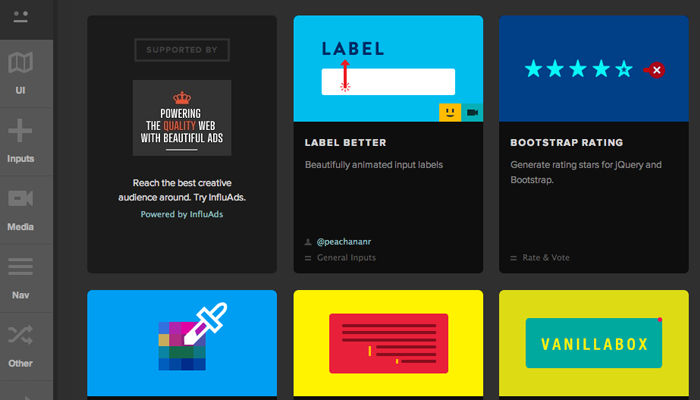
Recently, I found a very useful resource in which jQuery forms plugins are collected to improve the interaction experience. There are also other plugins there, but this actively growing category turns my head on every visit. You will find there floating labels , input checks, custom radio buttons, switches, even drop-down menus of choice. There has never been a better opportunity to throw away the usual input fields and create your own, beautiful, interactive form.
')
Sites that do not have a lot of information, often represent a single page. This trend has lasted for several years, but it has also developed and incorporated new design trends.
Fixed navigation menus, which do not disappear when scrolling through the page, have become commonplace. This allows the designer to divide into sections the content of the page, for which the menu is more like a scroll bar for a quick transition between these sections. Single-page sites with a parallax effect use the same feature plus dynamic elements as a background.
Designers and creative artists with an online portfolio sometimes draws on such layouts. You can show your work and tell something about yourself by significantly reducing the number of HTTP requests. Just consider all the ideas for one-page websites, and you come up with many other potential ways to create a good interface.
I argue that this is still a developing trend with inquisitive developers at the head. Notably, I find animated pages on ThemeForest in many WordPress templates for portfolio sites. Take a look at Bluap to see what I'm talking about.

Such page animations can be created using CSS3 and JavaScript keyframes, which are used to locate elements in a browser window. This is entirely an aesthetic trend, as it does not create new content and does not improve the interaction experience, besides adding neat visual effects. Plus, not everyone will be able to see this functionality on older computers and mobile devices.
More detailed page animations can often be found on the Android and iOS application sites, since they usually have a one-page layout, the purpose of which is to persuade the user to download the application. I have a premonition that in the future we will see even more of these animated effects.
When I first encountered him, it was a tough nut to crack. There are several free open source plugins that you can start with even in content management systems like WordPress. But setting up the loader, the animation, how many elements will be loaded, and the individual ways of interaction for users with disabled JavaScript will take some time.
However, I believe that users are accustomed to endless scrolling. In Reddit Enhancement Suite there is an option to automatically use the infinite scrolling at the bottom of each page. This is also true for Tumblr and some commercial sites . Using Ajax to split content into pages is better than waiting for each new page to load.
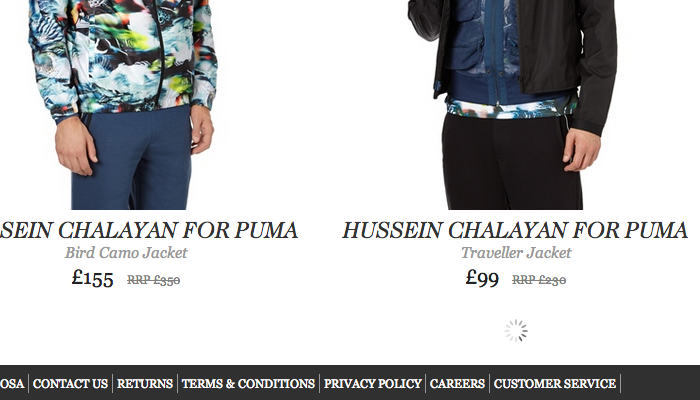
It should be noted that you will need a spare mechanism in case everything does not load properly. This is where the navigation div helps with links to each new page, and as soon as this div is in scope, the Ajax call (if possible) is triggered. Infinite pagination can be extended to more familiar blogs, and even other social networks and social media projects.
Although this trend has been evolving for several years, I am still amazed at the sight of all these sites using custom font families. The
Google provides a great service Google Web Fonts . They rarely add new fonts, but at the same time retain all the old ones. The main charm of using Google is that this hosting of them, regardless of the traffic you generate, is not worth a dime either ( note: a translator is a 10-cent coin ). Premium hosting fonts, such as Typekit , contain much more extensive collections, but they also have a price tag.
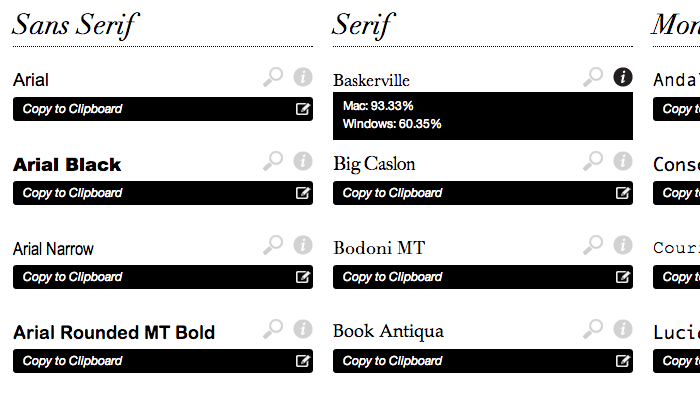
Modern laptops and PCs are preloaded with a load of wonderful fonts, throwing custom fonts aside. We can expect the development of this trend, as more and more users are switching to more advanced systems. Try playing with a web application like CSS Font Stack to plan different styles for your site based on the standard operating system settings.
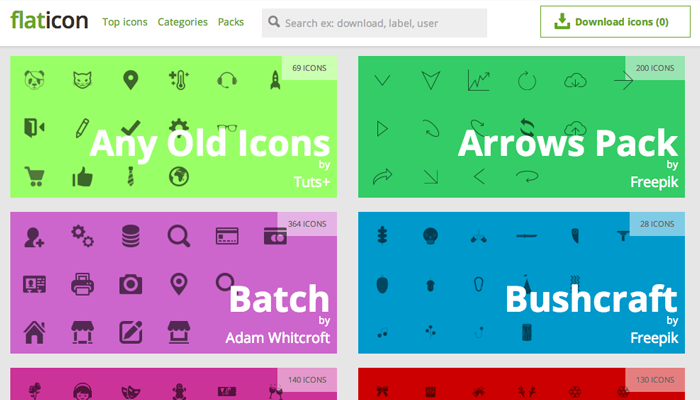
The first thing that comes to my mind about icons is CSS3 web fonts. Font Awesome is an extremely popular library that contains hundreds of unique icons. They can be used as icons or even as glyphs on user interface buttons. You may also like the selection on the Flaticon website.
But the scope of vector icons goes far beyond this ubiquitous, font-based approach. Take a look at this photo icon and this currency icon here, both styled as an iOS 7 application icon. They are created using pure CSS code, and you can change their size as desired. There are many other examples that are very similar to these buttons, and I can only guess how quickly this trend will grow.
Another point concerning vector icons that is worth noting is the use of SVG files. These are the most natural vectors which contain not pixels, but mathematical coordinates explaining how to draw an image at any resolution. You can read more in this article , which digs a little further in the direction of scalable SVG images. A lot of these ideas are still new, but definitely overgrown with support.
Every year I reflect on all the emerging trends that I have seen on regular websites. I see in these trends not predictions, but rather patterns that I have noticed in a long time. Web designers are very creative, and the most talented experts in their field push the boundaries to see what can be achieved. Here are a few alternative trends that have come to the attention that can reach us in 2014.
When I first started creating websites, MP3 players were created using Adobe Flash. JavaScript was actually less supported, because many browsers left it off, and there were no powerful open source libraries (for example, MediaElement.js ).
Video players, such as the one you can find on YouTube, have also been created in Adobe Flash + ActionScript. Fortunately, over the years of progress, the best solution has been found, combining HTML5 video with backup options in JavaScript or Flash. The MediaElement.js script, among other options, can be styled as a classic YouTube video player.
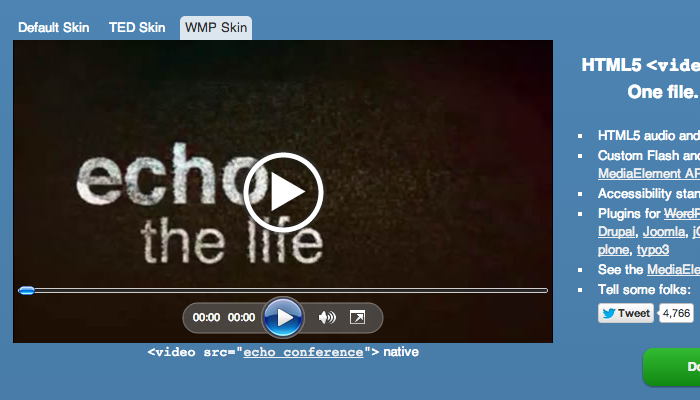
In supported browsers, this player will be built using HTML5, CSS3, JS. Since HTML5 is not supported everywhere, older browsers will switch to an alternative Flash or Silverlight version, which can also be styled in this style. The overall level of support varies, but I hope over time new media solutions will become the standard for playing audio and video.
Web 2.0 has set the trend for massive user data collection. Databases and server farms coped with the load, so that we can see how these sites are becoming more and more famous. I can well imagine the near future, in which simple HTML5 / CSS3 / JS web applications are created to help in various kinds of activities.
Web enthusiasts are often the first to experience these mini web applications. I mean projects like InstantName or GenerateWP . But imagine that these applications have spread to real estate, stocks and bonds, cooking, industry, etc. If these ideas come into vogue, we can see an increase in the number of designers creating HTML5 websites that look like native Android and iOS apps.
Wouldn't it be great to generate CSS3 templates for a repeating background on the fly? What about parallax-style elements built using dynamic vectors or PNG images? We can already find many sites using full-screen images or videos - and this can only be the beginning of something much larger.
If developers are truly curious about the unique experience, we can stumble upon a new, extensive scope of possibilities. Universal support is always a problem, but the more centralized the W3C standards become, the easier it will be to experiment.
Be constantly busy refining your ideas and meeting new ones. If you just practice constantly, you will inevitably run into difficulties, solve them and grow as a designer. 2013 was shocking and joyful for design enthusiasts. I hope to see even more creative energy that we throw out in 2014.
In this article I want to reflect on 2013 from the most popular trends in web design. Some repeat from year to year, but this year I noticed a peak of design interest in them and even improvements in these techniques.
Dynamic forms
It was one of my favorite topics to discuss because of the tremendous progress that was made with jQuery plugins. I like the demos of many other JS libraries, although jQuery is still my personal choice for any new project.
Recently, I found a very useful resource in which jQuery forms plugins are collected to improve the interaction experience. There are also other plugins there, but this actively growing category turns my head on every visit. You will find there floating labels , input checks, custom radio buttons, switches, even drop-down menus of choice. There has never been a better opportunity to throw away the usual input fields and create your own, beautiful, interactive form.
')
Single page layouts
Sites that do not have a lot of information, often represent a single page. This trend has lasted for several years, but it has also developed and incorporated new design trends.
Fixed navigation menus, which do not disappear when scrolling through the page, have become commonplace. This allows the designer to divide into sections the content of the page, for which the menu is more like a scroll bar for a quick transition between these sections. Single-page sites with a parallax effect use the same feature plus dynamic elements as a background.
Designers and creative artists with an online portfolio sometimes draws on such layouts. You can show your work and tell something about yourself by significantly reducing the number of HTTP requests. Just consider all the ideas for one-page websites, and you come up with many other potential ways to create a good interface.
Animated page elements
I argue that this is still a developing trend with inquisitive developers at the head. Notably, I find animated pages on ThemeForest in many WordPress templates for portfolio sites. Take a look at Bluap to see what I'm talking about.
Such page animations can be created using CSS3 and JavaScript keyframes, which are used to locate elements in a browser window. This is entirely an aesthetic trend, as it does not create new content and does not improve the interaction experience, besides adding neat visual effects. Plus, not everyone will be able to see this functionality on older computers and mobile devices.
More detailed page animations can often be found on the Android and iOS application sites, since they usually have a one-page layout, the purpose of which is to persuade the user to download the application. I have a premonition that in the future we will see even more of these animated effects.
Endless scrolling
When I first encountered him, it was a tough nut to crack. There are several free open source plugins that you can start with even in content management systems like WordPress. But setting up the loader, the animation, how many elements will be loaded, and the individual ways of interaction for users with disabled JavaScript will take some time.
However, I believe that users are accustomed to endless scrolling. In Reddit Enhancement Suite there is an option to automatically use the infinite scrolling at the bottom of each page. This is also true for Tumblr and some commercial sites . Using Ajax to split content into pages is better than waiting for each new page to load.
It should be noted that you will need a spare mechanism in case everything does not load properly. This is where the navigation div helps with links to each new page, and as soon as this div is in scope, the Ajax call (if possible) is triggered. Infinite pagination can be extended to more familiar blogs, and even other social networks and social media projects.
High-quality typography
Although this trend has been evolving for several years, I am still amazed at the sight of all these sites using custom font families. The
@font-face CSS3 declaration can provide access to any secure font stored on the server.Google provides a great service Google Web Fonts . They rarely add new fonts, but at the same time retain all the old ones. The main charm of using Google is that this hosting of them, regardless of the traffic you generate, is not worth a dime either ( note: a translator is a 10-cent coin ). Premium hosting fonts, such as Typekit , contain much more extensive collections, but they also have a price tag.
Modern laptops and PCs are preloaded with a load of wonderful fonts, throwing custom fonts aside. We can expect the development of this trend, as more and more users are switching to more advanced systems. Try playing with a web application like CSS Font Stack to plan different styles for your site based on the standard operating system settings.
Vector Icons
The first thing that comes to my mind about icons is CSS3 web fonts. Font Awesome is an extremely popular library that contains hundreds of unique icons. They can be used as icons or even as glyphs on user interface buttons. You may also like the selection on the Flaticon website.
But the scope of vector icons goes far beyond this ubiquitous, font-based approach. Take a look at this photo icon and this currency icon here, both styled as an iOS 7 application icon. They are created using pure CSS code, and you can change their size as desired. There are many other examples that are very similar to these buttons, and I can only guess how quickly this trend will grow.
Another point concerning vector icons that is worth noting is the use of SVG files. These are the most natural vectors which contain not pixels, but mathematical coordinates explaining how to draw an image at any resolution. You can read more in this article , which digs a little further in the direction of scalable SVG images. A lot of these ideas are still new, but definitely overgrown with support.
We are going to 2014
Every year I reflect on all the emerging trends that I have seen on regular websites. I see in these trends not predictions, but rather patterns that I have noticed in a long time. Web designers are very creative, and the most talented experts in their field push the boundaries to see what can be achieved. Here are a few alternative trends that have come to the attention that can reach us in 2014.
Custom Multimedia
When I first started creating websites, MP3 players were created using Adobe Flash. JavaScript was actually less supported, because many browsers left it off, and there were no powerful open source libraries (for example, MediaElement.js ).
Video players, such as the one you can find on YouTube, have also been created in Adobe Flash + ActionScript. Fortunately, over the years of progress, the best solution has been found, combining HTML5 video with backup options in JavaScript or Flash. The MediaElement.js script, among other options, can be styled as a classic YouTube video player.
In supported browsers, this player will be built using HTML5, CSS3, JS. Since HTML5 is not supported everywhere, older browsers will switch to an alternative Flash or Silverlight version, which can also be styled in this style. The overall level of support varies, but I hope over time new media solutions will become the standard for playing audio and video.
Interactive Web Applications
Web 2.0 has set the trend for massive user data collection. Databases and server farms coped with the load, so that we can see how these sites are becoming more and more famous. I can well imagine the near future, in which simple HTML5 / CSS3 / JS web applications are created to help in various kinds of activities.
Web enthusiasts are often the first to experience these mini web applications. I mean projects like InstantName or GenerateWP . But imagine that these applications have spread to real estate, stocks and bonds, cooking, industry, etc. If these ideas come into vogue, we can see an increase in the number of designers creating HTML5 websites that look like native Android and iOS apps.
Live Backgrounds Pages
Wouldn't it be great to generate CSS3 templates for a repeating background on the fly? What about parallax-style elements built using dynamic vectors or PNG images? We can already find many sites using full-screen images or videos - and this can only be the beginning of something much larger.
If developers are truly curious about the unique experience, we can stumble upon a new, extensive scope of possibilities. Universal support is always a problem, but the more centralized the W3C standards become, the easier it will be to experiment.
Conclusion
Be constantly busy refining your ideas and meeting new ones. If you just practice constantly, you will inevitably run into difficulties, solve them and grow as a designer. 2013 was shocking and joyful for design enthusiasts. I hope to see even more creative energy that we throw out in 2014.
Source: https://habr.com/ru/post/207576/
All Articles