Login to the site under someone else's account without having a password

Good day, today I will talk about a rather useful reception with the support of large service sites. Namely, the ability to access your website as a regular user without having a password (you do not store passwords in the database in clear text, right?).
Introduction
Suppose you already have a ready-made, lively web site. And it so happened that for different users it looks and works in different ways, for example, depending on the roles, security policies and other business logic. For the sake of simplicity, let it be internet banking.
Task
To enable administrators or, for example, technical support operators to log in as a specific user account. For example, it is much easier to explain a solution to a call to a call center user by seeing the site through his eyes.
')
Decision
For example, I will take ASP.NET MVC, although fans of dollar signs and gems to implement something similar to your favorite framework should be easy. For the code do not hit hard - it was written four years ago as an example.
In the world of Windows Authentication, there is a ready-made beautiful solution called Impersonation . Those. when one user pretends to be others, getting his rights and the ability to perform actions on his behalf.
All is well, only our hypothetical Internet banking uses Forms Authentication ie. something like <authentication mode = "Forms" is written in web.config (for non-initiates: the input is implemented as a regular web form for entering a login and password). In this mode, use the buns Impersonation does not work, but we can try to implement something like that.
First, let's add the following method to AccountController.cs (created with the default ASP.NET MVC project):
public ActionResult Impersonate(string user) { //checking if user is logged in if (Request.IsAuthenticated) { //and checking if he is a super user if (Roles.IsUserInRole("admins")) { //saving current auth cookie for a later use HttpCookie cookie = Request.Cookies[FormsAuthentication.FormsCookieName]; cookie.Name = "__" + cookie.Name; Response.Cookies.Add(cookie); //logging out for current user FormsAuthentication.SignOut(); //making new user logged in without a password FormsAuthentication.SetAuthCookie(user, true); //redirect to some page here return RedirectToAction("Index", "Home"); } } //currently logged user has no rights to impersonate throw new SecurityException(); } The whole point is to log in the current user under a different name, checking if he is in the Administrators role (or, for example, Level 3 Support Operators) without checking for the correct password. To do this, we will issue him with a new corresponding authorization cookie, and rename the old one so that you can return to administrator mode without re-entering the password.
Step by step it will look like this:
- Check if user is logged in
- Check whether he has enough rights to pretend to be someone else.
- Save the current cookie session under a different name.
- We create a new one for another user, just like we do with a regular login after checking the password (i.e. after Membership.ValidateUser ())
- Redirected for example to the main page
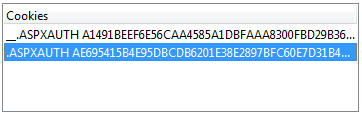
As a result, the browser will receive two cookies and the server will perceive the current session as a normal user session.
In order to call the newly created method we need a new page with a list of users. I will not give a full listing, I think the idea is clear:
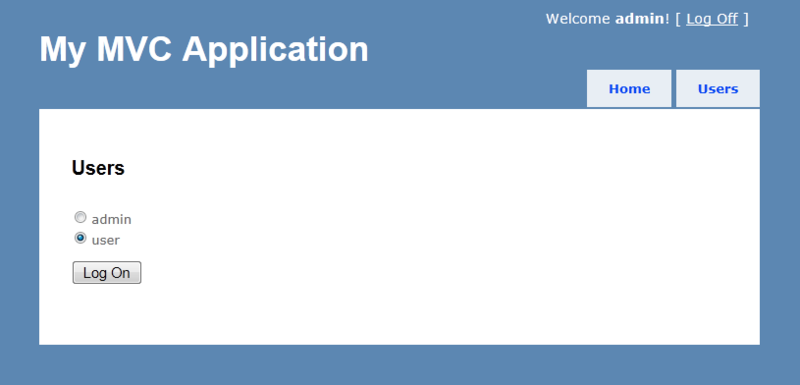
using (Html.BeginForm("Impersonate", "Account")) { var users = Membership.GetAllUsers(); // or Roles.GetUsersInRole(...) foreach (var userName in users) { ... } } Total after selecting the desired user, the administrator temporarily turns into a regular user.
It remains only to add the ability to return to administrator mode. We don’t want to change the appearance of the site by adding new elements, so we’ll use the existing exit button. To do this, we will slightly expand the existing exit method (in AccountController.cs):
public ActionResult LogOff() { //checking if we impersonated already HttpCookie cookie = Request.Cookies["__" + FormsAuthentication.FormsCookieName]; if (null != cookie) { //logging off FormsAuthentication.SignOut(); //restoring original auth cookie of a super user cookie.Name = FormsAuthentication.FormsCookieName; Response.Cookies.Add(cookie); //removing previosly saved auth cookie of a super user so we can logout normaly next time HttpCookie expired = new HttpCookie("__" + FormsAuthentication.FormsCookieName); expired.Expires = DateTime.Now.AddDays(-1); Response.Cookies.Add(expired); } else { //logging off in a ordinary fashion FormsAuth.SignOut(); } //redirecting return RedirectToAction("Index", "Home"); } At the beginning check if there is a pre-saved administrator cookie. If so, then rename it back, and forget about the normal user. As a result, when you press the exit button, the administrator will return to their usual environment. And by pressing the exit button again, he will log out completely.
Final result
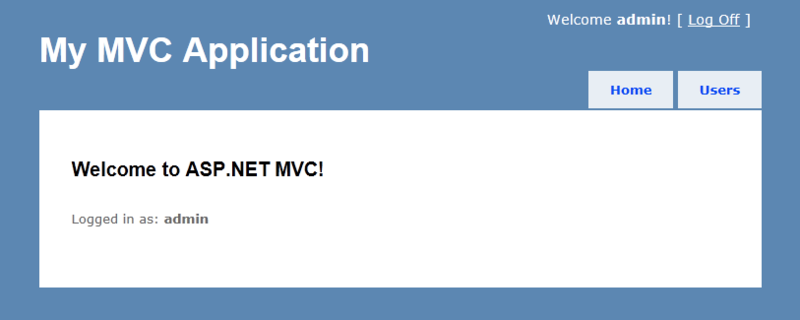
Login to the site administrator
Choose the user we want to be
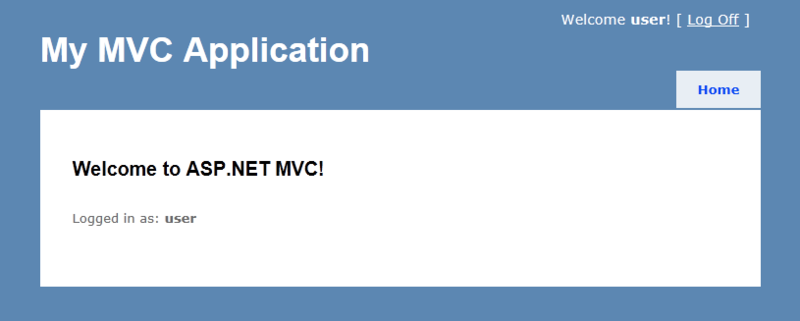
The site thinks we are a regular user.
If you look at the saved cookies in the browser, you can see both tokens
After clicking on Log Off, we return to the administrator mode.
Accordingly, the cookies are restored
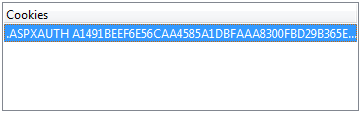
If you press Log Off again, we exit completely.

Conclusion
Total with a minimum of changes, we added the ability to temporarily pretend to be another user. Moreover, even without changing the appearance and logic of the site. For the rest of our web application, such manipulations are completely transparent and should not break anything.
It remains only to think out the logic of someone who can pretend. That, for example, the operator of those support could not log in as an administrator.
It is interesting to know if someone has already implemented a similar scheme in other ways? Unsubscribe in the comments.
Source: https://habr.com/ru/post/181592/
All Articles